How Trello Turns a Sign Up Into a First Board
 +20 XP
Case study
How Trello Turns a Sign Up Into a First Board
A new user signs up for Trello to build a content calendar and follows the product all the way from the landing page to a finished board. Along the way you will see seven onboarding tactics that work, and the small moments where the flow loses momentum.
+20 XP when you reach the endWhat you will learn
- Cut distractions and defer steps that are not needed yet
- Let people learn a new concept by building their own thing
- Send people back to the product with as little friction as possible
Scroll to follow the story. The screen changes with you.
Based on the learnings from Growth.Design: Trello's User Onboarding: 7 Tactics To Inspire You, presented in our own format.
Step 1 of 12
- Only one action
01
The setup
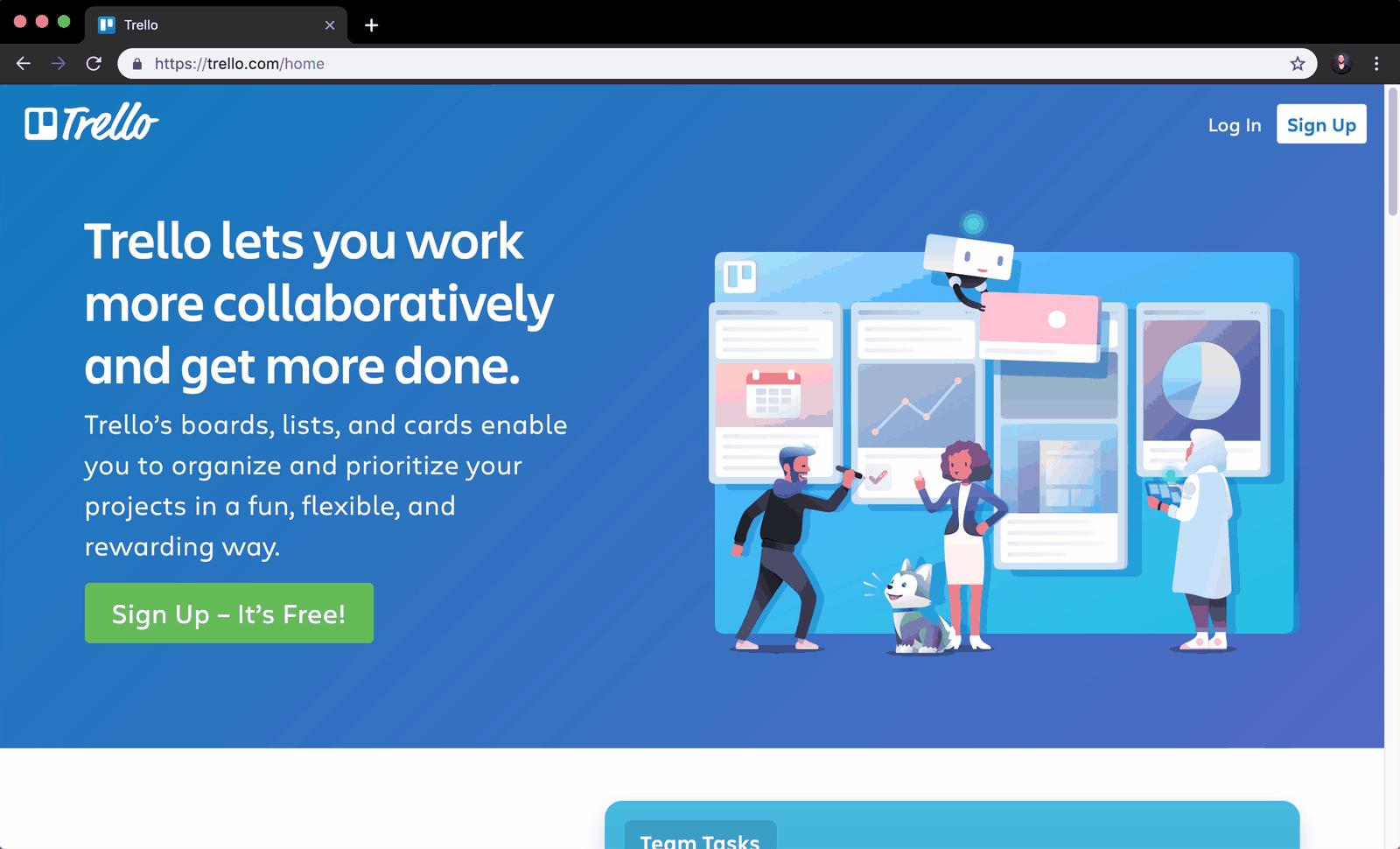
The home page has one message and almost nothing else to click.
A marketer wants a content calendar and opens Trello. The page states what the product does in one sentence, shows a single green 'Sign Up, It's Free!' button, and has only 'Log In' and 'Sign Up' in the header.
TakeawayOn a page whose job is to start signups, every extra link is an exit.
Fewer links, fewer leaksHick's Law says more choices make decisions slower. Growth.Design cites a HubSpot split test in which removing header navigation from key pages raised conversion by up to 28 percent.
 Gray on gray
02
A jarring switch
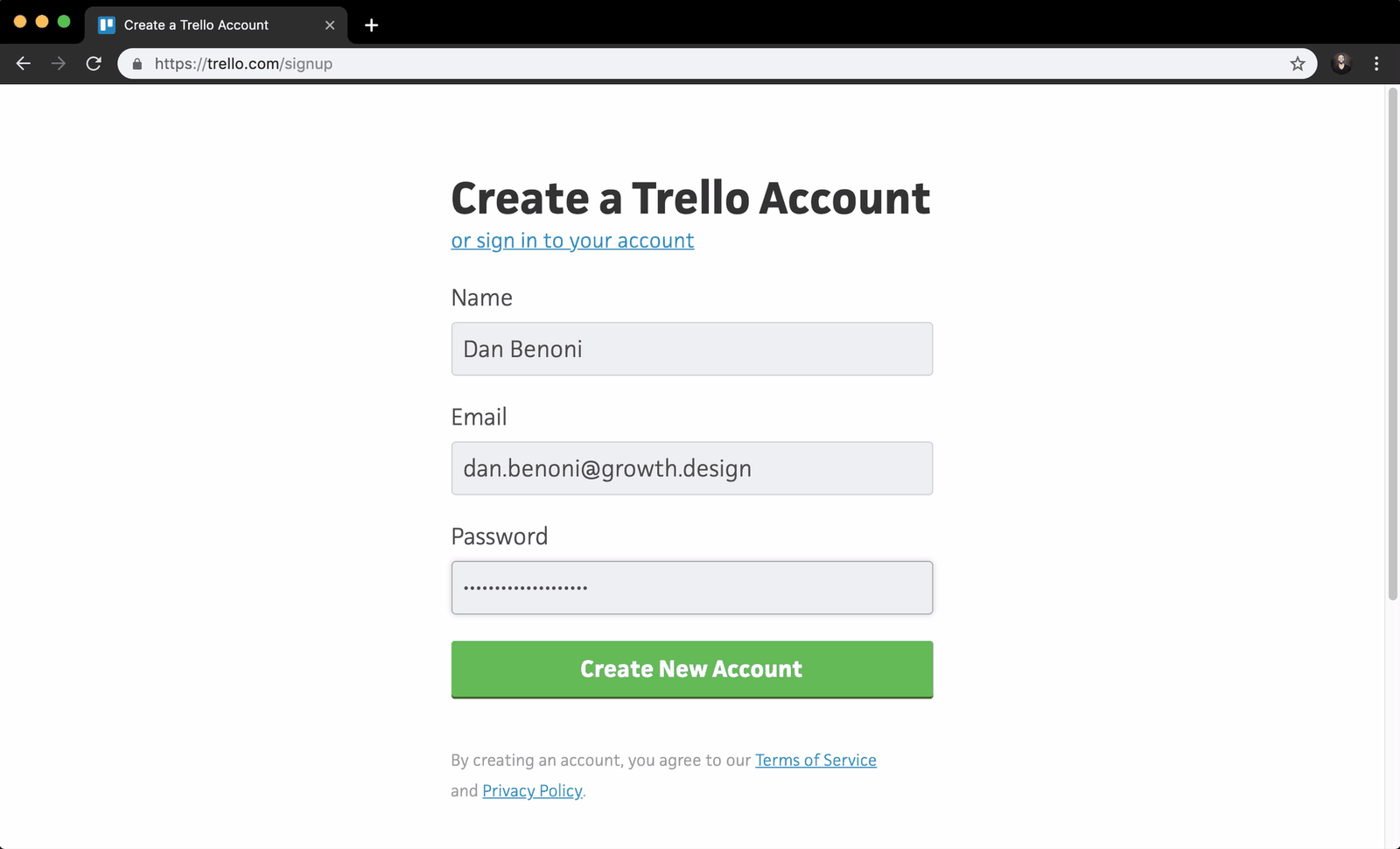
The signup form drops the bright blue brand for a plain gray page.
After the colorful landing page, the account form feels like a different company: no logo, no mascot, no blue. The empty fields are also light gray, which makes them look disabled and hard to tell apart from the button.
TakeawayKeep the brand consistent from the marketing site into the product, and make inactive and active states clearly different.
Brand coherenceMatching the look of your marketing site and your onboarding flow shapes how people judge the quality of the whole product.
- Button turns green
03
Tactic
Once you start typing, the form points you to the one next step.
As soon as a name is entered, 'Create New Account' turns green and the 'Sign up with Google' option disappears. The form quietly narrows the choice to a single action, which reduces the chance of a wrong click.
What changed
- Main button is highlighted once typing starts
- The alternative Google signup is removed
TakeawayRespond to what people are already doing, and remove choices they no longer need.
 Your own name
04
Tactic
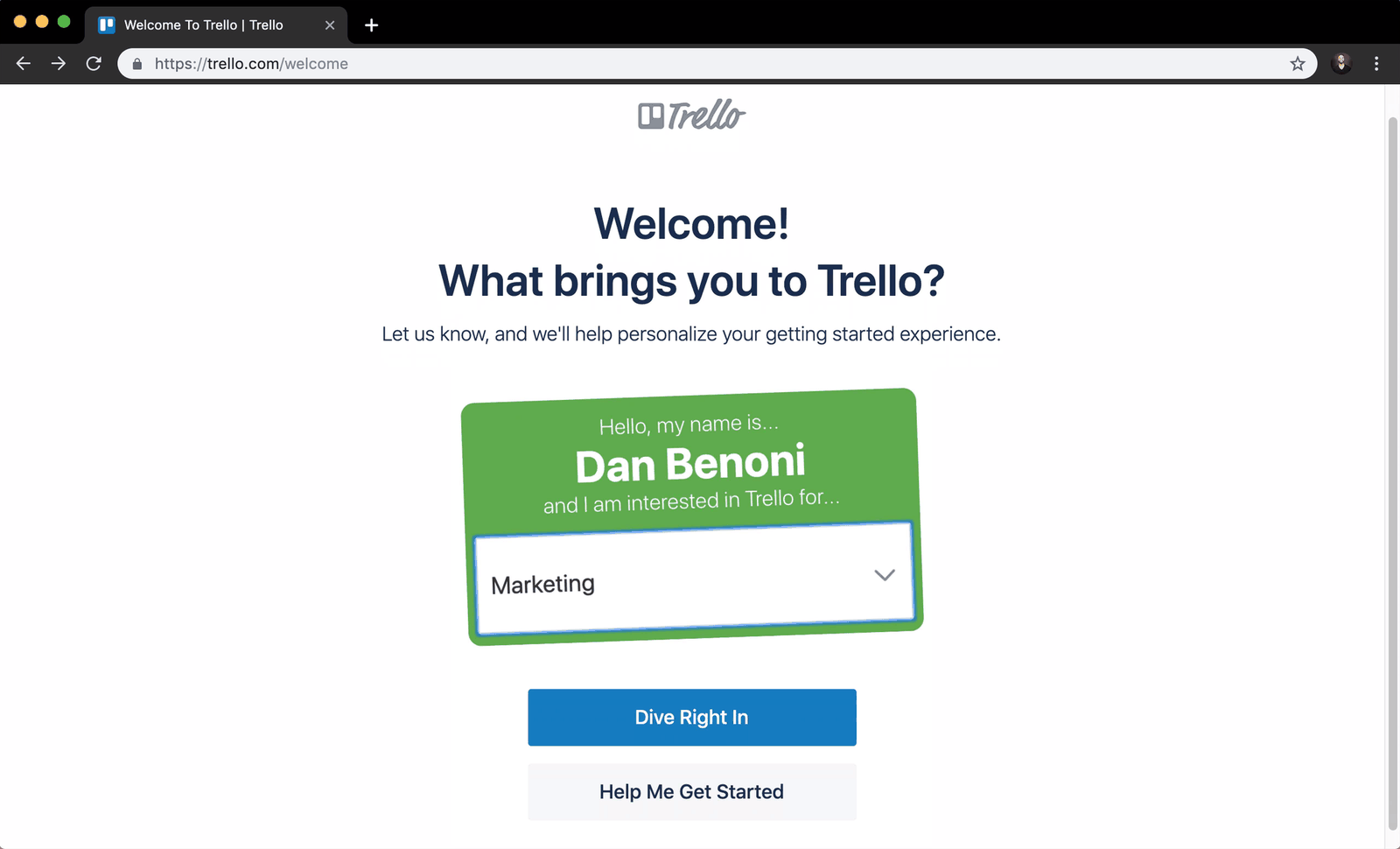
There is no forced email confirmation before you can explore.
Trello lets the new user straight into a welcome screen, greeting them with a name tag that uses their own name. Confirming the email address can wait until they have seen what the product does.
TakeawayAsk for commitment after people have seen value, not before.
Deferred account creationGrowth.Design cites ConversionXL: waiting until users have seen value before asking them to confirm their email can raise the rate from signup to first key action by up to 100 percent. Watch activation and revenue too, so the lift is real.
 Fifteen options
05
Tactic, with a catch
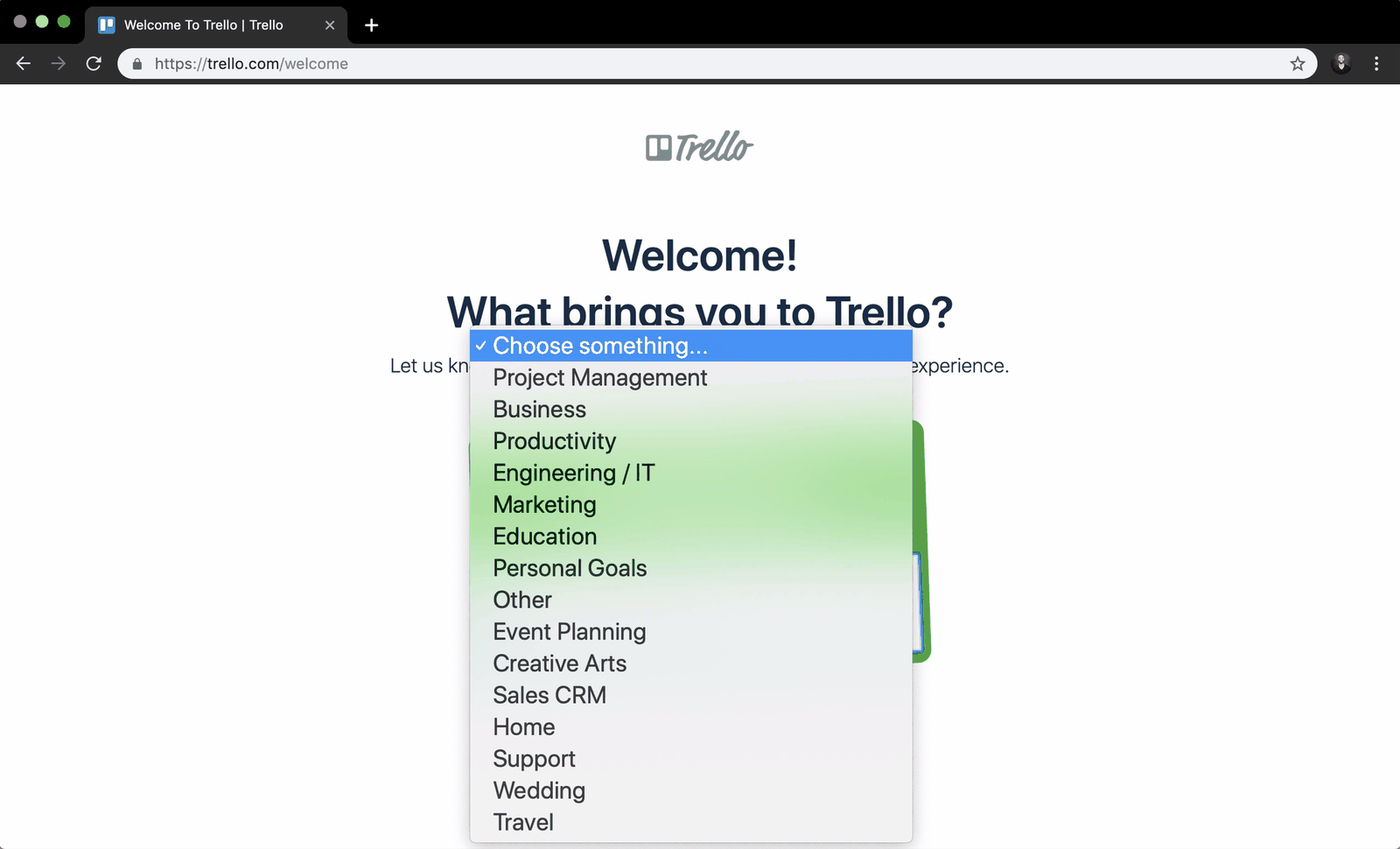
One question personalizes the start, but it offers fifteen answers.
Asking 'What brings you to Trello?' lets people segment themselves so the first steps fit their goal. The dropdown, though, lists fifteen overlapping options, from Project Management to Wedding, and the user has to guess which one fits a content calendar.
TakeawayPersonalize with one simple question, and keep the answers short and distinct.
Persona based onboardingGrowth.Design notes that Trello later reported a 36 percent lift in activation from personalization experiments, and that Appcues reported a 74 percent improvement in its users' activation time. Too many options undo the benefit.
- Which one?
06
The friction
'Dive Right In' and 'Help Me Get Started' do not say what happens next.
The two buttons sound almost the same, and neither explains where it leads. People worry that picking one is final, so they hesitate at the very moment the product wants momentum.
TakeawayLabel each choice with its outcome, and make it clear people can come back.
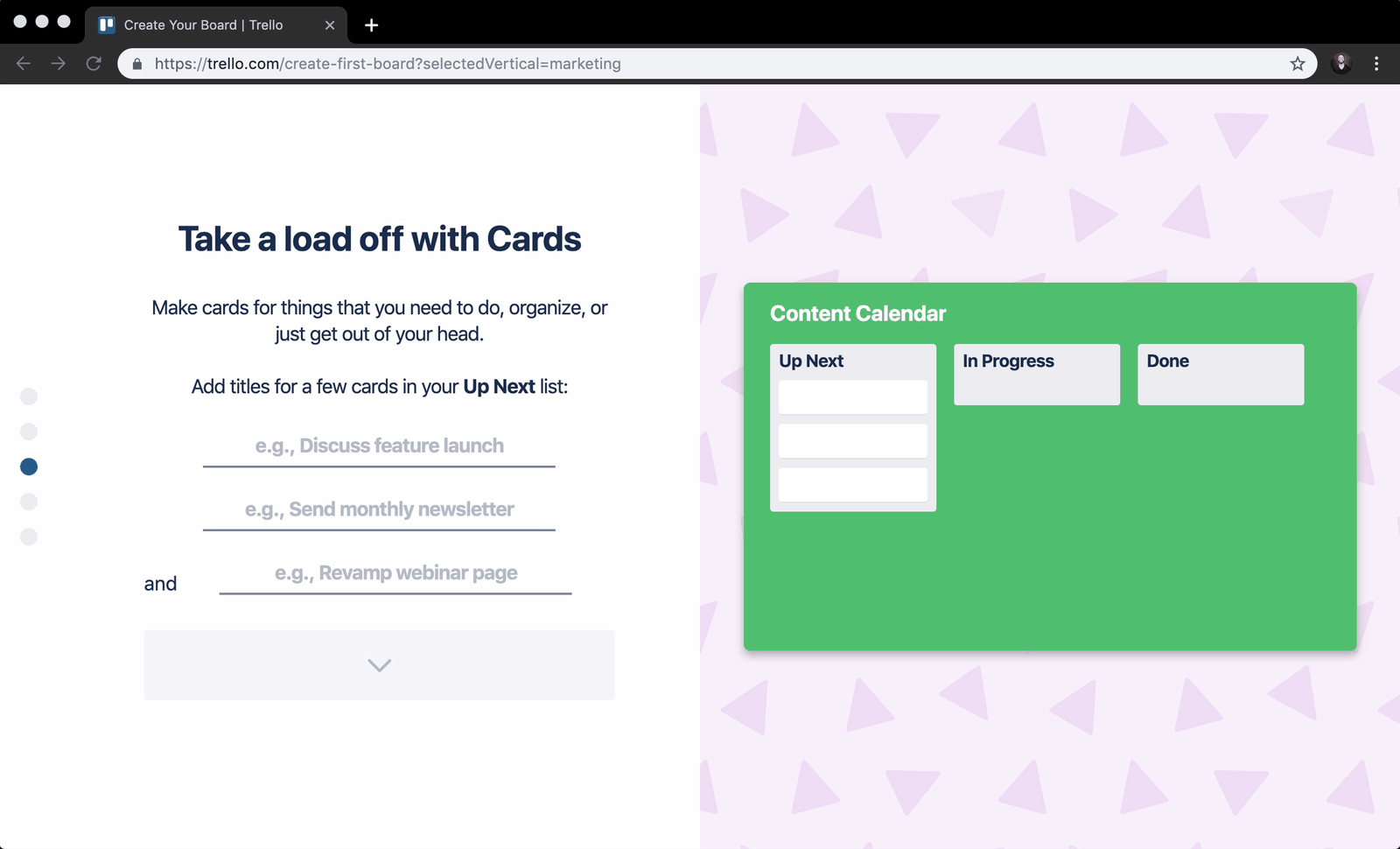 Familiar form fields
07
Tactic
Typing into familiar form fields builds a real board on the right.
The guided setup asks for a board name, then list names with sensible defaults, then a few card titles. Each answer appears live in the preview, so plain text fields become lists and cards in front of the user. The steps are wordy, though, and the first field is not focused automatically.
TakeawayStart from a concept people already know, and show the new concept forming from their own input.
Mental model migrationAccording to the Nielsen Norman Group, new concepts are easier to adopt when people are moved from an old mental model, such as a to do list or a spreadsheet, to the new one step by step.
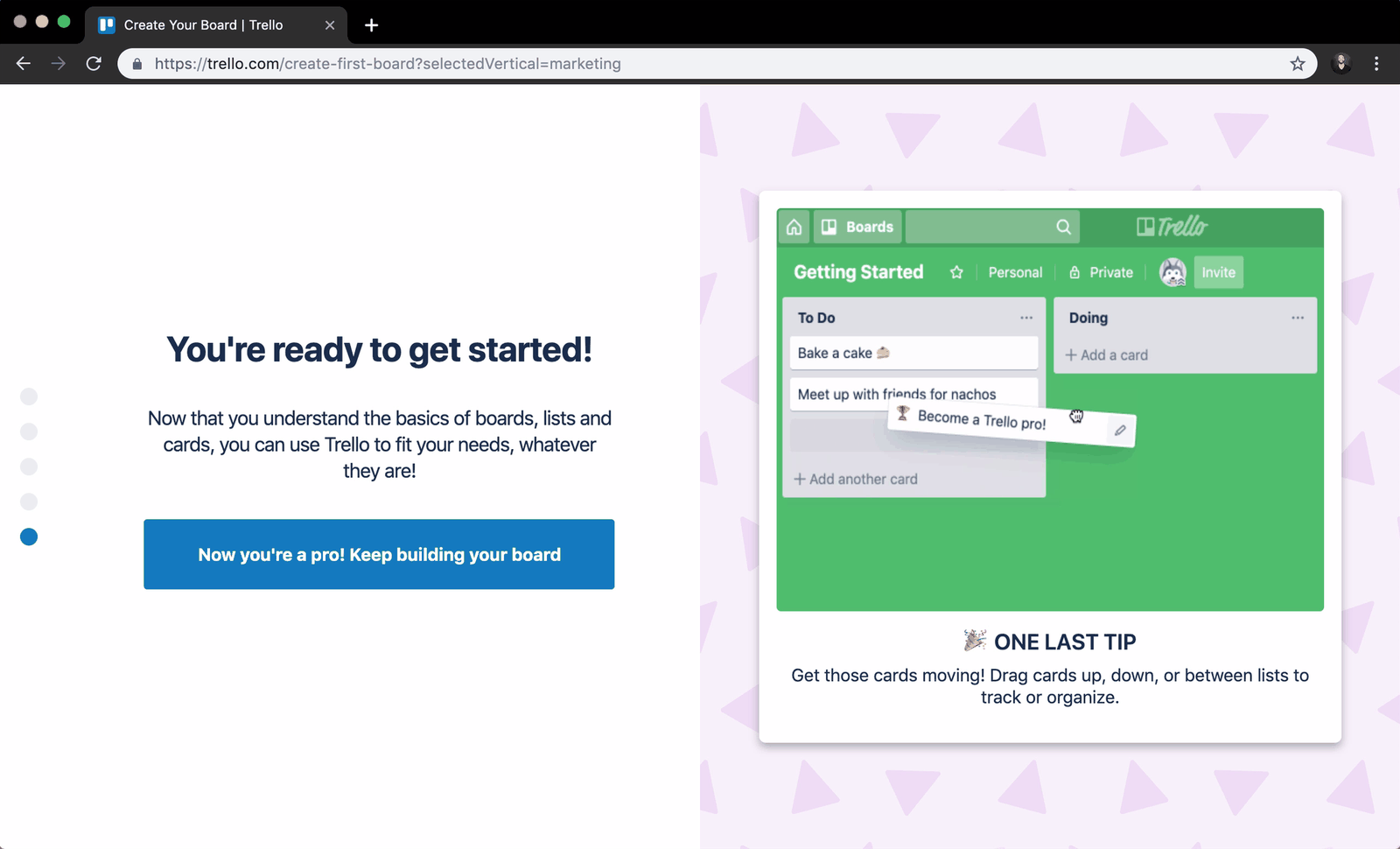 Just a video
08
The friction
The tour ends by describing dragging cards in a video you cannot touch.
The last step shows a looping clip of a card being dragged, with a tip to 'Get those cards moving'. The cards in the clip are not the ones the user just wrote, and by now they would rather try it on their own board.
TakeawayOnce people understand the basics, hand them the real product instead of another demonstration.
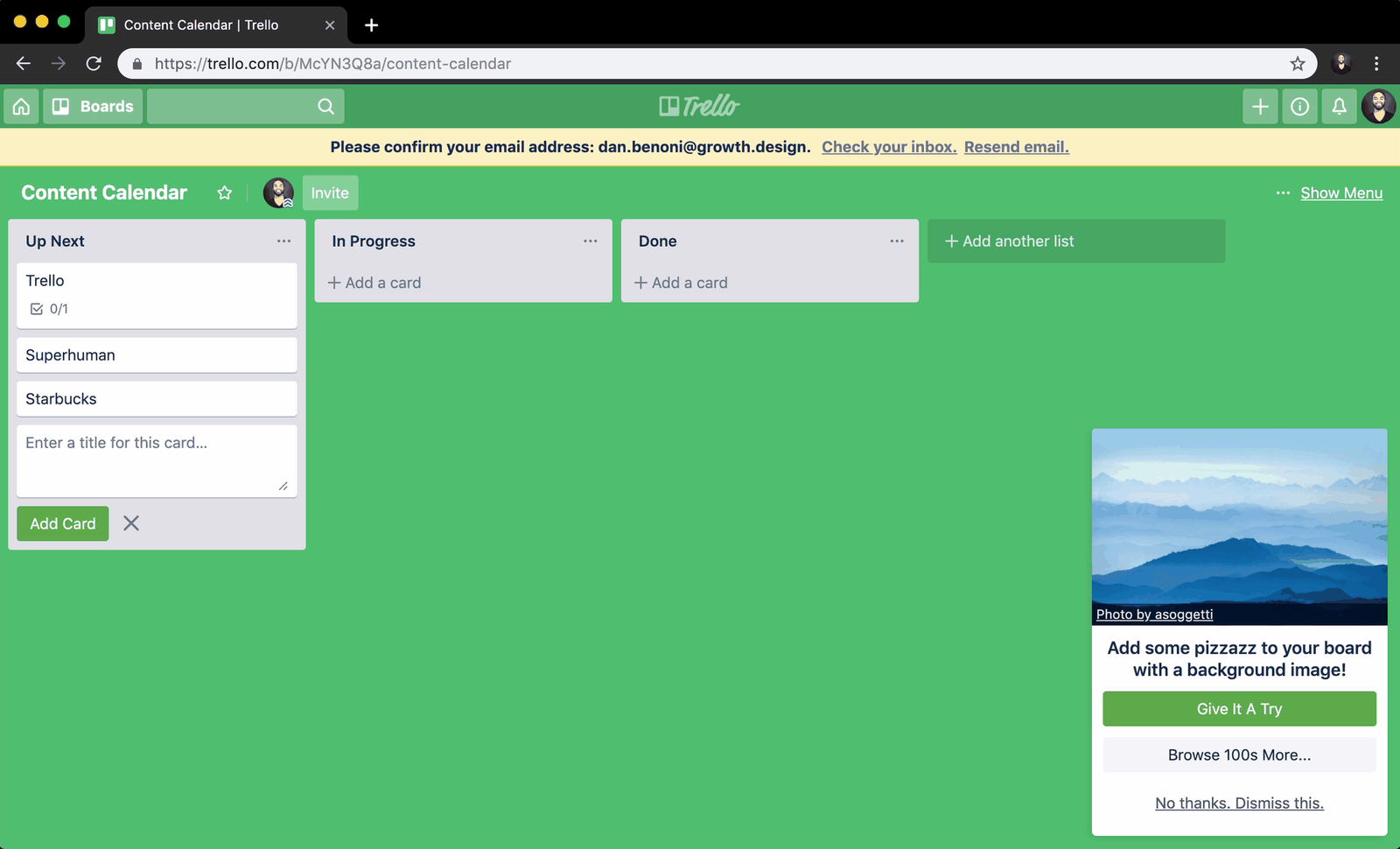 Loud green board
09
Tactic
A well timed prompt offers a calm background for the board.
The new board opens in a saturated green that competes with the content. Soon after, a small card offers a soft mountain photo with 'Give It A Try'. One click turns a generic tool into a space that feels like the user's own.
TakeawaySmall, easy customization early on makes people feel ownership of what they built.
Endowment effectPeople value something more once they feel they own it. A little effort spent customizing makes a new product feel like theirs.
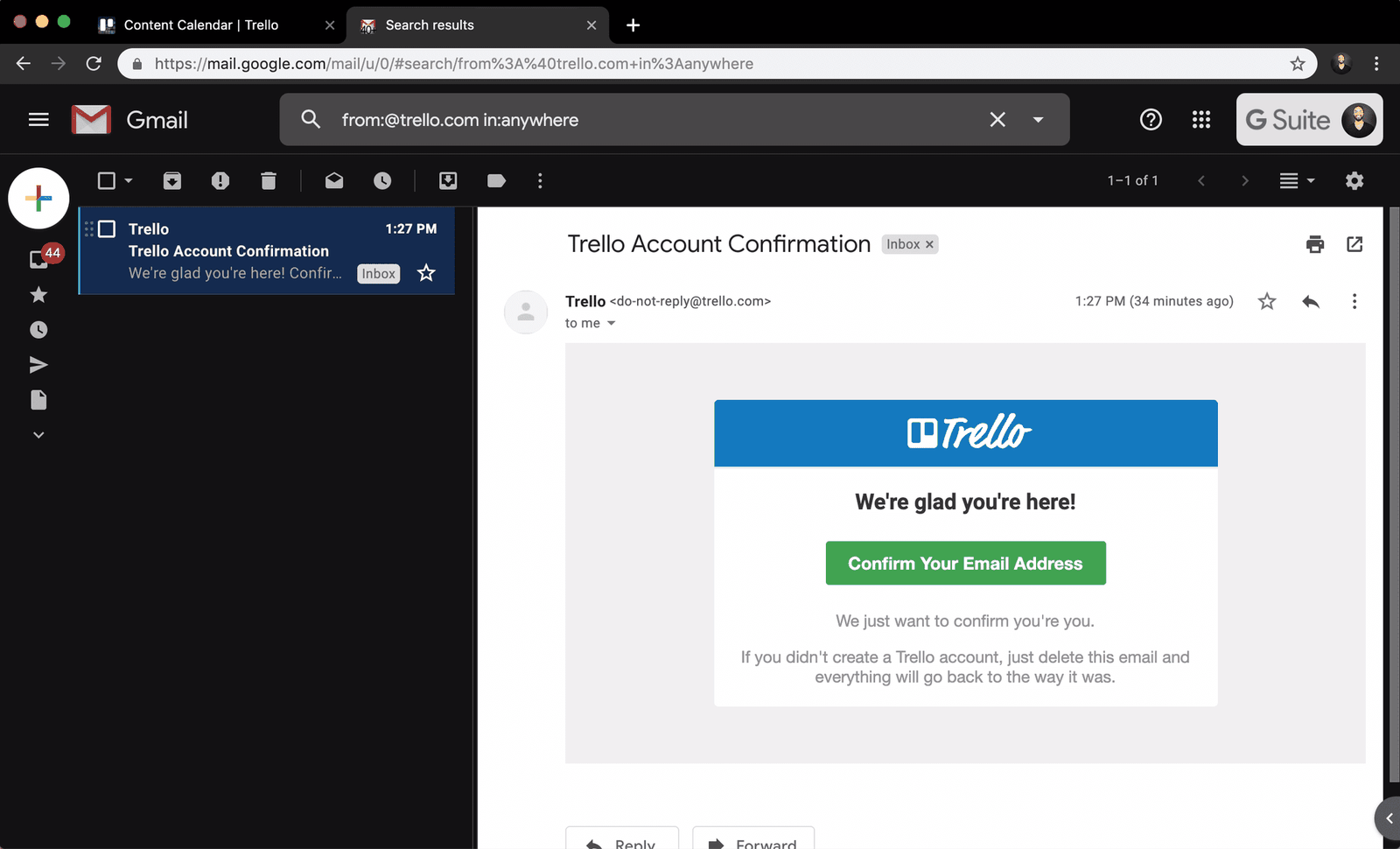 Pre-filled search
10
Tactic, and a better one
The confirmation link goes straight to the right inbox, but the inbox is a trap.
Trello detected that the address runs on Google and linked 'Check your inbox' directly to Gmail. That saves steps, yet an inbox full of unread mail pulls people away. Pre-filling the search with the sender, as shown here, lands them on the confirmation email alone.
What changed
- Link opens the user's own mail provider
- Search is pre-filled with the sender, 'from:@trello.com'
- 'in:anywhere' finds the email even if it went to spam
TakeawayWhen a step must happen outside your product, send people to the exact place and bring them straight back.
The sniper linkGrowth.Design recommends adding search parameters to the link so the mail app shows only your onboarding email. It takes minutes to build and keeps people away from a distracting inbox.
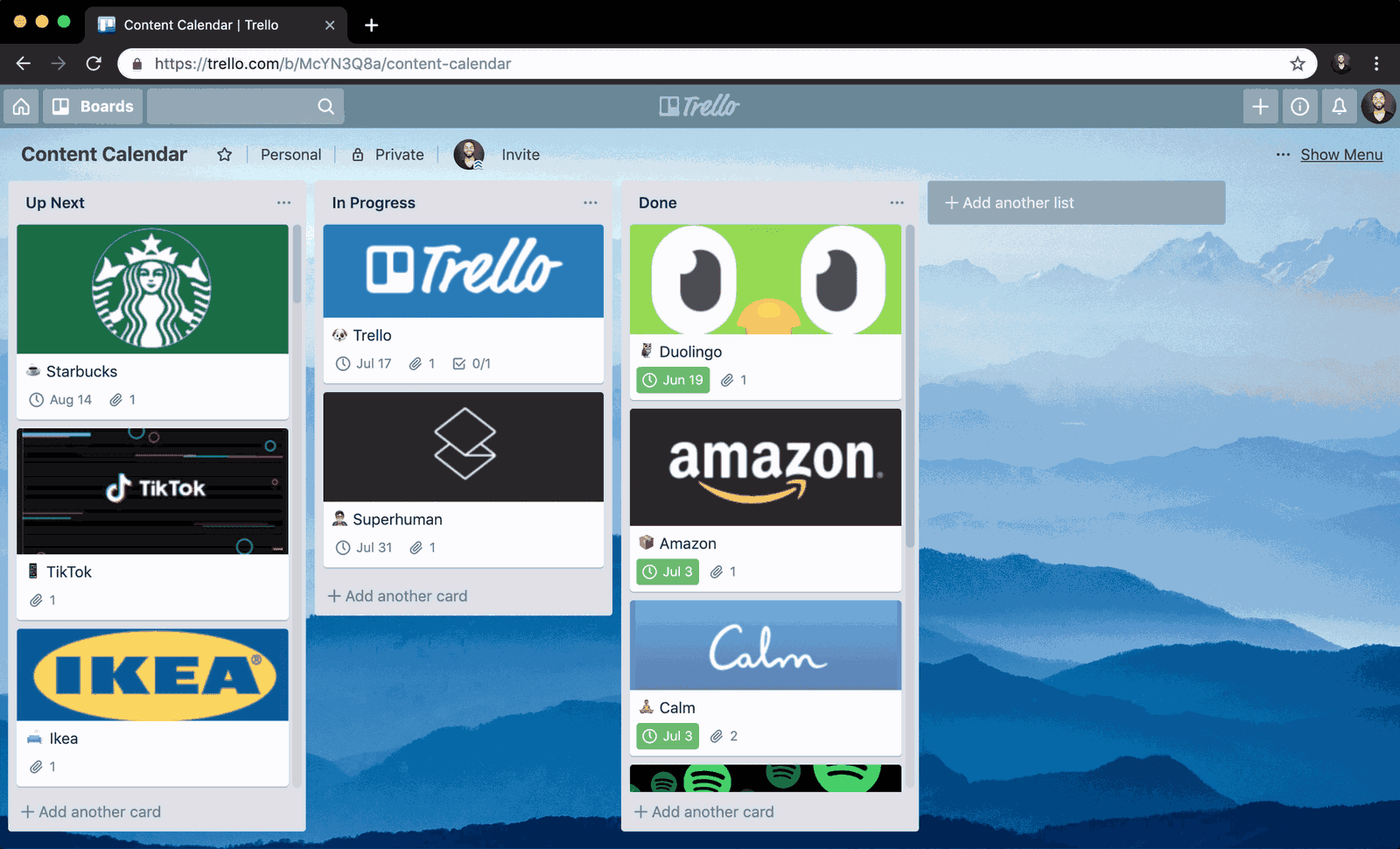 A calendar in lists
11
An opportunity
Trello knows this board is a content calendar, and could say so.
The board is literally named 'Content Calendar', one of Trello's most common use cases, and Trello sells a calendar feature as a paid Power-Up. Spotting that pattern and suggesting the calendar would be a timely, relevant nudge.
TakeawayUse what people have already told you to suggest the feature they are most likely to need.
Product qualified leadsGrowth.Design suggests detecting popular patterns in board names and nudging those users toward matching premium features, to raise the share of signups who become product qualified leads.
Start One clear startFinished board Their own board12
The result
From a landing page to a working calendar in one sitting.
The user's mood dipped at the gray form, the fifteen options, the vague buttons, the video and the inbox. It rose every time they built or customized something of their own. Growth.Design rated the overall experience an A.
What changed
- Fewer links on signup pages
- Email confirmation deferred
- One question to personalize
- Concepts taught through the user's own input
TakeawayOnboarding works best when every step moves people closer to their own finished result.
Every takeaway, in one place
- The setupOn a page whose job is to start signups, every extra link is an exit.
- A jarring switchKeep the brand consistent from the marketing site into the product, and make inactive and active states clearly different.
- TacticRespond to what people are already doing, and remove choices they no longer need.
- TacticAsk for commitment after people have seen value, not before.
- Tactic, with a catchPersonalize with one simple question, and keep the answers short and distinct.
- The frictionLabel each choice with its outcome, and make it clear people can come back.
- TacticStart from a concept people already know, and show the new concept forming from their own input.
- The frictionOnce people understand the basics, hand them the real product instead of another demonstration.
- TacticSmall, easy customization early on makes people feel ownership of what they built.
- Tactic, and a better oneWhen a step must happen outside your product, send people to the exact place and bring them straight back.
- An opportunityUse what people have already told you to suggest the feature they are most likely to need.
- The resultOnboarding works best when every step moves people closer to their own finished result.
Source: Growth.Design: Trello's User Onboarding: 7 Tactics To Inspire You
Get new users to their first real result, faster.
Most products lose people in the first session, between signing up and doing something useful. Zyxware can map your first run step by step, find where attention drops, and redesign it so people build something of their own before they have a reason to leave.