Moving the Aha Moment to the Start of Onboarding
 +20 XP
Case study
Moving the Aha Moment to the Start of Onboarding
A curious user downloads Too Good To Go after seeing a friend pick up a bag at a coffee shop, but only understands what the app is for after reserving their first bag. You will learn three changes that bring that moment of understanding to the very first screens.
+20 XP when you reach the endWhat you will learn
- Lead with why the product matters, not how to use it
- Show a new concept instead of describing it vaguely
- Ask for permissions with one clear, attractive reason
Scroll to follow the story. The screen changes with you.
Based on the learnings from Growth.Design: 3 UX Tips To Make Aha Moments Click, presented in our own format.
Step 1 of 10
- Sounds generic
01
The setup
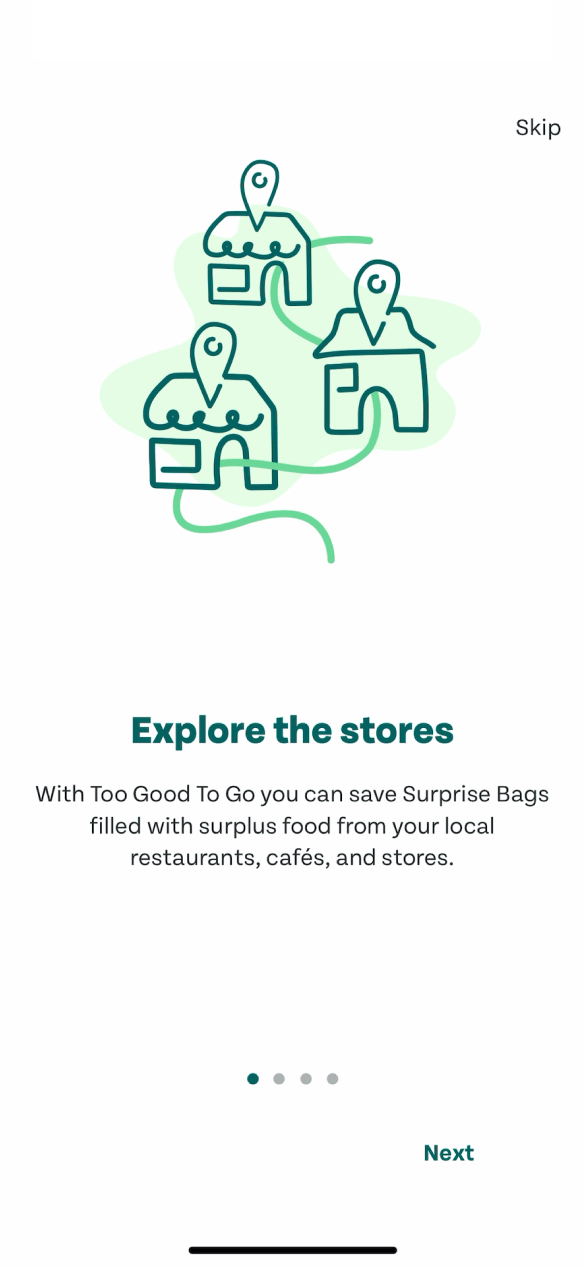
The first screen says 'Explore the stores', which sounds like a directory.
The user saw a friend grab a Too Good To Go bag at a coffee shop and downloaded the app later. The opening slide explains saving Surprise Bags from local shops, but the headline makes it sound like a store discovery app.
TakeawayIf the first headline describes a feature, people guess the wrong product.
 What surprise?
02
Still unclear
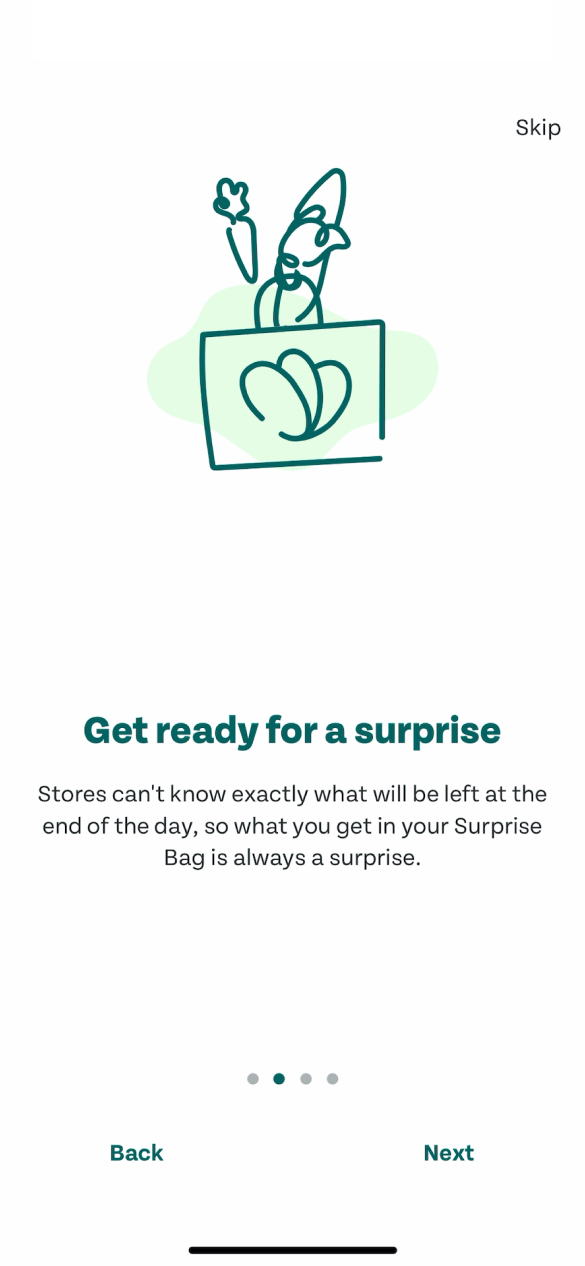
'Get ready for a surprise' names the concept without showing it.
The next slides mention surprises, being on time and collecting orders, each with a line drawing. The user starts to wonder what they are collecting, and why. The steps confuse more than they explain.
TakeawayA new concept needs to be shown, not just named.
 Vague reasons
03
Permission requests
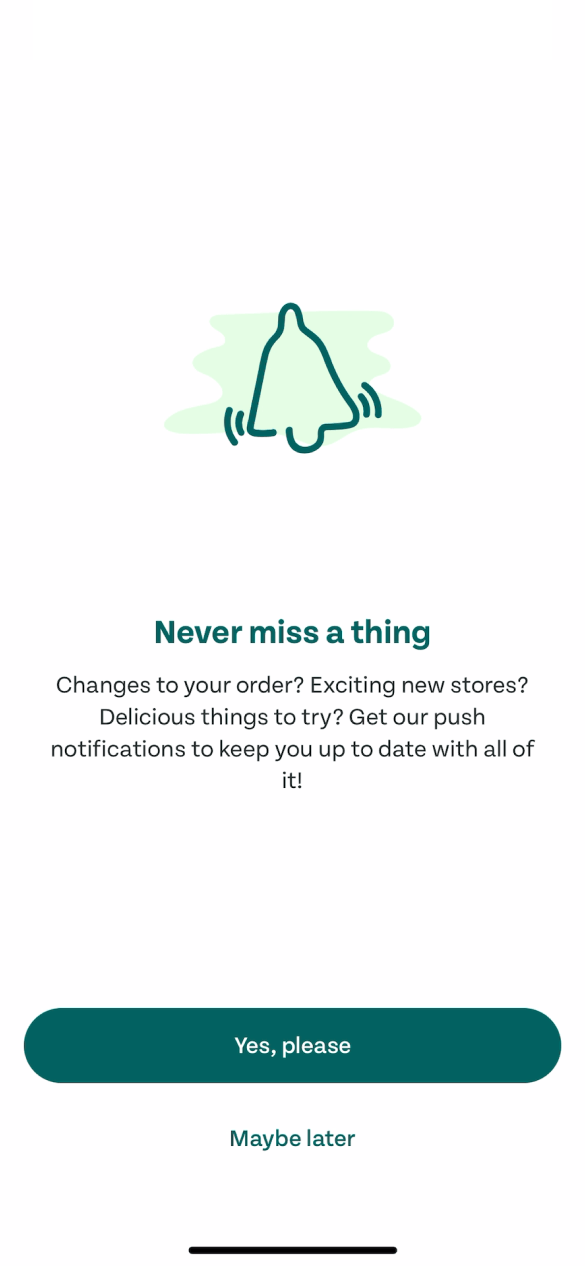
Two permission requests follow, before the user has seen any value.
'Never miss a thing' asks for push notifications with a list of vague reasons, and a second screen right after asks for email updates. The user declines both, since there is nothing yet they would want to hear about.
TakeawayPermission requests before value feel like a cost, so people say no.
 CA$5.99, not $18
04
Finally in
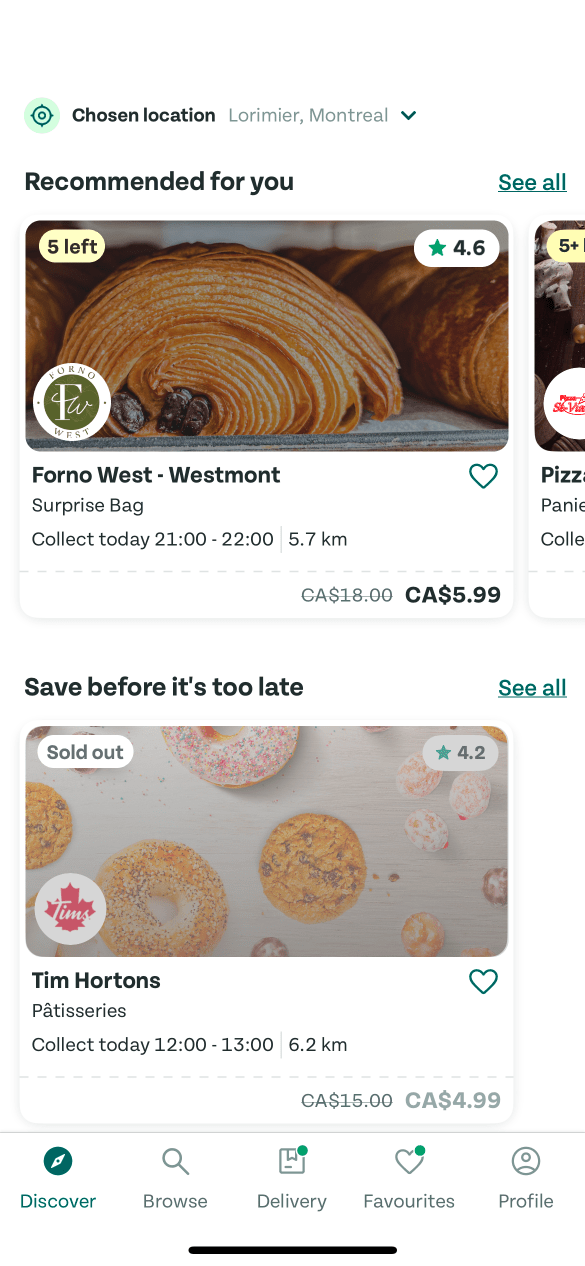
The home screen shows real bags at a fraction of the price.
A bakery the user loves appears under 'Recommended for you', with a bag worth CA$18 offered for CA$5.99. Interest jumps immediately, because this is concrete.
TakeawayConcrete prices and familiar places explain more than any intro slide.
 5 left
05
The store page
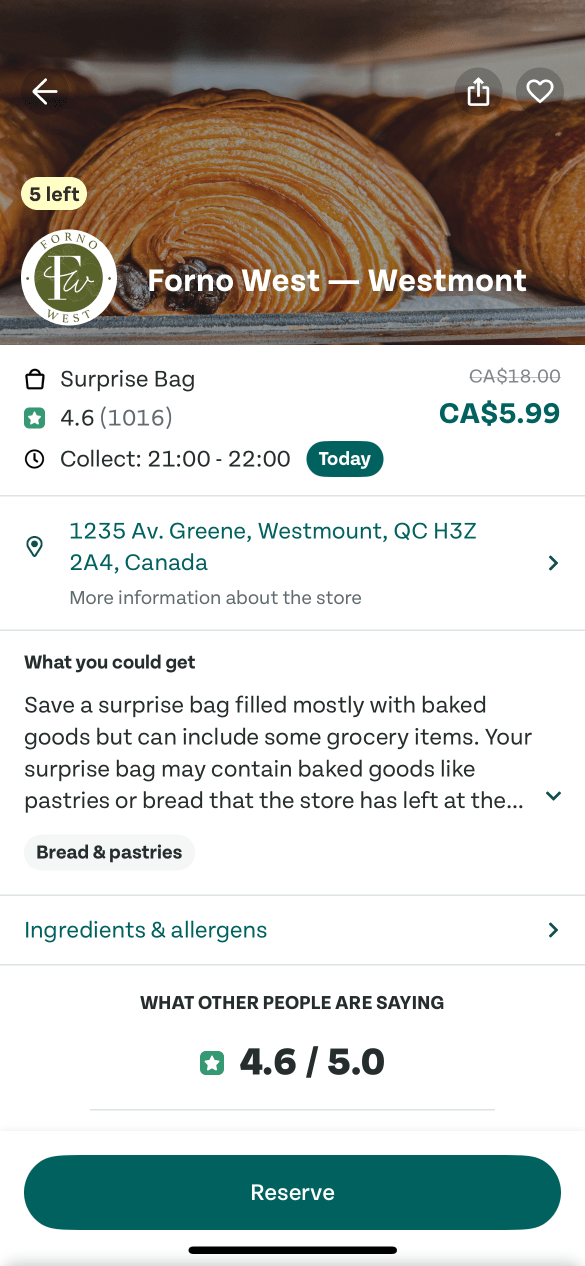
Only five bags are left, so the user reserves one quickly.
The store page shows the price, a rating of 4.6 and a collection window tonight. The '5 left' badge adds urgency, and the user taps Reserve without fully understanding what is in the bag.
TakeawayPeople will act on a good deal, but they still need to understand what they are buying.
 The real idea
06
The aha moment
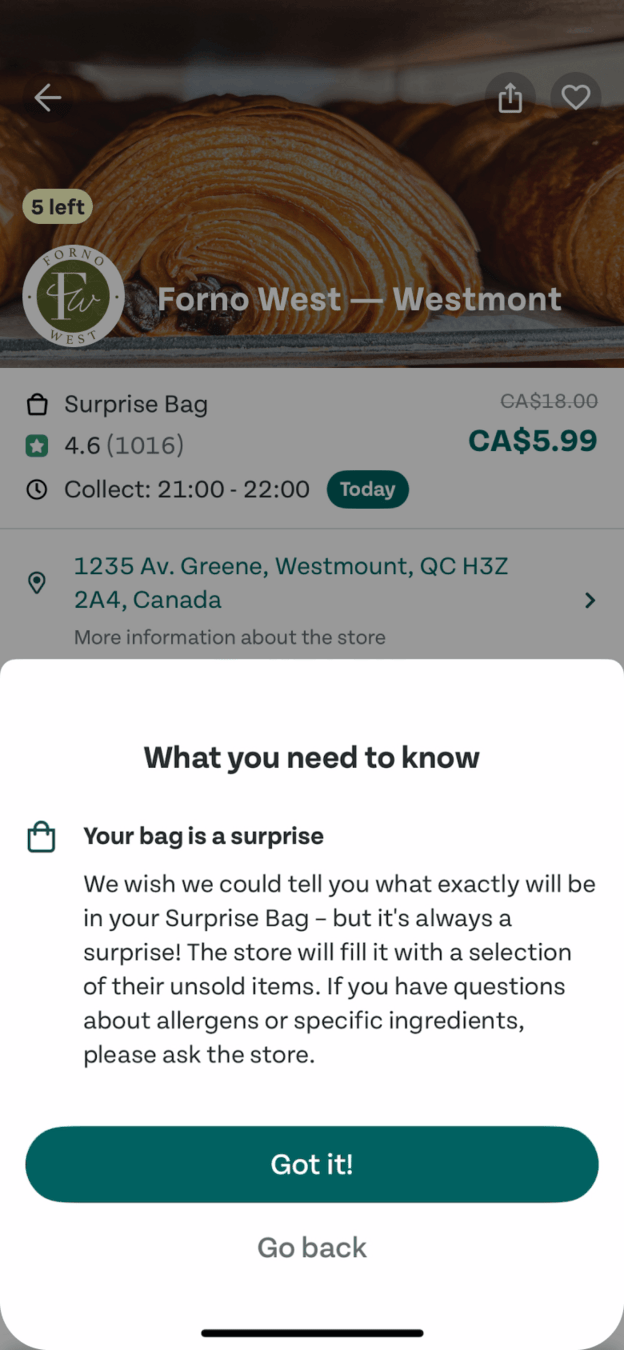
Only now does it click: the bag is food that would otherwise go to waste.
A 'What you need to know' sheet explains that stores cannot predict what will be left, so they fill the bag with unsold items. The user loves the idea, but it took until the checkout for the value to land.
TakeawayWhen the aha moment arrives late, many people have already left.
The aha momentThis is the moment people first realize a product's value. Growth.Design notes that great products design their experience to reach that moment as early as possible.
How Feature firstWhy 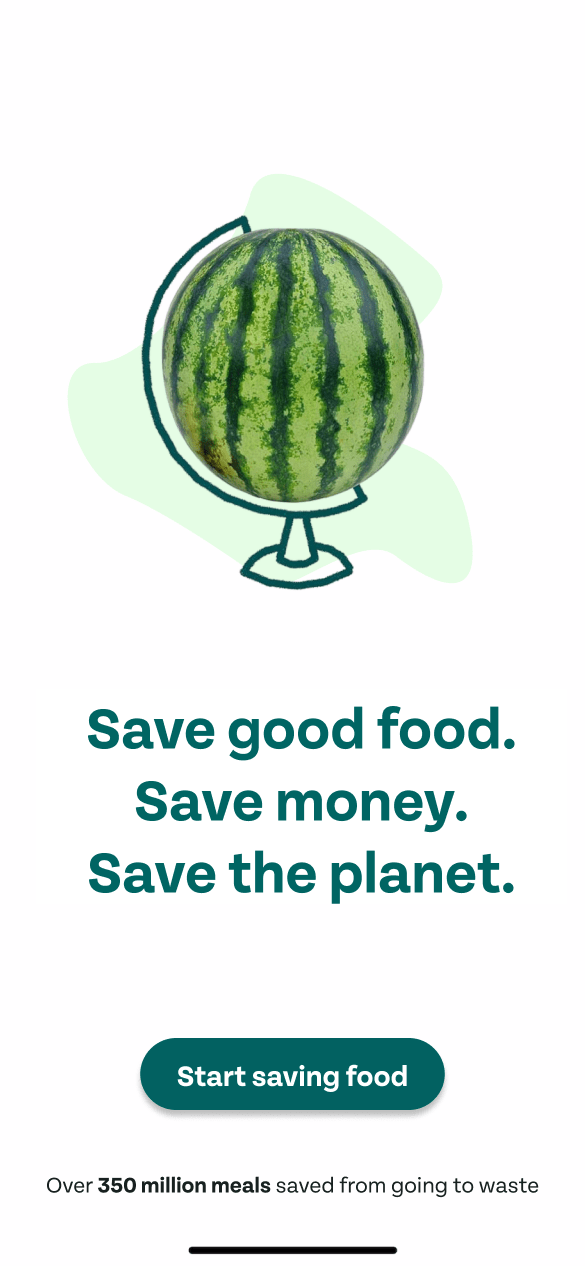 Value first
07
Fix 1
Start with why the product exists, not how to use it.
The alternative first screen says 'Save good food. Save money. Save the planet.' with a watermelon globe, and notes that over 350 million meals have been saved from waste. The value is clear before any instructions.
What changed
- Headline states three benefits
- Proof: 350 million meals saved
- Button says 'Start saving food'
TakeawayLead with the reason people should care. The how can follow.
Tell Told vaguelyShow 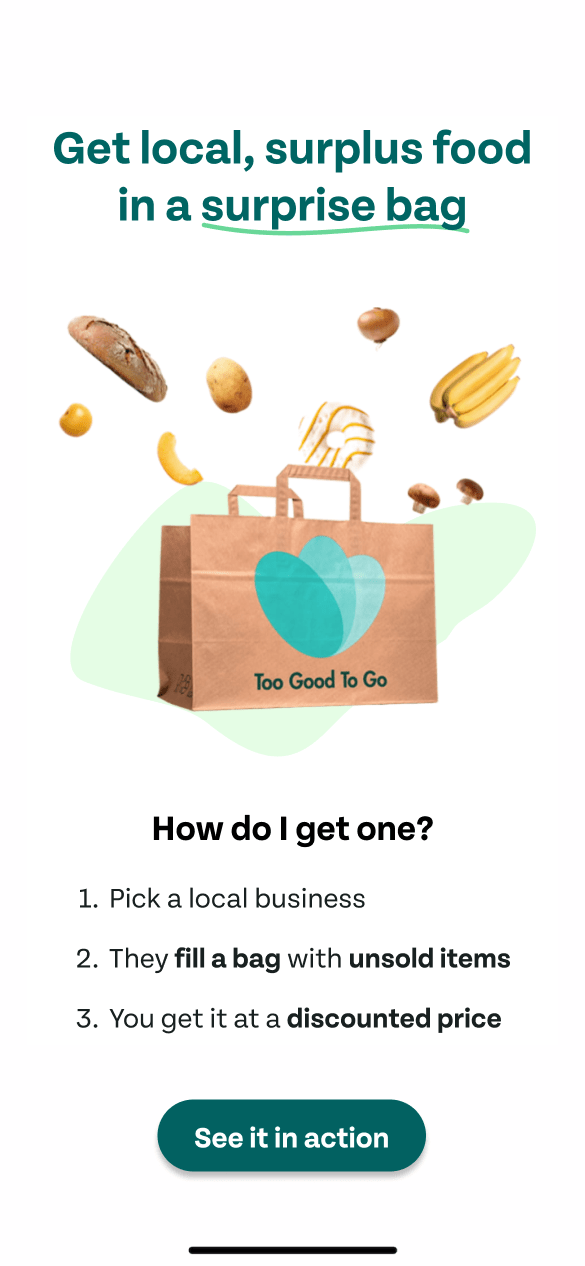 Three clear steps
08
Fix 2
Show what a surprise bag is, and how to get one, in three steps.
'Get local, surplus food in a surprise bag' sits above a bag with food falling in. Three numbered steps explain the model: pick a local business, they fill a bag with unsold items, you get it at a discount. A short video of someone collecting a bag could make it even clearer.
What changed
- Headline defines the surprise bag
- Picture of real food in a bag
- Three numbered steps
- Button: 'See it in action'
TakeawayReplace vague mentions of a concept with a clear picture of how it works.
Ask Vague askOffer 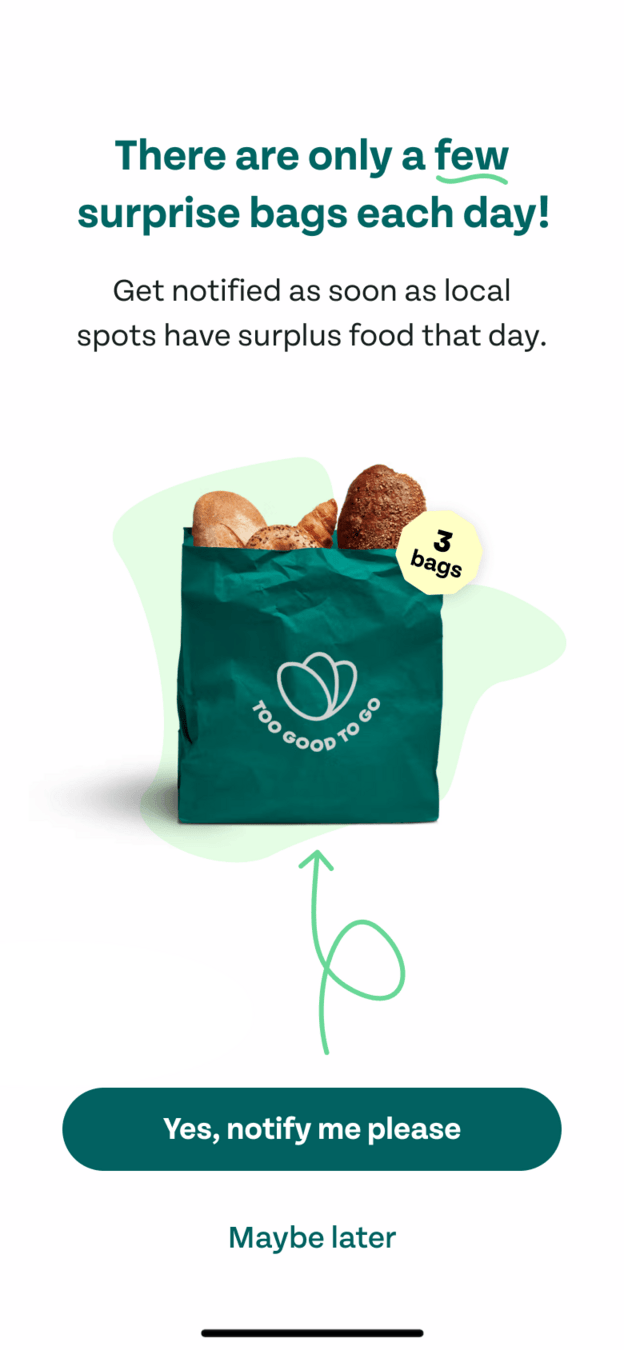 One clear reason
09
Fix 3
Give one clear reason to turn on notifications.
Instead of a list of vague reasons, the alternative says there are only a few surprise bags each day, and offers to notify you when local spots have surplus food. The button says 'Yes, notify me please'.
What changed
- One reason instead of several
- Scarcity that is real: few bags each day
- Button describes the benefit
TakeawayTurn a permission request into an offer people want to accept.
Temptation bundlingPair an action people should do with a reward they want. Growth.Design shows this by turning 'Enable our notifications' into 'Don't miss your surprise bag'. When motivation is aligned ethically, people accept happily.
Late aha Too lateEarly aha Right away10
The result
The same product, understood on the first screen instead of the last.
In the original, excitement fell through the intro and notification steps and only recovered at checkout. With a value-first onboarding it rises from the start. The difference between those two paths is the impact of good design.
TakeawayIt is rare for a product to be good for people, businesses and the planet. When it is, make sure people get it early.
Every takeaway, in one place
- The setupIf the first headline describes a feature, people guess the wrong product.
- Still unclearA new concept needs to be shown, not just named.
- Permission requestsPermission requests before value feel like a cost, so people say no.
- Finally inConcrete prices and familiar places explain more than any intro slide.
- The store pagePeople will act on a good deal, but they still need to understand what they are buying.
- The aha momentWhen the aha moment arrives late, many people have already left.
- Fix 1Lead with the reason people should care. The how can follow.
- Fix 2Replace vague mentions of a concept with a clear picture of how it works.
- Fix 3Turn a permission request into an offer people want to accept.
- The resultIt is rare for a product to be good for people, businesses and the planet. When it is, make sure people get it early.
Source: Growth.Design: 3 UX Tips To Make Aha Moments Click
Help new users see your value on the first screen.
When the value of a product only becomes clear deep into the flow, many people leave before they get there. Zyxware can find your product's real aha moment, rebuild onboarding around it, and rewrite permission requests so people say yes for good reasons.