How Tinder Turns New Users Into Paying Customers Within Minutes
 +20 XP
Case study
How Tinder Turns New Users Into Paying Customers Within Minutes
A first-time Tinder user signs up, swipes, and meets three separate paid upgrades within about fifteen minutes. You will see what the onboarding does well, where it loses people, and the conversion techniques that make each upsell work.
+20 XP when you reach the endWhat you will learn
- Reduce perceived effort in a sign-up flow and bridge hard steps
- Spot the pricing tactics used on subscription paywalls
- Help users reach their first success instead of leaving them alone
Scroll to follow the story. The screen changes with you.
Based on the learnings from Growth.Design: How Tinder Converts 8% Of Singles Into Customers In Less Than 15min., presented in our own format.
Step 1 of 11
- Be yourself
01
The setup
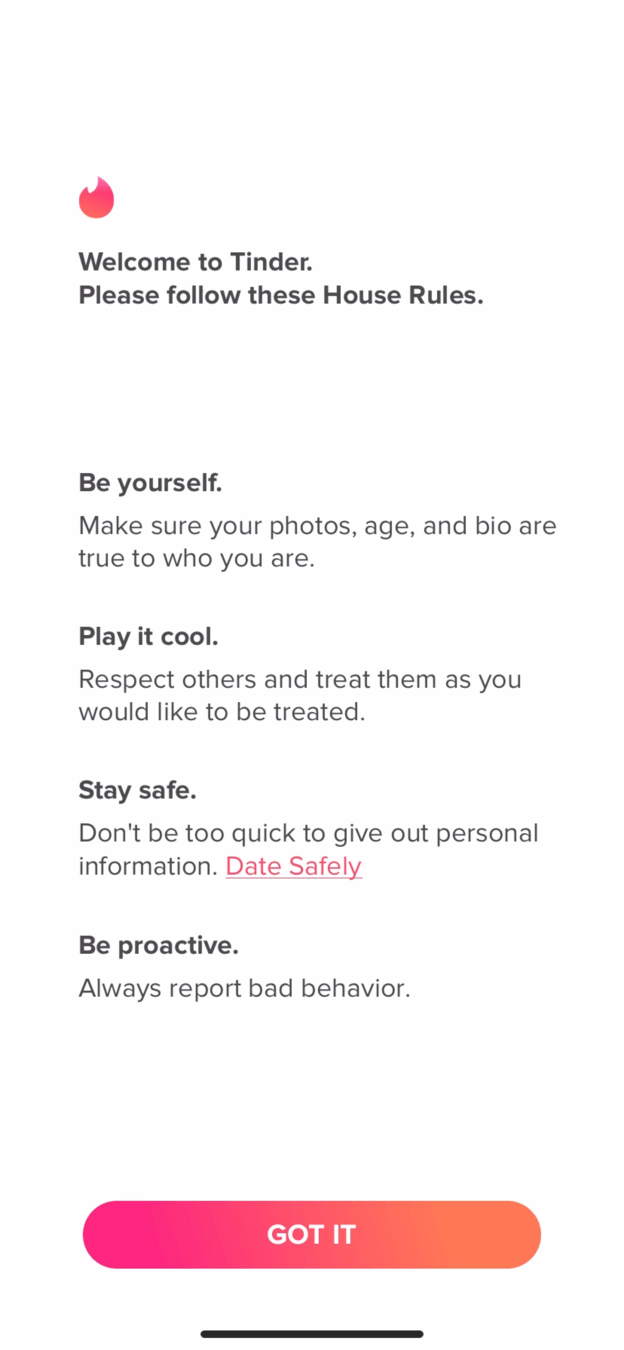
Sign-up opens with a wall of four house rules.
A friend has given up on dating apps, so the narrator downloads Tinder to see what is wrong. The first screen lists four rules: be yourself, play it cool, stay safe and be proactive. There are no images and nothing that primes the person for what comes next.
What changed
- Keep only 'Be yourself' as the introduction
- Move the other rules to the moments they apply
TakeawayOnly show what earns its place at this moment. The rest can come later.
Be mindful of spaceNew users are entering a world they know nothing about, and it can be overwhelming. Growth.Design, citing UX Studio, advises that every word and element should add clear value for that precise moment.
 Progress bar
02
Doing it right
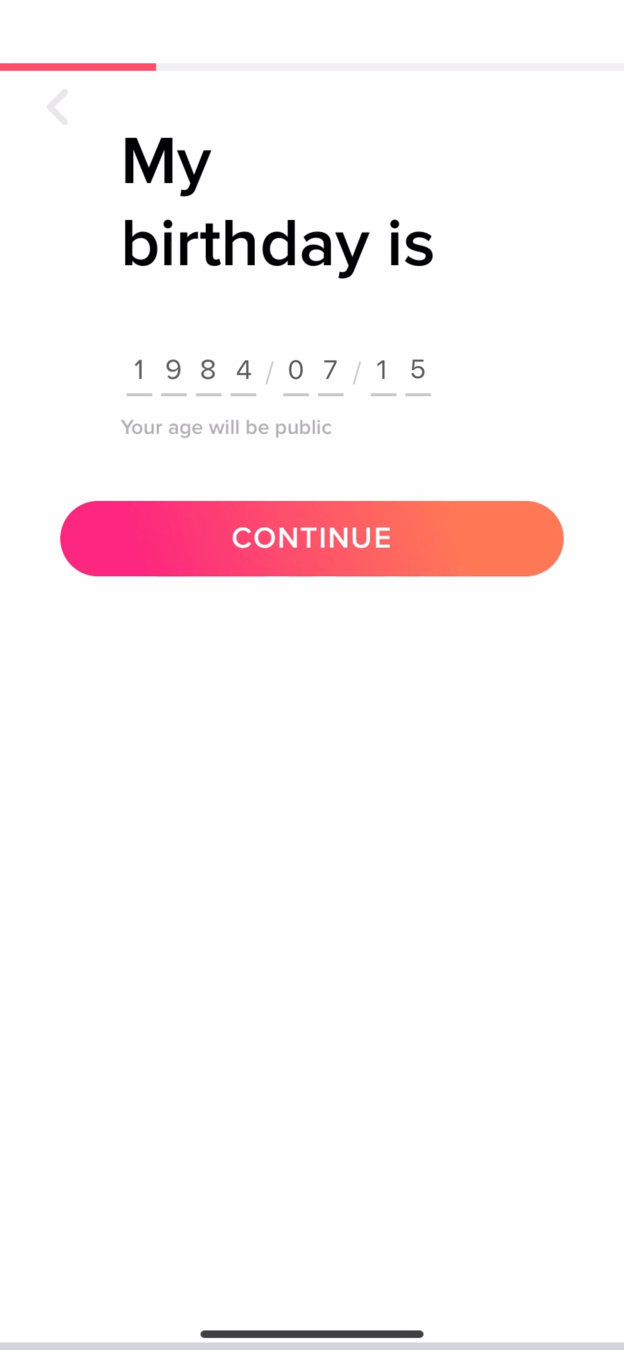
Profile questions come one per screen, so the form feels short.
Name, birthday, gender and orientation each get their own screen with a progress bar at the top. It is more taps, but each step looks trivial, and the orientation list is a good example of inclusive design that avoids confusion.
TakeawaySplitting a form into small steps lowers how hard it looks, and that is what people judge first.
Minimize perceived effortThe first thing people do with a new form is estimate how long it will take. Growth.Design, citing Smashing Magazine, notes that separating fields into steps makes the whole process look easy.
Current 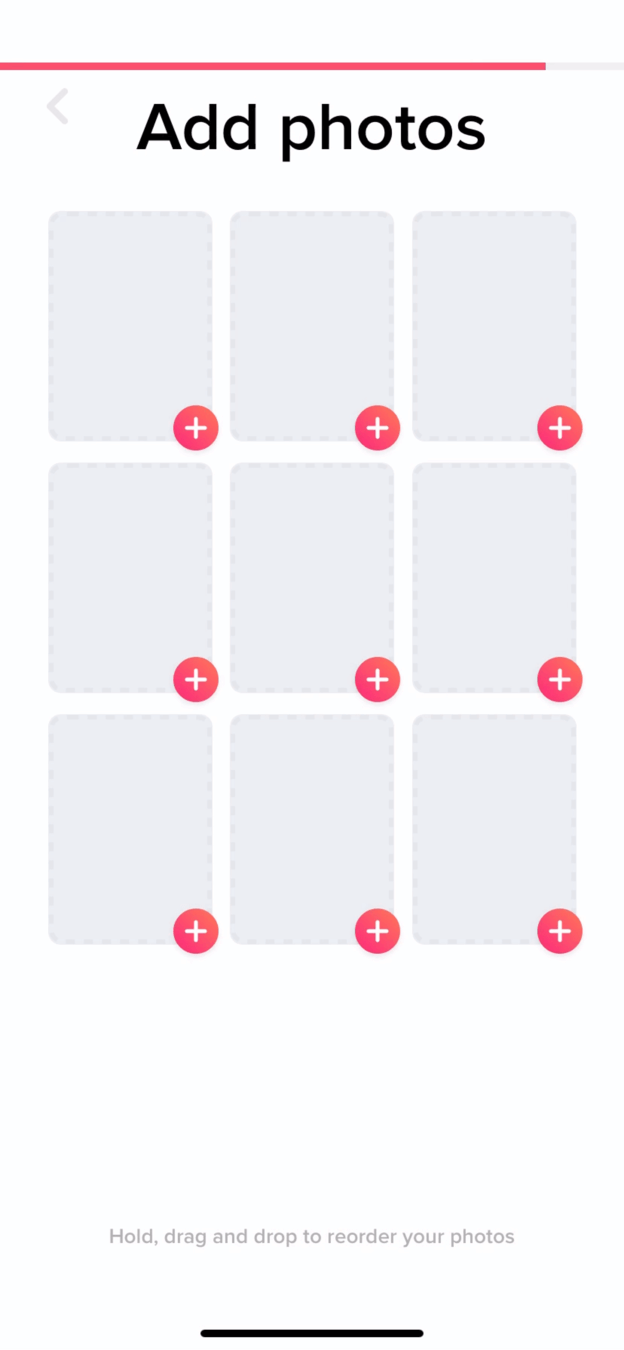 Nine to fill
Bridged 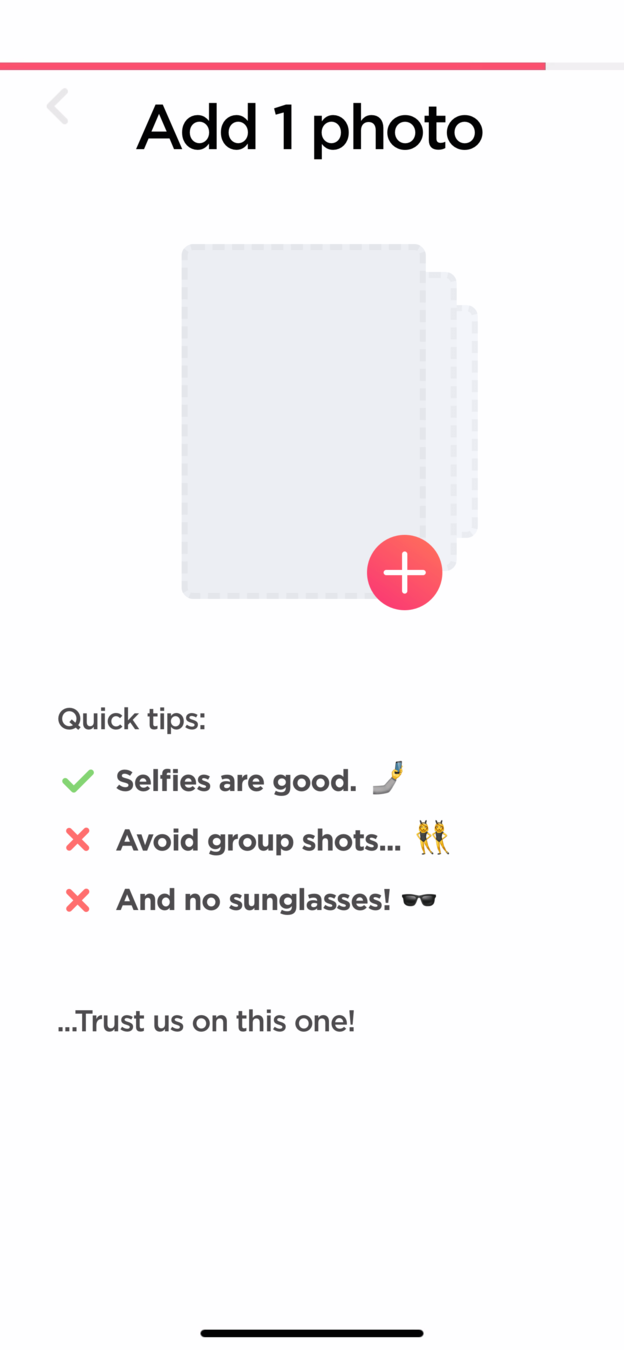 Quick tips
03
The big commitment
Nine empty photo slots make the hardest step look even harder.
Adding photos is the biggest ask of onboarding, and nine placeholders suggest you need nine photos. There is no guidance either, even though Tinder has plenty of data on which photos work. The alternative asks for one photo and adds quick tips.
What changed
- Ask for one photo instead of showing nine slots
- Add tips: selfies work, avoid group shots and sunglasses
TakeawayOn the hardest step, lower the bar and give people the help they need to clear it.
Bridge the gapThere are many small steps between 'Add photos' and actually adding them. Growth.Design, citing Samuel Hulick, advises removing every obstacle or question people might have before they give up.
Current 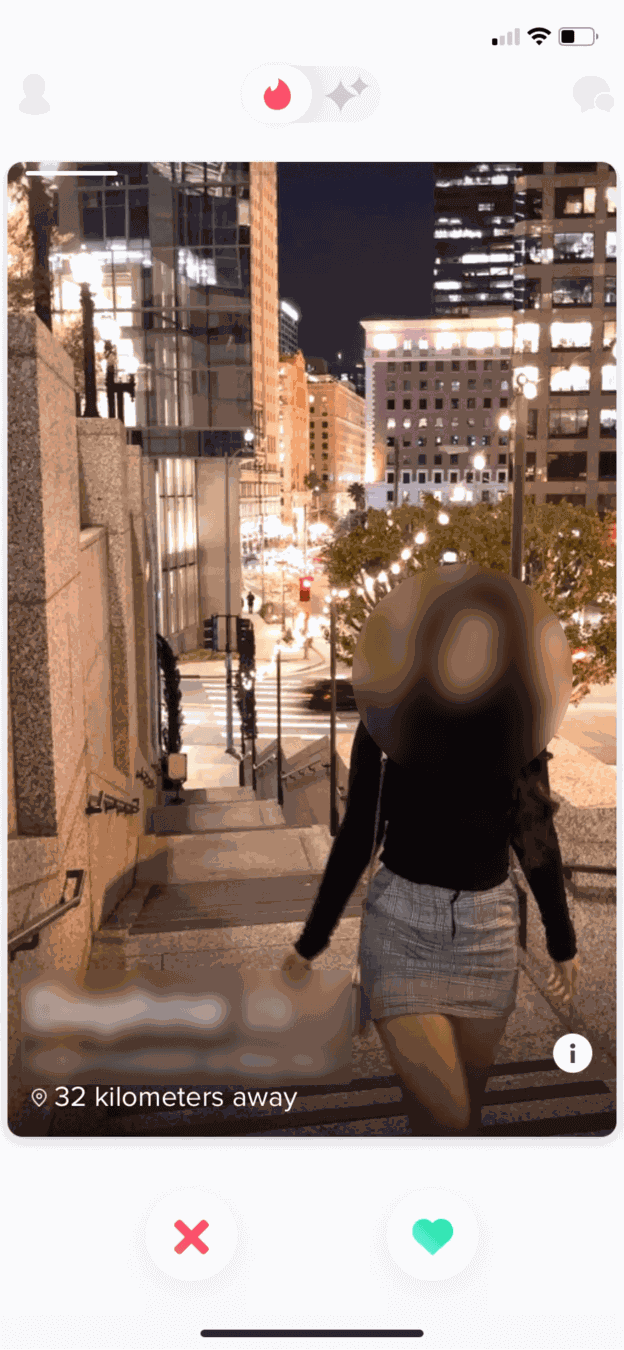 Only distance
Suggested 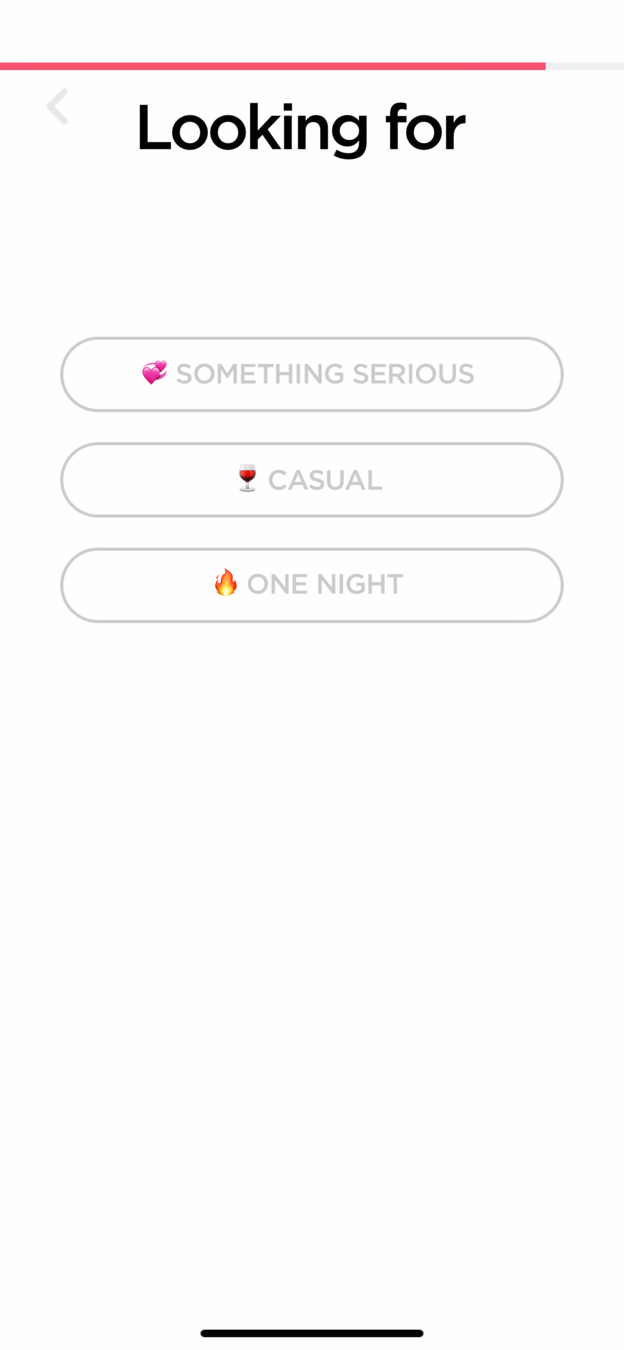 State your goal
04
A missed question
Swiping starts without asking what the user is looking for.
There is no description and no question about goals, so profiles appear without any sense of fit. Meeting someone with different goals leads to awkward moments. One extra step, 'Looking for' with something serious, casual or one night, would fix it.
What changed
- Add a 'Looking for' step to the profile flow
- Use the answer to shape the first profiles shown
TakeawayAsk for the intent that shapes a good result, then use it.
Persona-based onboardingSuccessful users start with knowing why people came. Growth.Design, citing Clearbit's reporting on Canva, notes that knowing precise intent can generate a 10 percent activation lift.
- 32 km away
05
The core loop
The first profile appears instantly, and it is all about the photo.
The full-screen photo, the distance and two buttons put the focus entirely on looks. Tinder also missed a chance to make the first match feel carefully picked, and a tap tutorial on the photo feels a little like school.
TakeawayThe default behavior you design is the behavior people learn, so choose it deliberately.
Labor illusion builds trustPeople trust and value results more when they come after a visible effort, even a crafted one. Growth.Design, citing Gartner and its own research, points to Kayak showing where it searches for deals as a good example.
 Personal hook
06
Upsell one
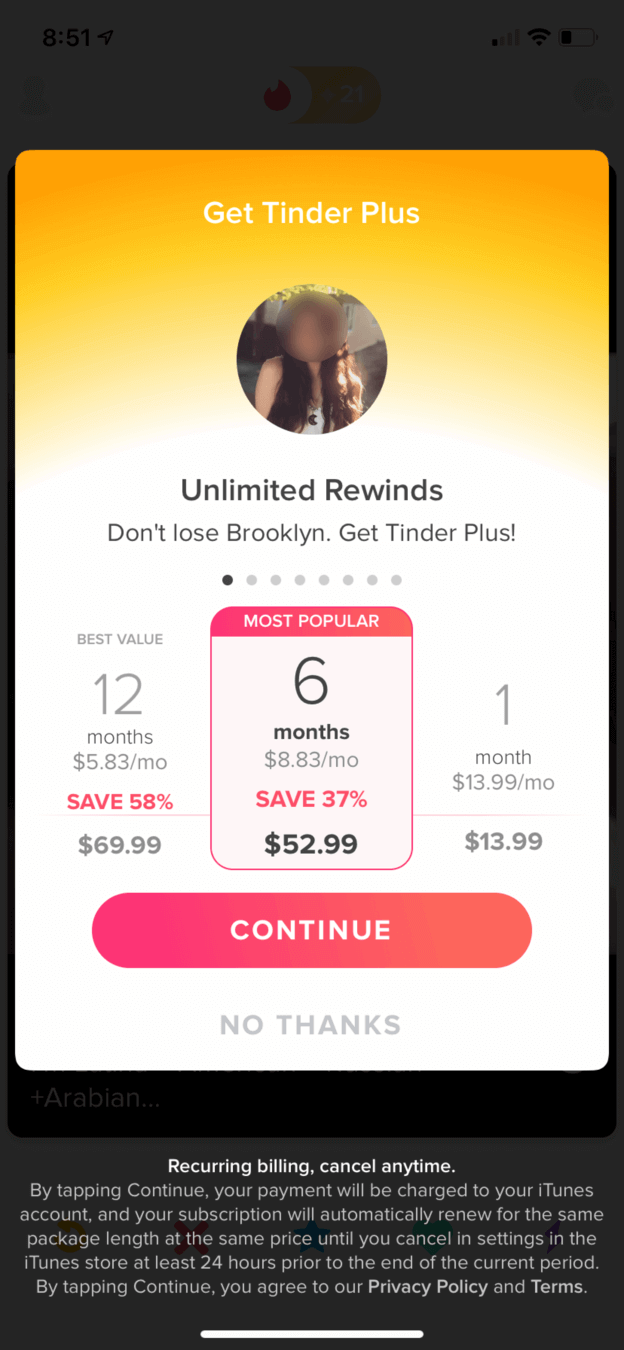
Tapping rewind to bring back a profile triggers a personal offer for Tinder Plus.
The screen shows the person the user wants back, with 'Don't lose Brooklyn' as the pitch for unlimited rewinds. The offer is timely and personal, which is exactly why it works.
TakeawayAn upgrade offered at the moment of need, about the exact thing someone wants, sells itself.
- Most popular
07
On the paywall
Three proven techniques are packed into one pricing table.
The 6 month plan carries a 'Most popular' tag, the 12 month plan sits on the left so plans descend in price, and the buy button just says 'Continue'. Each one nudges toward a larger purchase.
What changed
- Social proof: the 'Most popular' tag
- Price anchor: the highest plan appears first
- Low barrier: 'Continue' instead of 'Buy'
TakeawaySocial proof, anchoring and soft button labels shape which plan people choose.
Progressive disclosureAs the user gets used to swiping, new features appear one at a time. Growth.Design, citing NN Group, explains this keeps things simple for new users and gives power to advanced ones.
 Curiosity hook
08
Upsell three
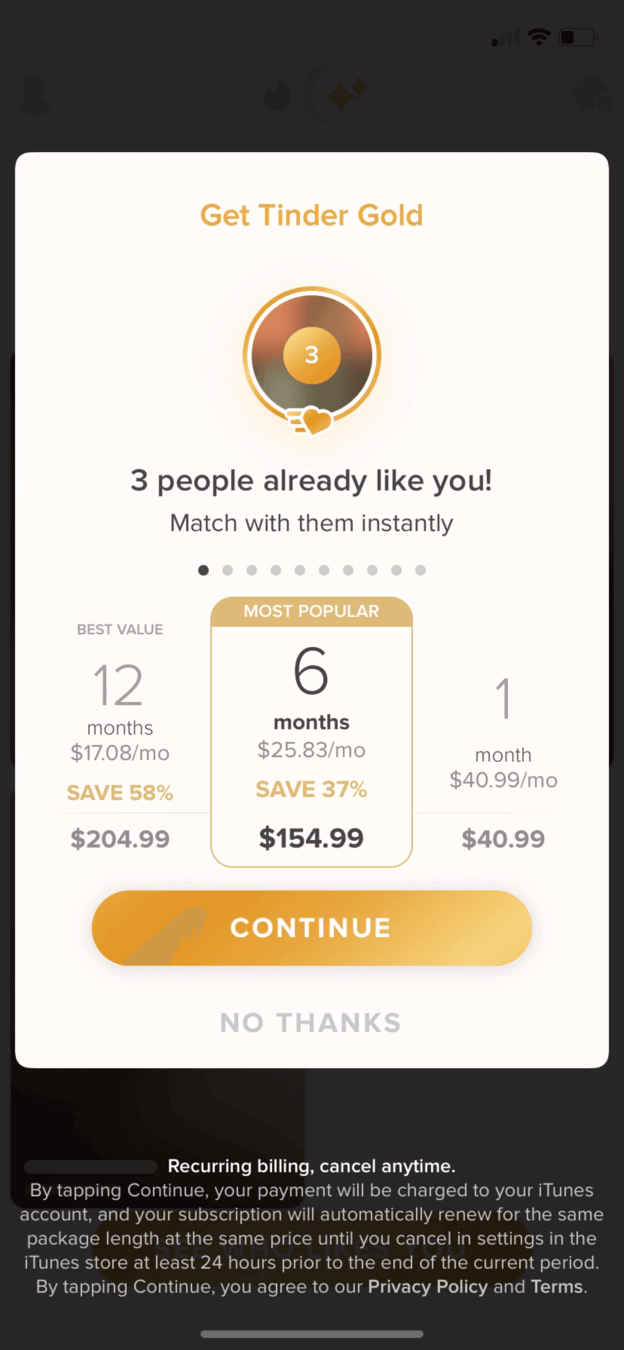
'3 people already like you' leads to Tinder Gold.
After a boost offer, the app shows blurred photos of people who liked the user, then sells Gold to reveal them, with the same most popular, anchored layout. Growth.Design notes this is the third upsell in about 15 minutes, and that Tinder made about $1.2 billion the year before.
TakeawayA clear job to be done, like saving time, justifies a premium tier.
The curiosity gapWhen we want to know something but cannot, it feels like an itch we need to scratch. Growth.Design, citing Chip and Dan Heath, explains that people pay to close that gap, and blurred photos let the imagination run.
 Blank start
09
The first match
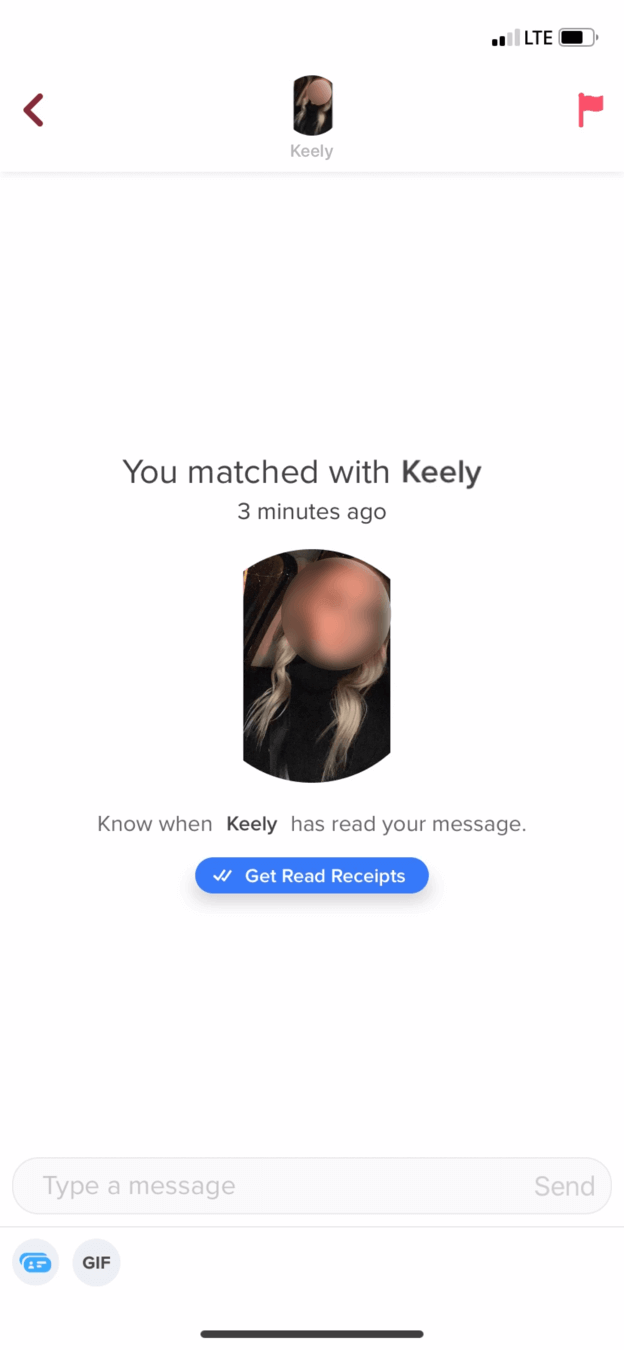
The match finally happens, and the user is left with a blank chat.
The next morning a notification says there is a new match. The chat shows one photo, a read receipts upsell and an empty message box. There is little information and no help breaking the ice.
TakeawayThe moment of first success needs the most support, not the least.
Current No helpSuggested 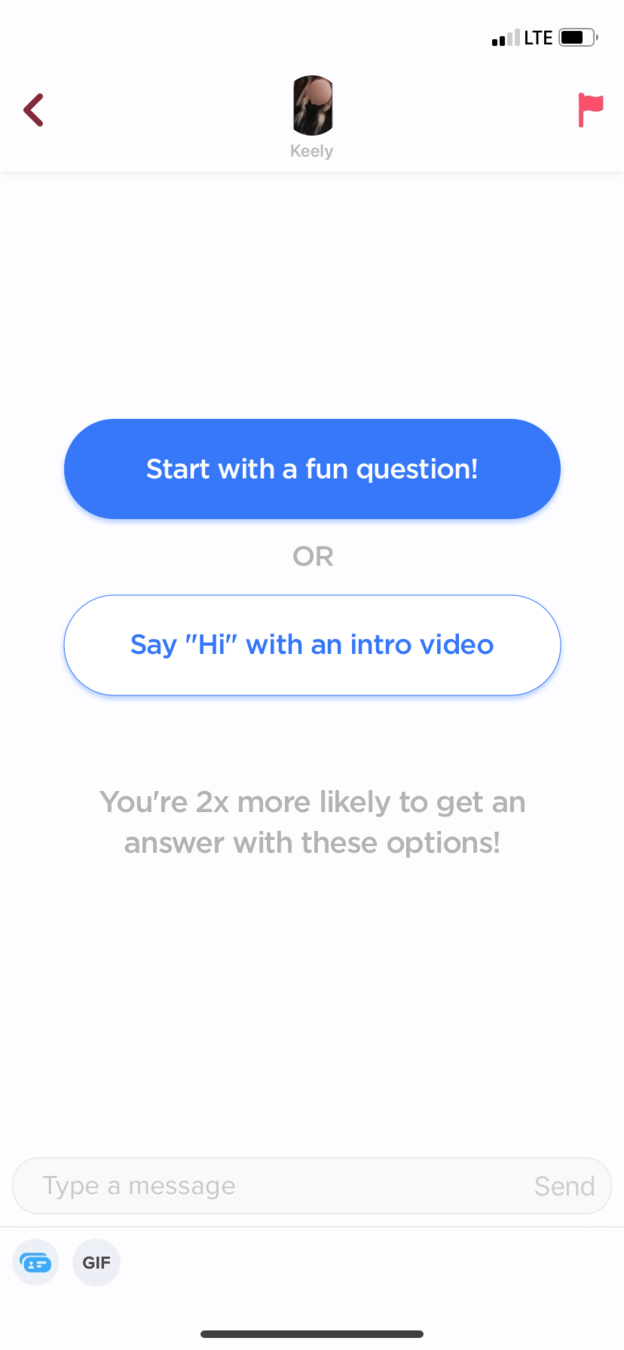 Easy opener
10
The fix
Offer an easy first message: a fun question or a short intro video.
The alternative gives two clear ways to start, and tells people they are twice as likely to get an answer with them. Questions spark a real conversation, and a video intro saves time, since you learn a lot by hearing someone talk.
What changed
- 'Start with a fun question' as the main option
- 'Say hi with an intro video' as the second
- A note on better reply odds
TakeawayBridge the gap to the aha moment instead of hoping users find it alone.
Low point Missed chanceStrong upgrade Time saver upgrade11
The result
Great upsells, weak guidance before and after them.
Profile steps are easy but the photo step is missed, intent is never captured, and photos drive everything. The upgrades are clever, and Gold is a real time saver. But the first match, the supposed aha moment, arrives with no help. Growth.Design rates the matching experience a C.
TakeawayRevenue follows value. Help people reach their first win, and upgrades become easier to sell.
Every takeaway, in one place
- The setupOnly show what earns its place at this moment. The rest can come later.
- Doing it rightSplitting a form into small steps lowers how hard it looks, and that is what people judge first.
- The big commitmentOn the hardest step, lower the bar and give people the help they need to clear it.
- A missed questionAsk for the intent that shapes a good result, then use it.
- The core loopThe default behavior you design is the behavior people learn, so choose it deliberately.
- Upsell oneAn upgrade offered at the moment of need, about the exact thing someone wants, sells itself.
- On the paywallSocial proof, anchoring and soft button labels shape which plan people choose.
- Upsell threeA clear job to be done, like saving time, justifies a premium tier.
- The first matchThe moment of first success needs the most support, not the least.
- The fixBridge the gap to the aha moment instead of hoping users find it alone.
- The resultRevenue follows value. Help people reach their first win, and upgrades become easier to sell.
Source: Growth.Design: How Tinder Converts 8% Of Singles Into Customers In Less Than 15min.
Sell upgrades that feel like help, not a toll.
Freemium products earn when upgrades appear at the moment they solve a real problem. Zyxware can map your onboarding and paywalls, find where people stall before their first success, and design upgrade moments that are timely, clear and fair.