Sniper Links: Getting More People to Confirm Their Email
 +20 XP
Case study
Sniper Links: Getting More People to Confirm Their Email
A new user signs up for Framer and is sent to a 'check your inbox' screen, the step most teams forget to design. See why so many signups never confirm, and how one well built link sends people straight to the right email.
+20 XP when you reach the endWhat you will learn
- Spot dead ends in a signup flow
- Understand why confirmation emails get lost
- Build a link that opens only your email
Scroll to follow the story. The screen changes with you.
Based on the learnings from Growth.Design: How to increase signup confirmation rates with Sniper Links, presented in our own format.
Step 1 of 8
- Start for free
01
The setup
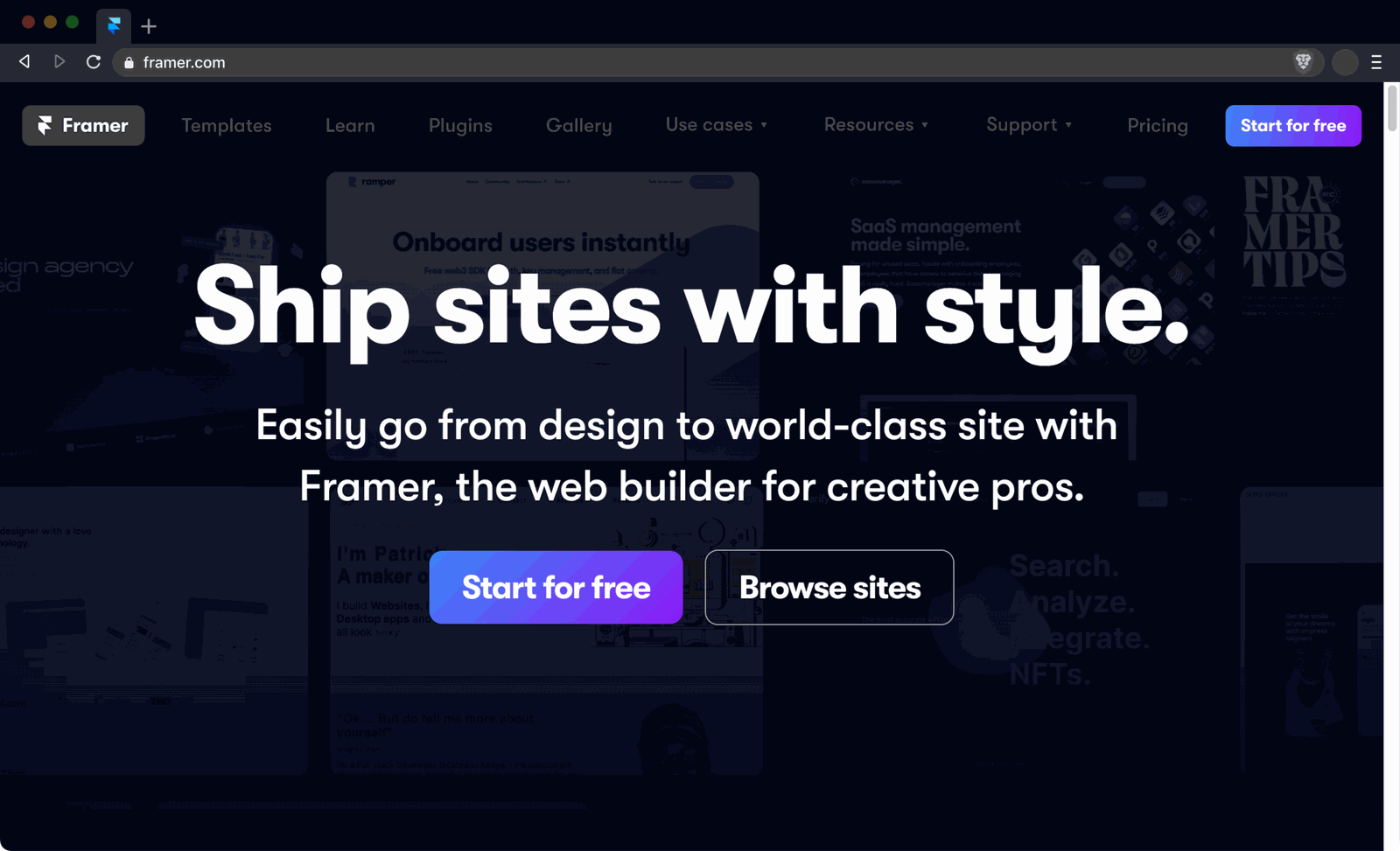
A designer decides to try Framer and clicks 'Start for free'.
Framer's homepage makes a strong first impression: a bold headline, a short promise and a bright 'Start for free' button. Getting someone to this click is where most growth effort goes.
TakeawayA signup is only a promise. The user is not active until they get through every step after it.
 A Gmail address
02
Step two
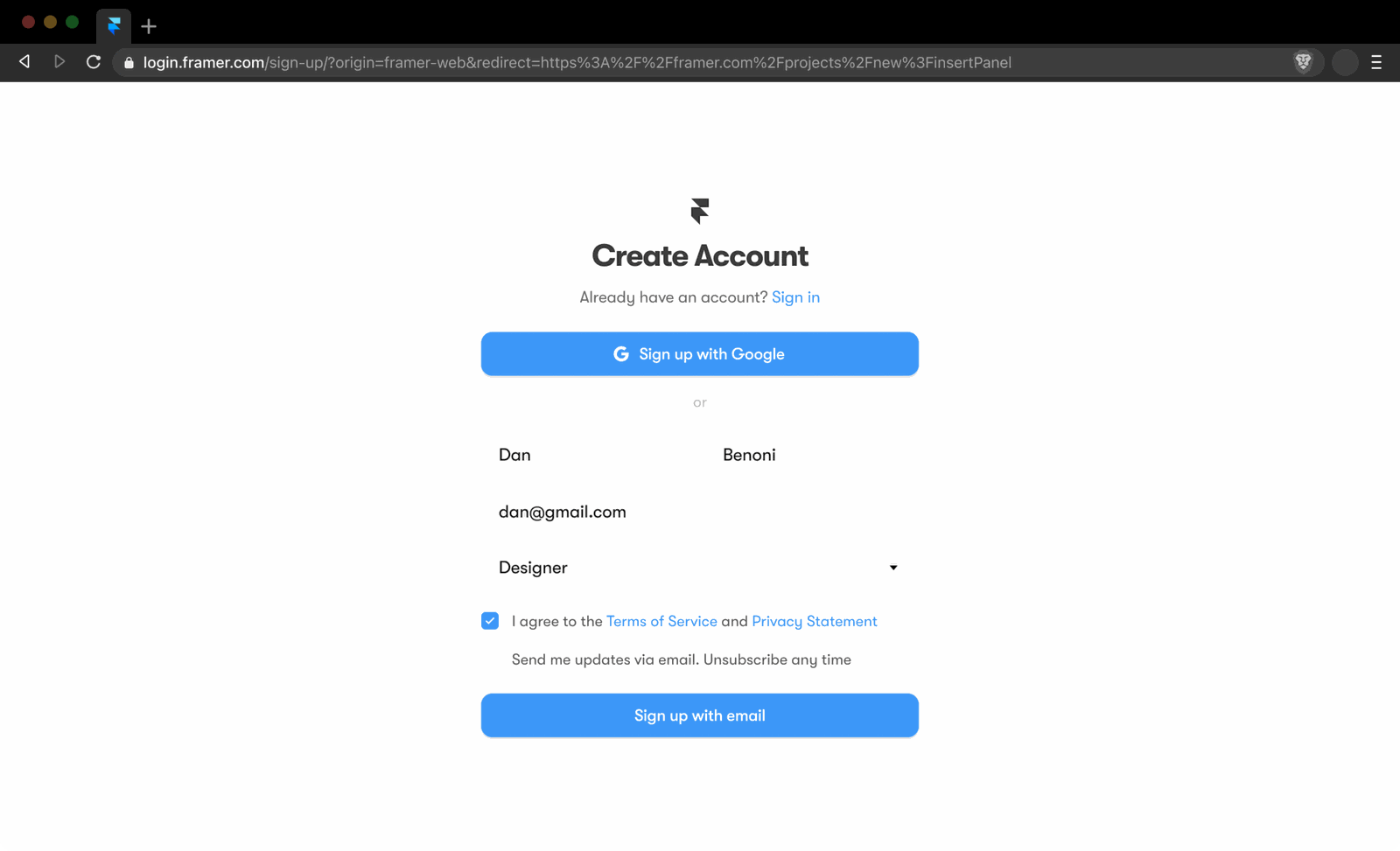
The account form is short and clear.
Name, a Gmail address, a role and a single 'Sign up with email' button. There is also a Google sign up option at the top. So far, nothing gets in the way.
TakeawayNote the email domain the user types: it tells you which inbox they will need next.
 Now what?
03
The neglected step
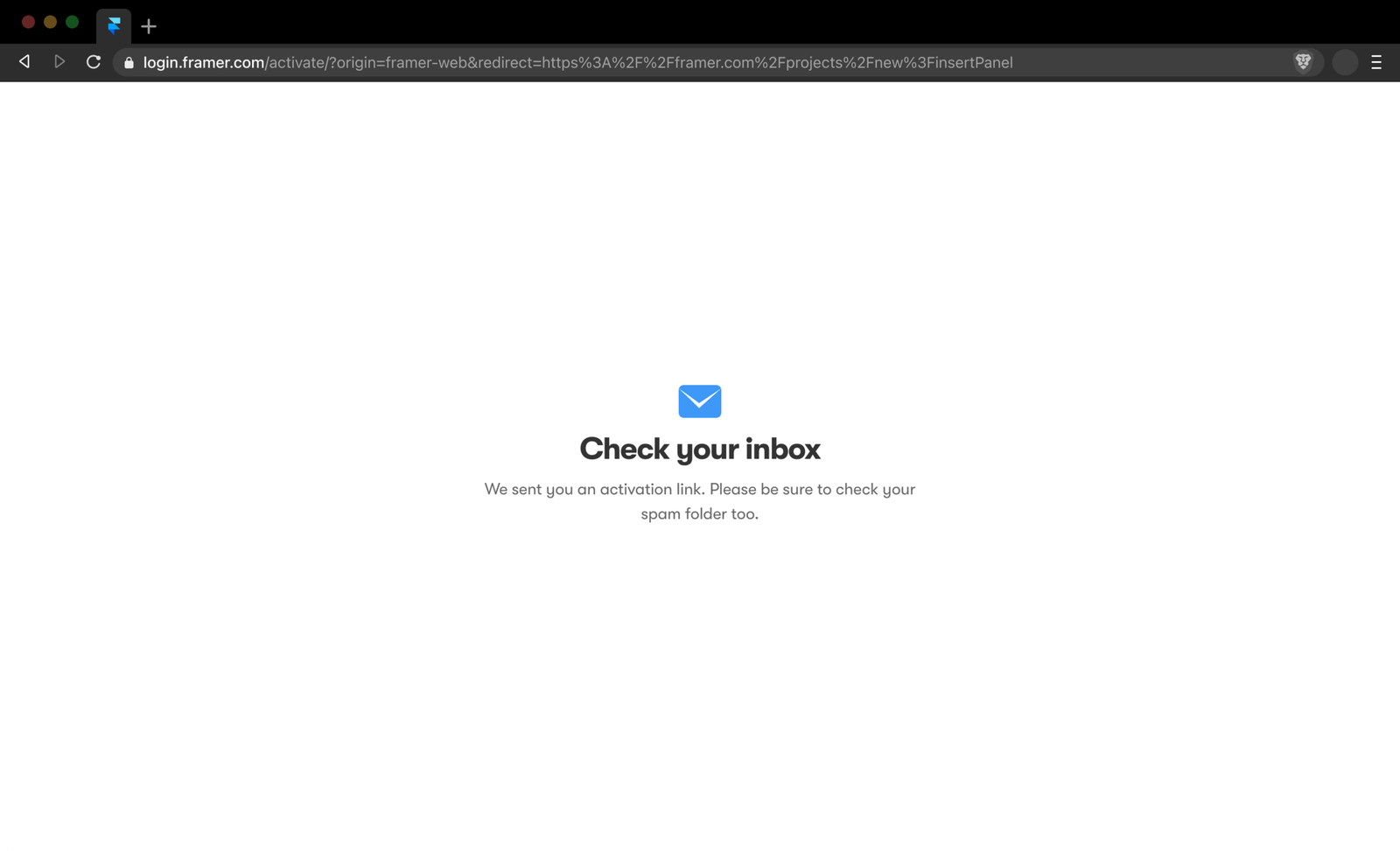
Then the user lands on a 'Check your inbox' screen.
The minimal layout does tell people what to do next: find the activation link in their email, and look in spam if needed. But there is nothing on the screen they can actually use.
TakeawayThe email confirmation step is part of onboarding, so design it like one.
Many signups never confirmGrowth.Design cites figures from Litmus and Mailchimp showing that 27% to 61% of new users never confirm their email. The main causes are friction in onboarding, spam folders and competing emails in the inbox.
- Nothing to click
04
The problems
The screen is a dead end, and it asks the user to do the work.
First, it is passive: there is no button or link to interact with. Second, it depends on the user being willing to open a new tab, go to their mail and search for the message.
TakeawayAny screen with no next action is a place where people leave.
 Framer, row two
05
What happens next
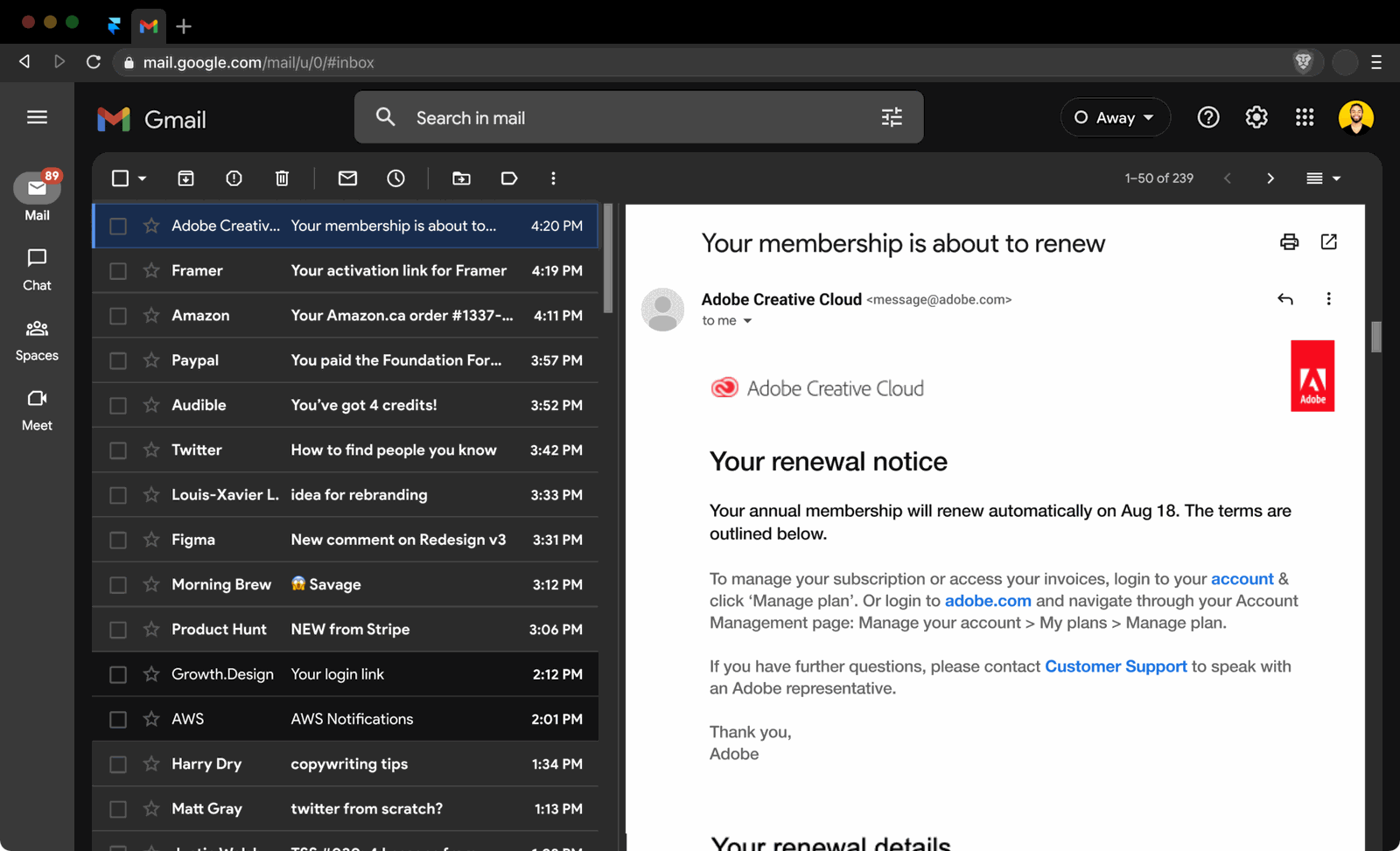
Even when the user opens Gmail, the email is buried among others.
Framer's activation email sits in a list next to a renewal notice, receipts, newsletters and notifications. The one message that matters is just another row competing for attention.
TakeawayYour confirmation email is up against everything else in the inbox.
Hick's LawThe more options people have, the longer it takes them to choose. Every email in the inbox is another option, which is why winning attention there is so hard.
Normal inbox One of manySniper Link 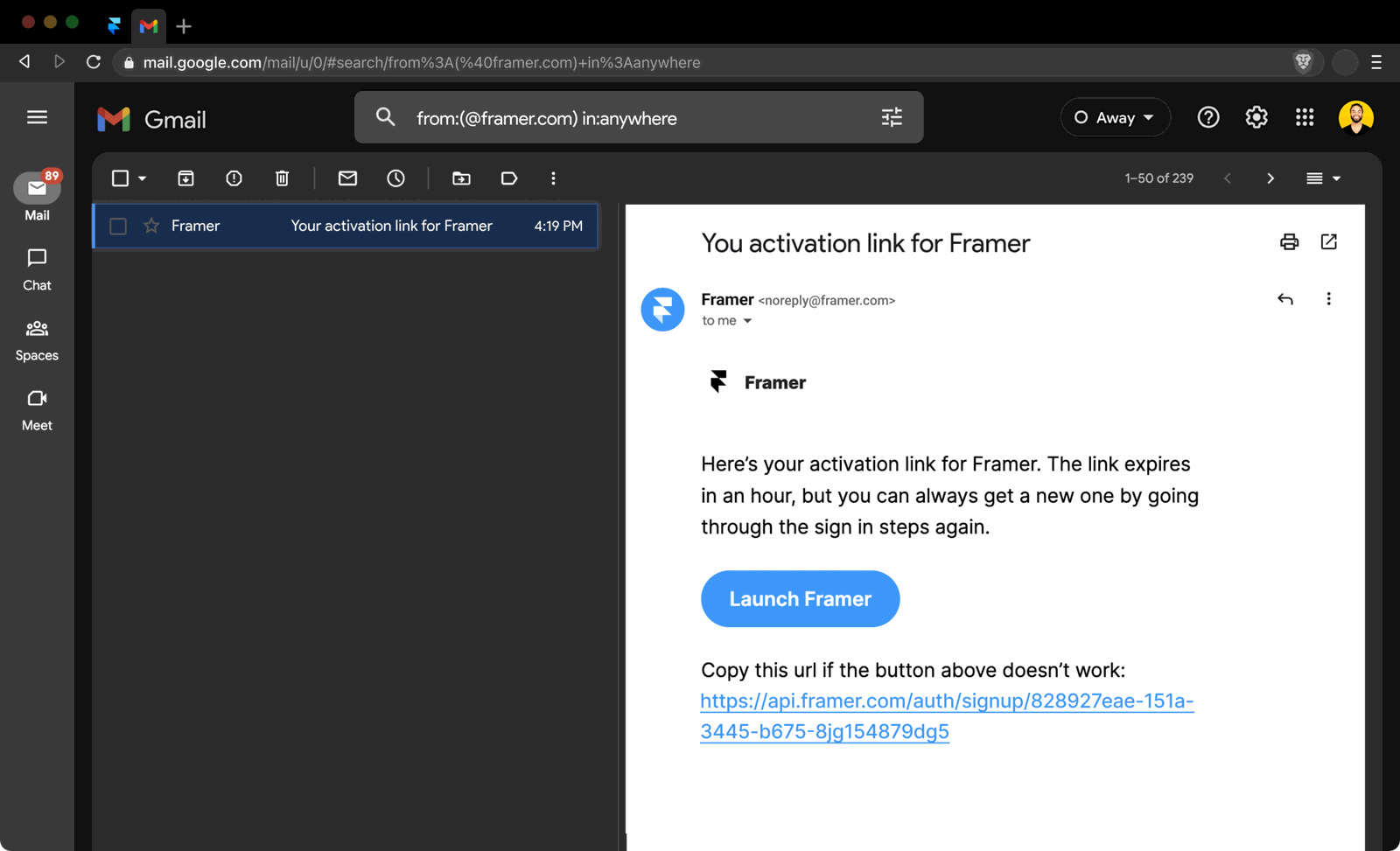 Search in the URL
06
The fix
Add an 'Open Gmail' button that opens a search for your email only.
Because the user signed up with a Gmail address, the check inbox screen can offer a button to Gmail. The link does not open the inbox: it opens a Gmail search for messages from framer.com, so the activation email is the only result.
What changed
- Add an 'Open Gmail' button to the check inbox screen
- Point it to a Gmail search URL filtered by the sender's domain
- Include 'in:anywhere' so emails in spam are found too
TakeawayTake people straight to the thing they need, not to the place where it might be.
- Launch Framer
07
Why it works
The user lands on the email, even if it went to spam.
The search parameter 'in:anywhere' includes spam and other folders, so the activation email with its 'Launch Framer' button is waiting on the right. No scrolling, no searching, no distractions.
TakeawayA link can carry context, so the user does not have to.
- Only one email
08
The result
In an A/B test, Sniper Links lifted email confirmations by 7%.
Growth.Design tested the technique on its own signup forms, with one version showing a plain 'check your inbox' message and the other an 'Open Gmail' Sniper Link. It reports a 7% lift in confirmation rate and unconfirmed emails falling to about 6%, which means thousands of extra signups a year.
What changed
- Build links for other providers such as Yahoo and Outlook
- Handle business domains and mobile devices separately
- Measure confirmation rate before and after
TakeawayWhat is easier for users is often better for the business too.
Data insightGrowth.Design reports that its internal experiment lowered unconfirmed emails to 6%, compared with the 27% to 61% range cited from industry data.
Every takeaway, in one place
- The setupA signup is only a promise. The user is not active until they get through every step after it.
- Step twoNote the email domain the user types: it tells you which inbox they will need next.
- The neglected stepThe email confirmation step is part of onboarding, so design it like one.
- The problemsAny screen with no next action is a place where people leave.
- What happens nextYour confirmation email is up against everything else in the inbox.
- The fixTake people straight to the thing they need, not to the place where it might be.
- Why it worksA link can carry context, so the user does not have to.
- The resultWhat is easier for users is often better for the business too.
Source: Growth.Design: How to increase signup confirmation rates with Sniper Links
Stop losing people between signup and first use.
The steps after a form is submitted are rarely designed with the same care as the landing page, and that is where many new users quietly drop off. Zyxware can map your signup and activation flow, find the passive screens, and test small changes like direct inbox links against your current version.