Using Bing's AI Chat for Real Searches
 +20 XP
Case study
Using Bing's AI Chat for Real Searches
Once access to the new Bing arrives, the user has to install a new browser, hunt for the chat, and read through walls of text to get answers. We follow two real searches to see where the chat falls short of plain search, and how familiar patterns and richer answers would make it clearly better.
+20 XP when you reach the endWhat you will learn
- Remove gates that stand between people and your best feature
- Borrow familiar patterns so new answers are easy to trust and scan
- Show rich, visual answers and place ads without breaking the experience
Scroll to follow the story. The screen changes with you.
Based on the learnings from Growth.Design: The Search War: Bing AI Chat vs. Google, presented in our own format.
Step 1 of 10
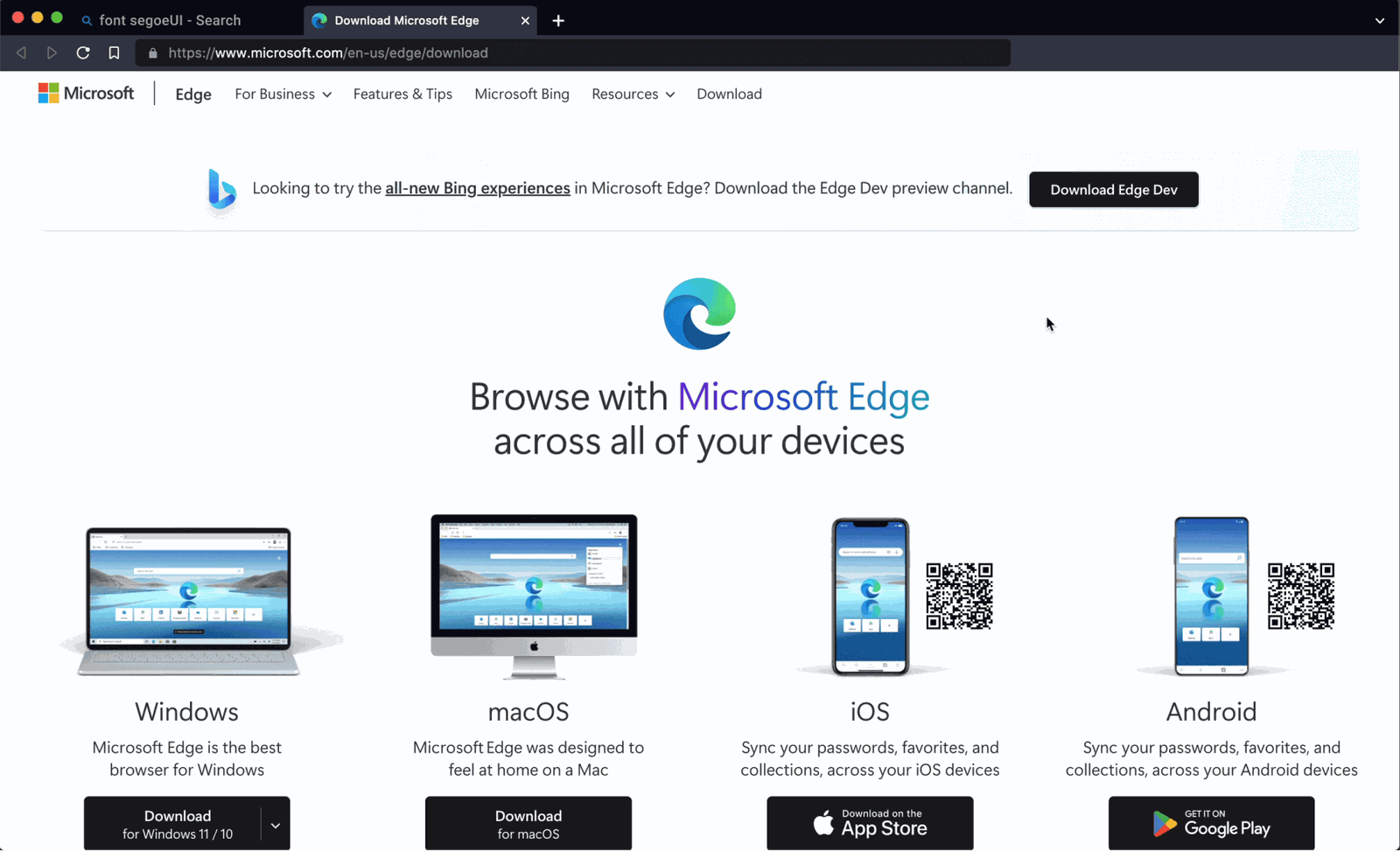
- Download Edge Dev
01
The gate
The new Bing only fully works inside a preview version of Microsoft Edge.
The welcome message says to unlock the full experience in Edge, and the download page pushes the Edge Dev preview channel. For a company trying to win search market share, that is a lot of friction in front of the feature everyone came for.
TakeawayPutting your most exciting feature behind extra installs shrinks the audience that ever sees it.
Product-led growthThe idea behind product-led growth is simple: build a product so good that it attracts, converts and keeps people on its own. To take on Google, Bing should start by being easy to reach from any browser.
 Not for this user
02
Problem
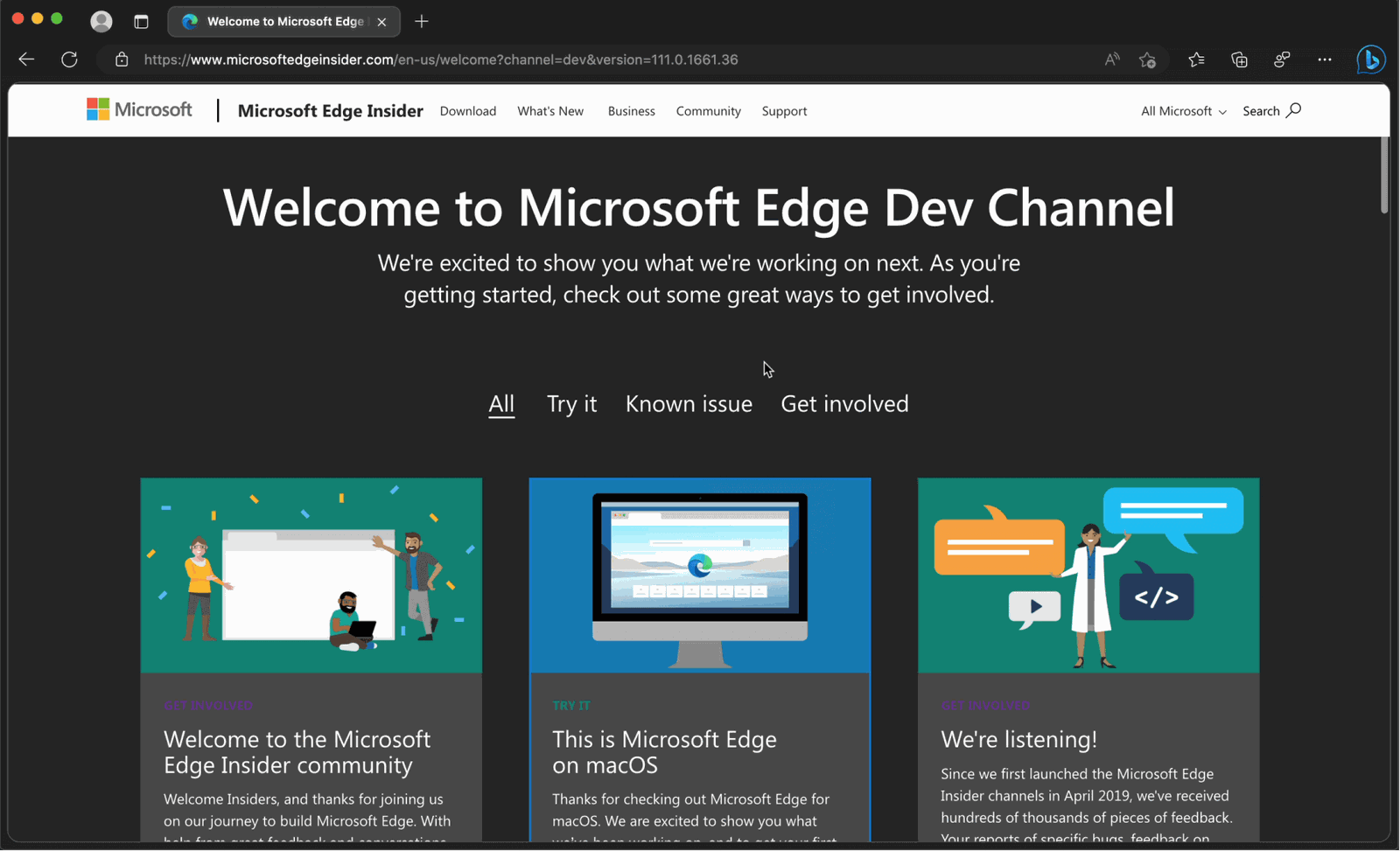
After a long browser setup, the user lands on a page meant for developers.
Installing Edge takes several screens of setup. Then 'Welcome to Microsoft Edge Dev Channel' greets them with community links and known issues. Someone who only wanted to try the AI chat has no idea where to go next.
TakeawayEvery handoff between products needs a clear next step, or people get stranded.
Bridge the gapA lot can go wrong when people try a new product: missing steps, distractions and unclear instructions. Samuel Hulick suggests asking 'what happens in between?' at every step, to find the gaps people must fill on their own.
 Small entry point
03
The first search
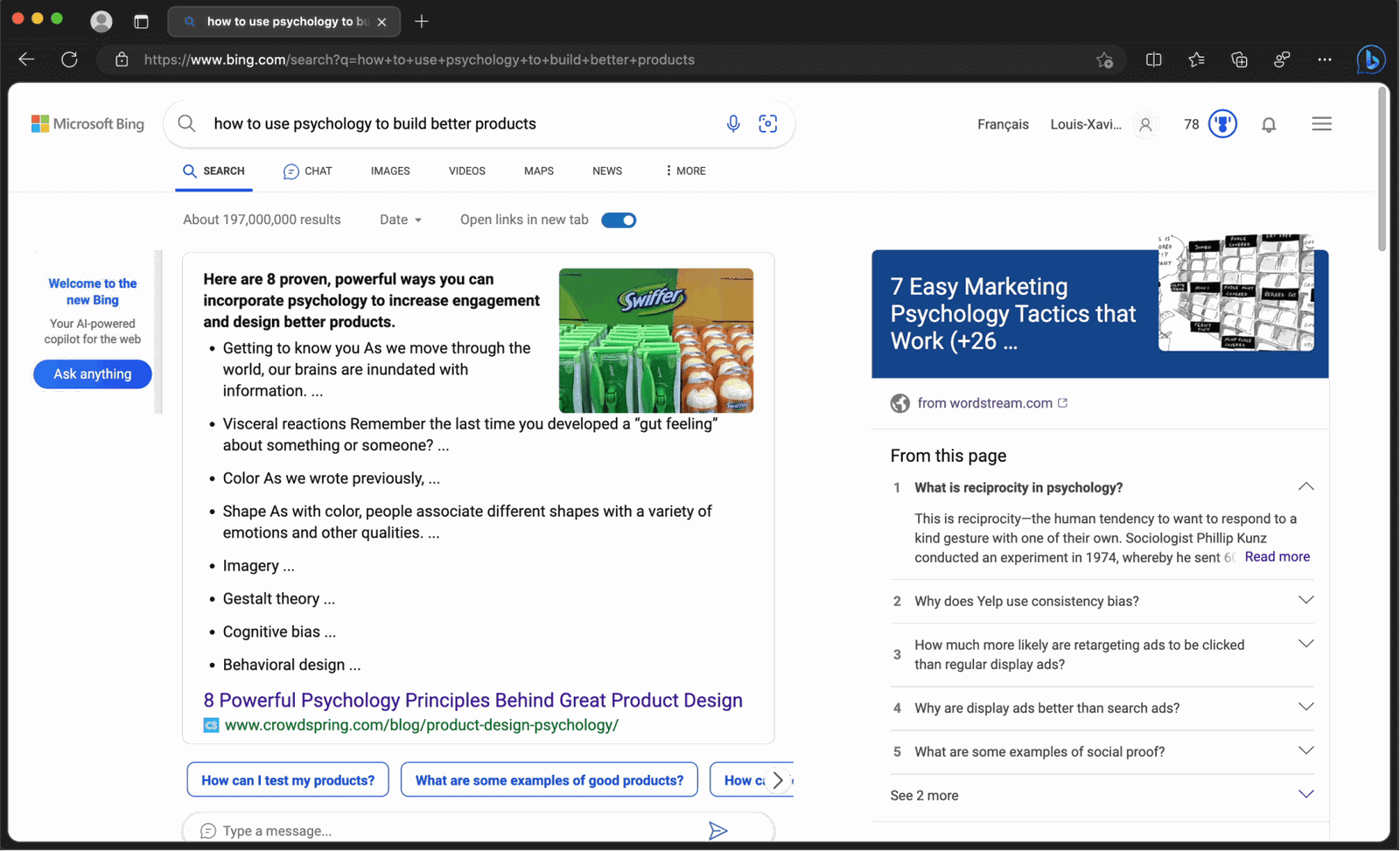
Back on Bing, a normal search still shows normal results.
The user asks how to use psychology to build better products and gets a regular results page. The way into the chat is a small 'Ask anything' box on the far left and a 'Chat' tab near the top, both easy to overlook.
TakeawayIf the new experience is the reason people came, it should not look like a side panel.
 Hidden sources
04
Problem
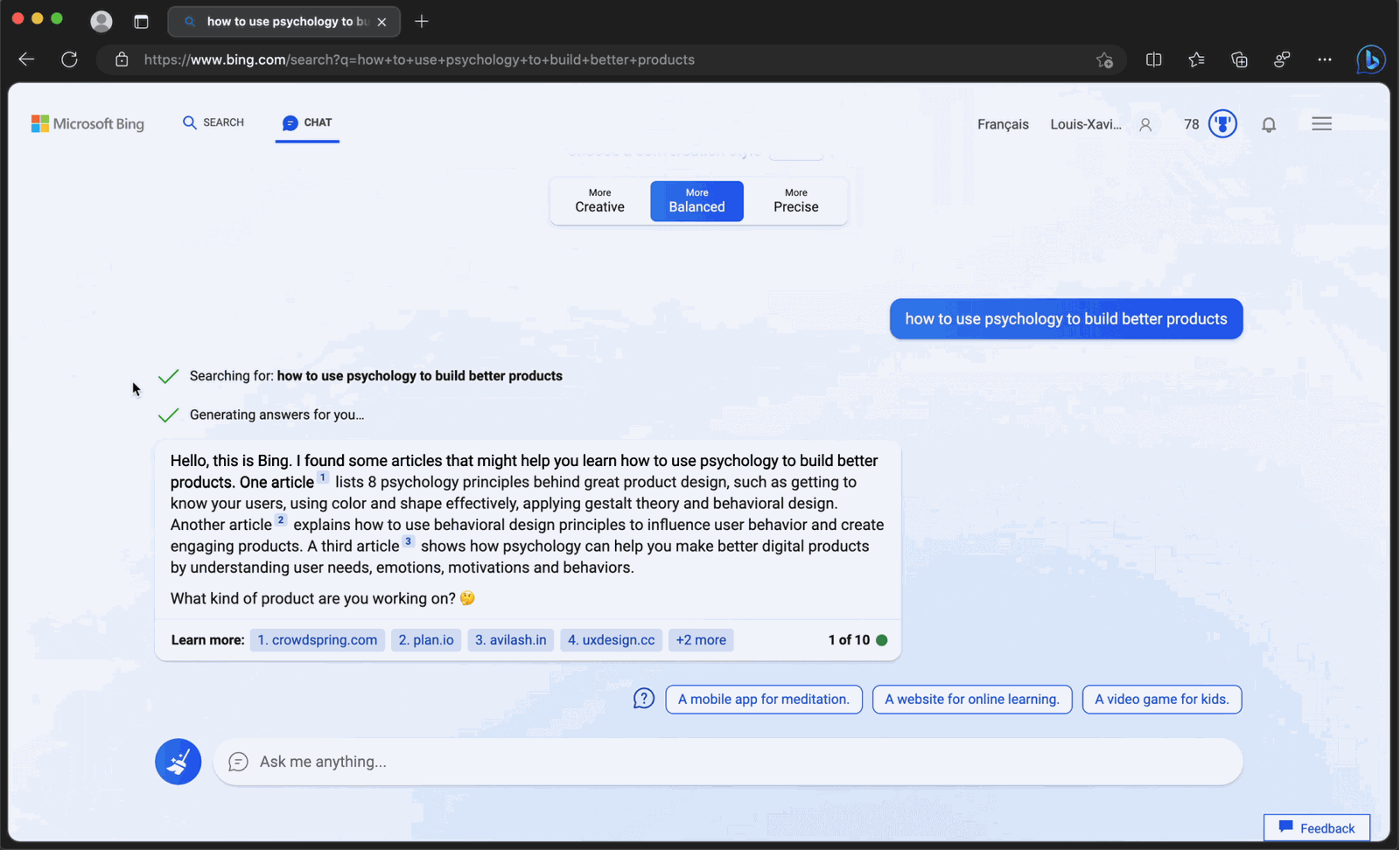
The chat answers with a dense paragraph and tiny numbered links.
The answer is one large block that is hard to scan. The sources are hidden behind short labels like '2. plan.io', which are not convincing, and apart from one familiar site it is hard to judge which links are reliable. A Google search for the same question shows the same articles with more context.
TakeawayAn answer people cannot scan or verify is not better than a list of links.
Launch Hard to judgeRedesign 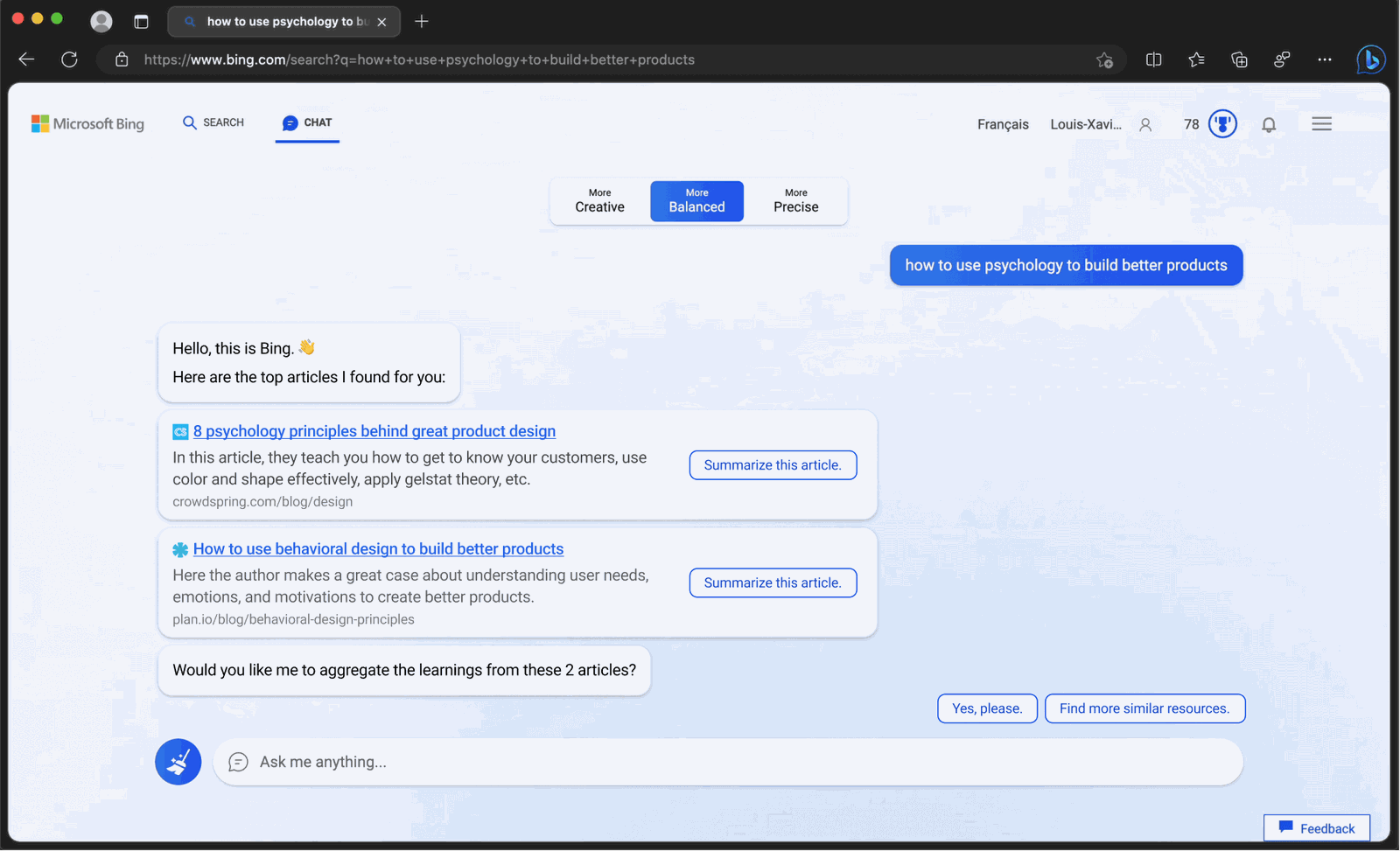 Clear sources
05
Repair 1
Show sources as familiar result cards, and let the AI summarize them on request.
The redesign lists the top articles with titles, short descriptions and site names, just like search results. Each one has a 'Summarize this article' button, and the chat offers to combine the learnings from both. People get the trust of search with the speed of a chat.
What changed
- Sources become cards with title, summary and site
- A 'Summarize this article' button on each card
- The chat offers to combine the key points
TakeawayCombine patterns people already trust with the new capability, instead of replacing them.
Fewer steps winAccording to Intercom, the only purpose of a product is to help someone get from A to B, and fewer steps make a better journey. Search means typing keywords, scanning links, judging credibility and reading several pages. A chat can shorten that a great deal.
 Sponsored results
06
The second search
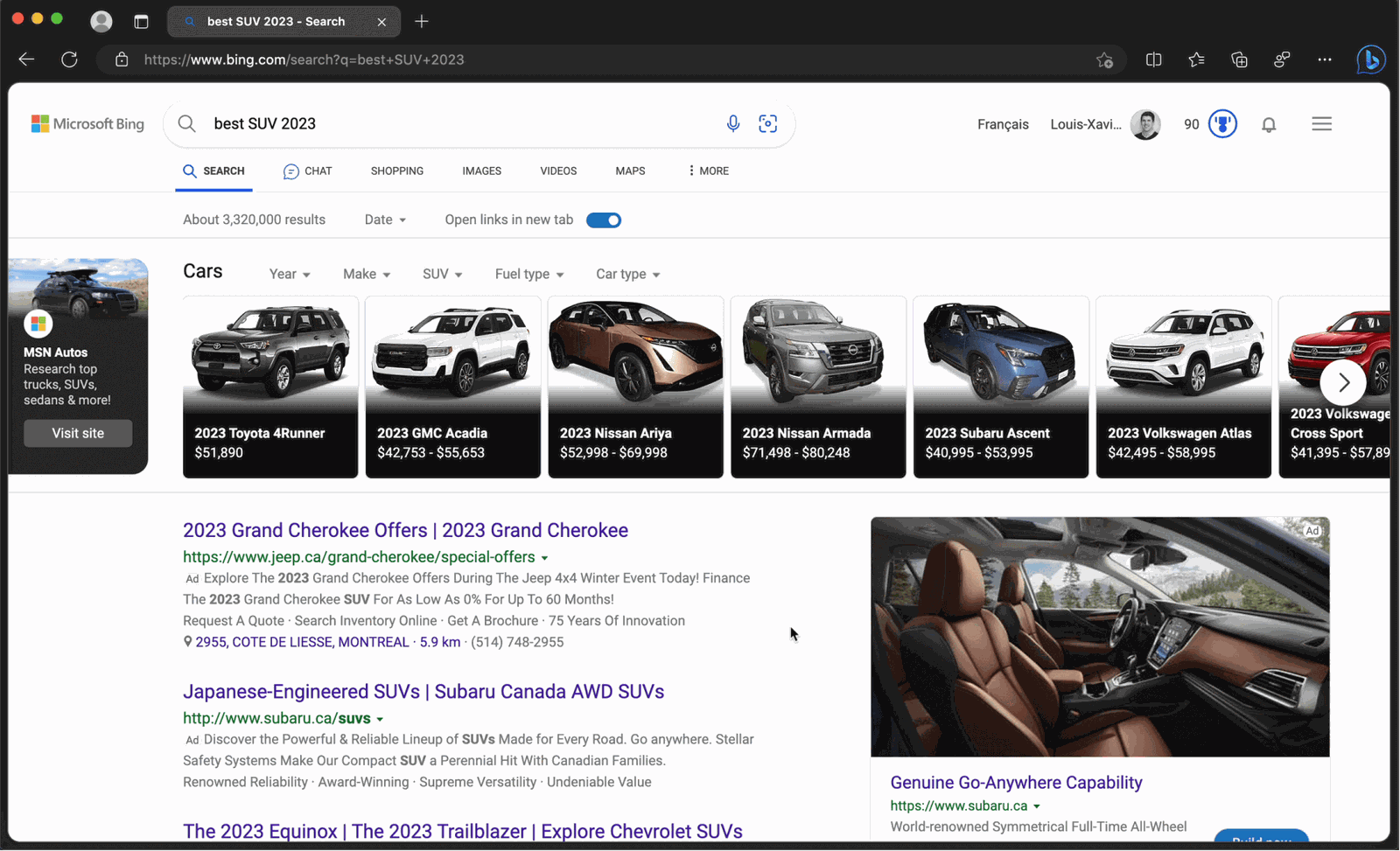
A search for the best SUV of the year returns a page full of ads.
The user needs a new car and searches Bing. The first screen is a car carousel and sponsored listings from carmakers. The chat is nowhere in sight, and only appears after clicking the 'Chat' tab. Because the chat has no ads yet, hiding it protects high-paying searches like cars.
TakeawayWhen a feature competes with your revenue, the temptation is to hide it. People notice.
 Names only
07
Problem
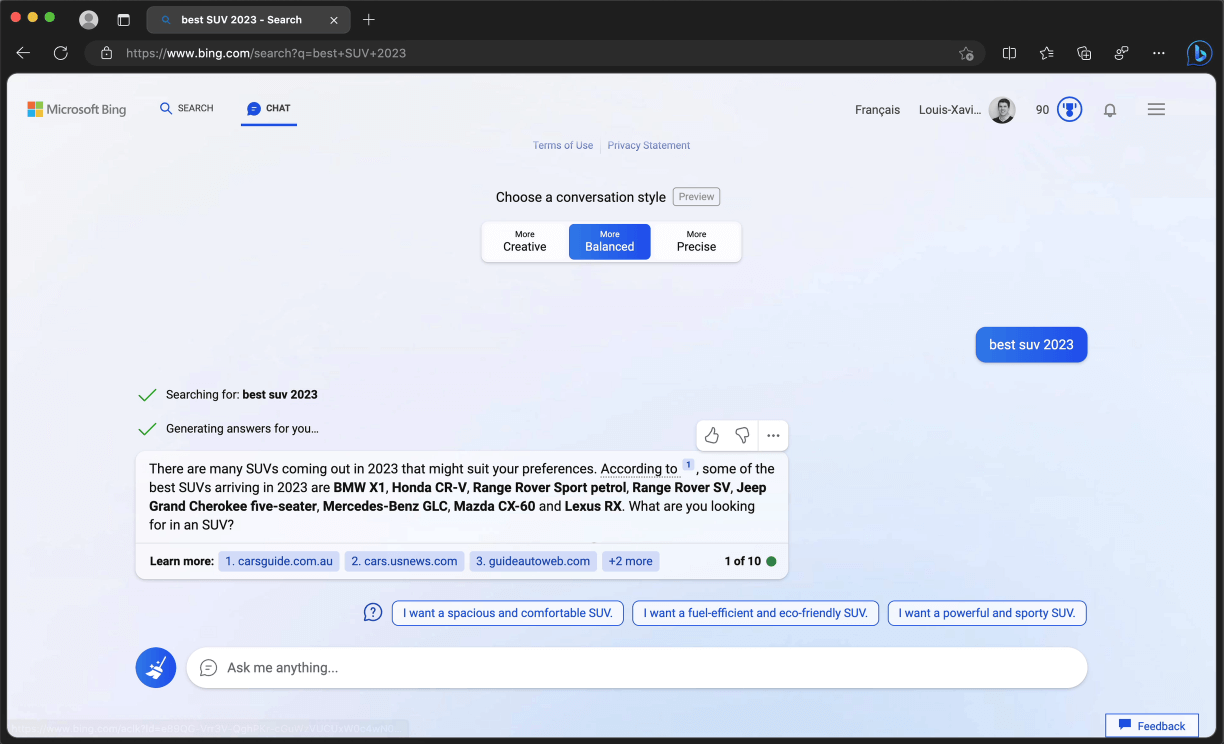
The chat lists car models in a sentence, with no pictures or details.
The answer names eight SUVs in one line of text. For shopping, that is not enough: there are no images, prices or reasons to prefer one car over another. The experience feels like a step back from the visual search page.
TakeawayFor shopping and comparison, text alone cannot do the job visuals do.
Launch Plain listRedesign 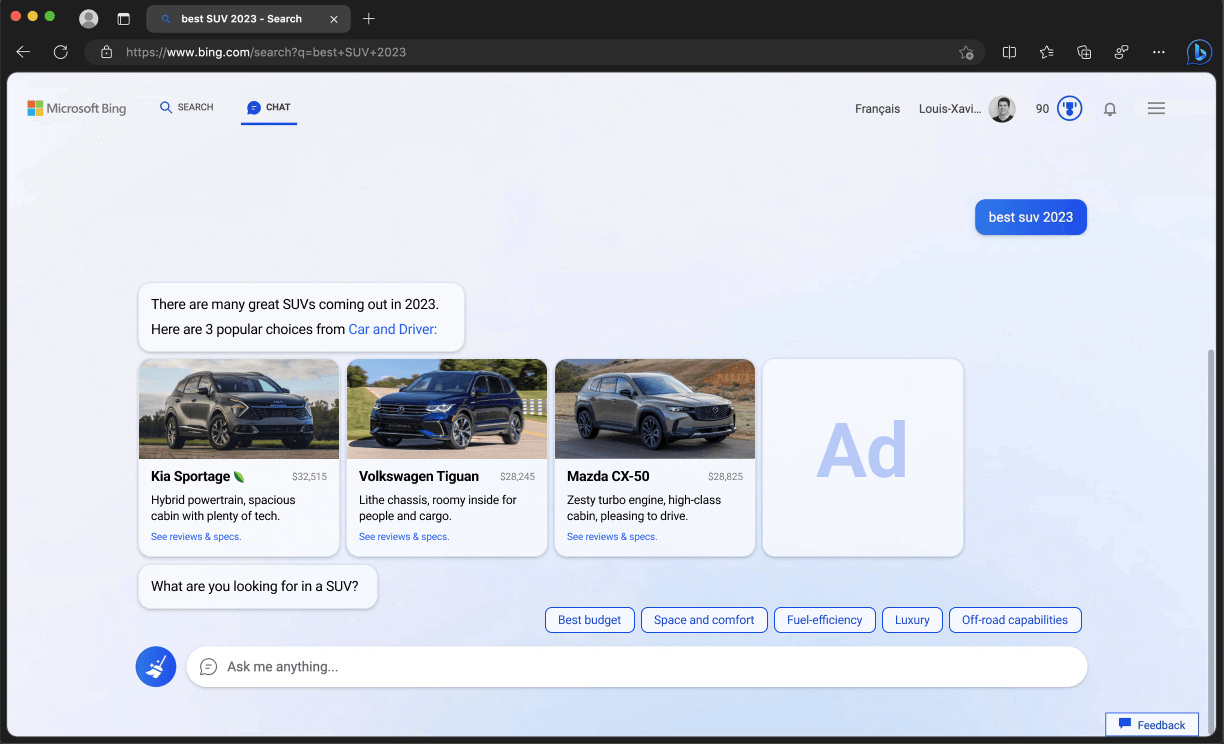 Visual cards
08
Repair 2
Answer with car cards, follow up questions and one clearly marked ad.
The redesign shows three popular SUVs as cards with a photo, price and one line summary, then asks what matters most, with chips for budget, space, fuel efficiency and more. A single ad card sits in the same row, visible and relevant without taking over.
What changed
- Cars shown as cards with photo and price
- Chips to refine by budget, space or fuel
- One targeted ad card in the same row
TakeawayRich answers and refinement options turn a chat into a real assistant.
 Structured picks
09
What works
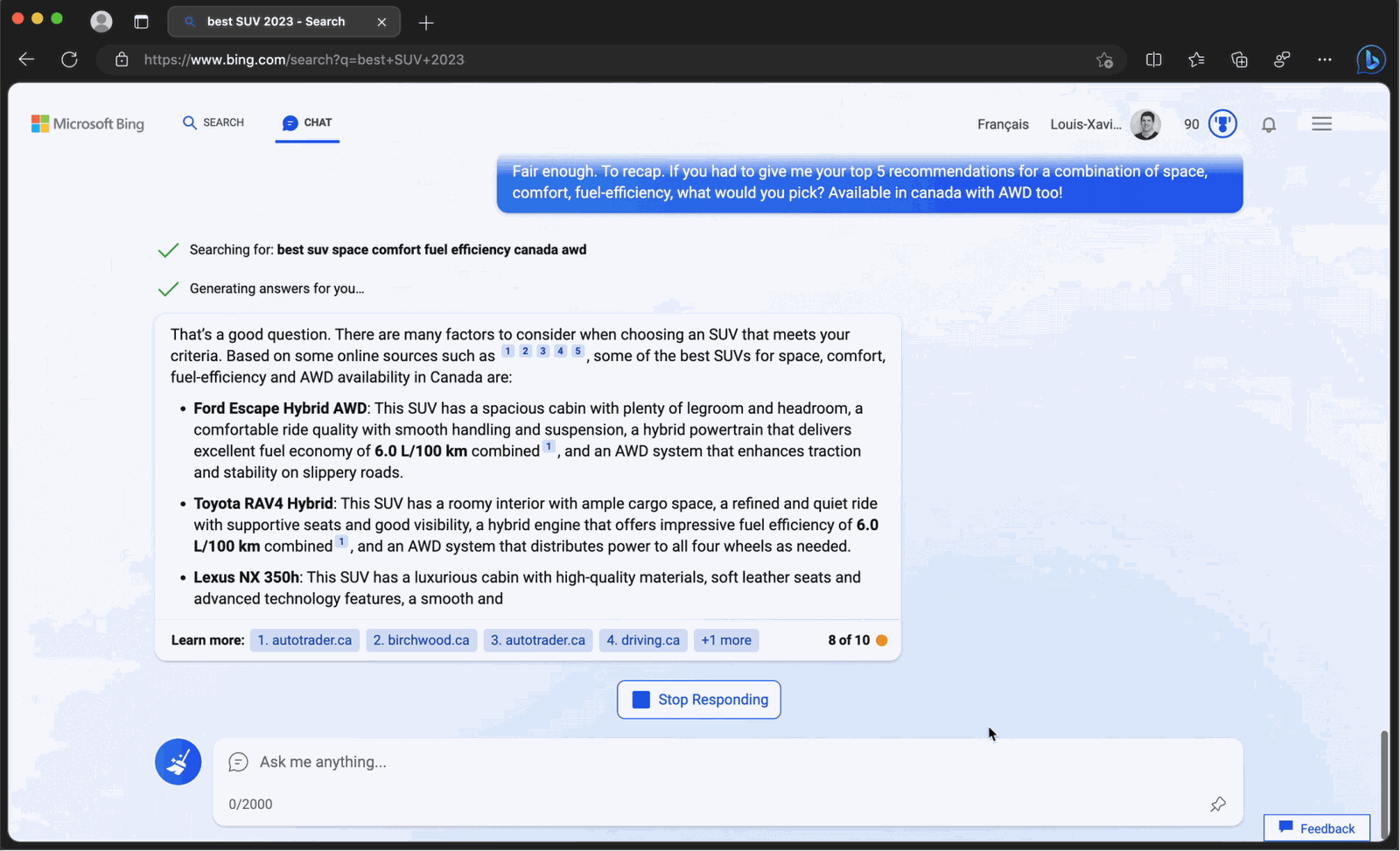
After some back and forth, the answers get genuinely useful.
When the user asks for five picks that balance space, comfort, fuel efficiency and all wheel drive in Canada, the chat returns a structured list with the reasons for each car. The quality improves as the prompt gets more specific.
TakeawayThe value is there, but people should not have to learn prompting to reach it.
The answer engine dilemmaAI answers summarize information so you do not have to explore further. The Verge and Forbes raise the question this creates: if people stop visiting websites, how do businesses get traffic, and how much power does that give the engines? The companies behind them need to weigh these second order effects.
Launch Chat tucked awayPossible What it could be10
Looking back
The chat has clear potential, but the path to it pushes people away.
The Edge requirement and setup turn access into a chore, the chat is hidden to protect ad revenue, and the answers are flat compared to search. Things do improve with better prompts. Growth.Design grades this onboarding and chat experience a C.
What changed
- Let Bing chat work in any browser
- Make chat a visible first choice
- Show sources and products visually
- Add ads that fit the answer
TakeawayA better product still loses if people have to fight their way to it.
Every takeaway, in one place
- The gatePutting your most exciting feature behind extra installs shrinks the audience that ever sees it.
- ProblemEvery handoff between products needs a clear next step, or people get stranded.
- The first searchIf the new experience is the reason people came, it should not look like a side panel.
- ProblemAn answer people cannot scan or verify is not better than a list of links.
- Repair 1Combine patterns people already trust with the new capability, instead of replacing them.
- The second searchWhen a feature competes with your revenue, the temptation is to hide it. People notice.
- ProblemFor shopping and comparison, text alone cannot do the job visuals do.
- Repair 2Rich answers and refinement options turn a chat into a real assistant.
- What worksThe value is there, but people should not have to learn prompting to reach it.
- Looking backA better product still loses if people have to fight their way to it.
Source: Growth.Design: The Search War: Bing AI Chat vs. Google
Make your newest feature the easiest one to use.
When a product adds a new way to get answers, the details decide whether people switch: where the entry point sits, how answers are laid out, and how sources and ads are shown. Zyxware can map those steps, spot the gaps people fill on their own, and design answers people can scan and trust.