Trying the New Bing AI Search on Launch Week
 +20 XP
Case study
Trying the New Bing AI Search on Launch Week
An excited user goes to Bing the week its AI chat is announced, and struggles to find it, try it or get access. We walk through the first touchpoints, from the home screen to the waitlist, to see where the launch loses people and how clearer prompts and feedback would keep them.
+20 XP when you reach the endWhat you will learn
- Announce a new feature clearly on the first screen people see
- Keep asks in proportion to the reward you offer
- Give clear feedback, results and expectations after every step
Scroll to follow the story. The screen changes with you.
Based on the learnings from Growth.Design: Episode 1: Can Bing's new AI search challenge Google?, presented in our own format.
Step 1 of 12
- Where is the chat?
01
The setup
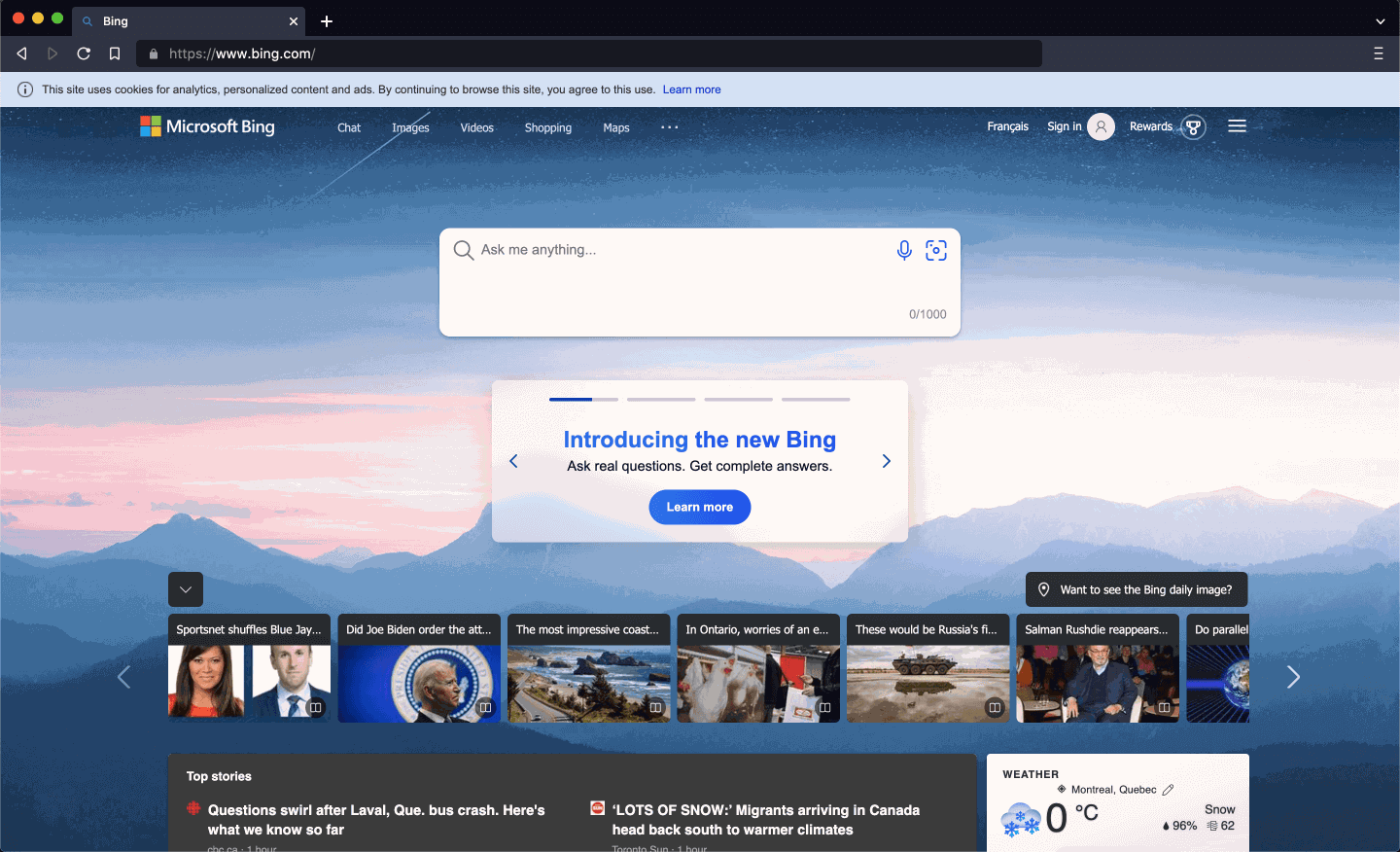
Bing announces its AI chat, and a curious user heads straight to the home page.
The home page has a large search box that says 'Ask me anything' and a small card reading 'Introducing the new Bing'. There is no chat to be seen, so the user does what they always do: types a search.
TakeawayThe first screen after an announcement has to show people where the new thing is.
 Ordinary results
02
The first search
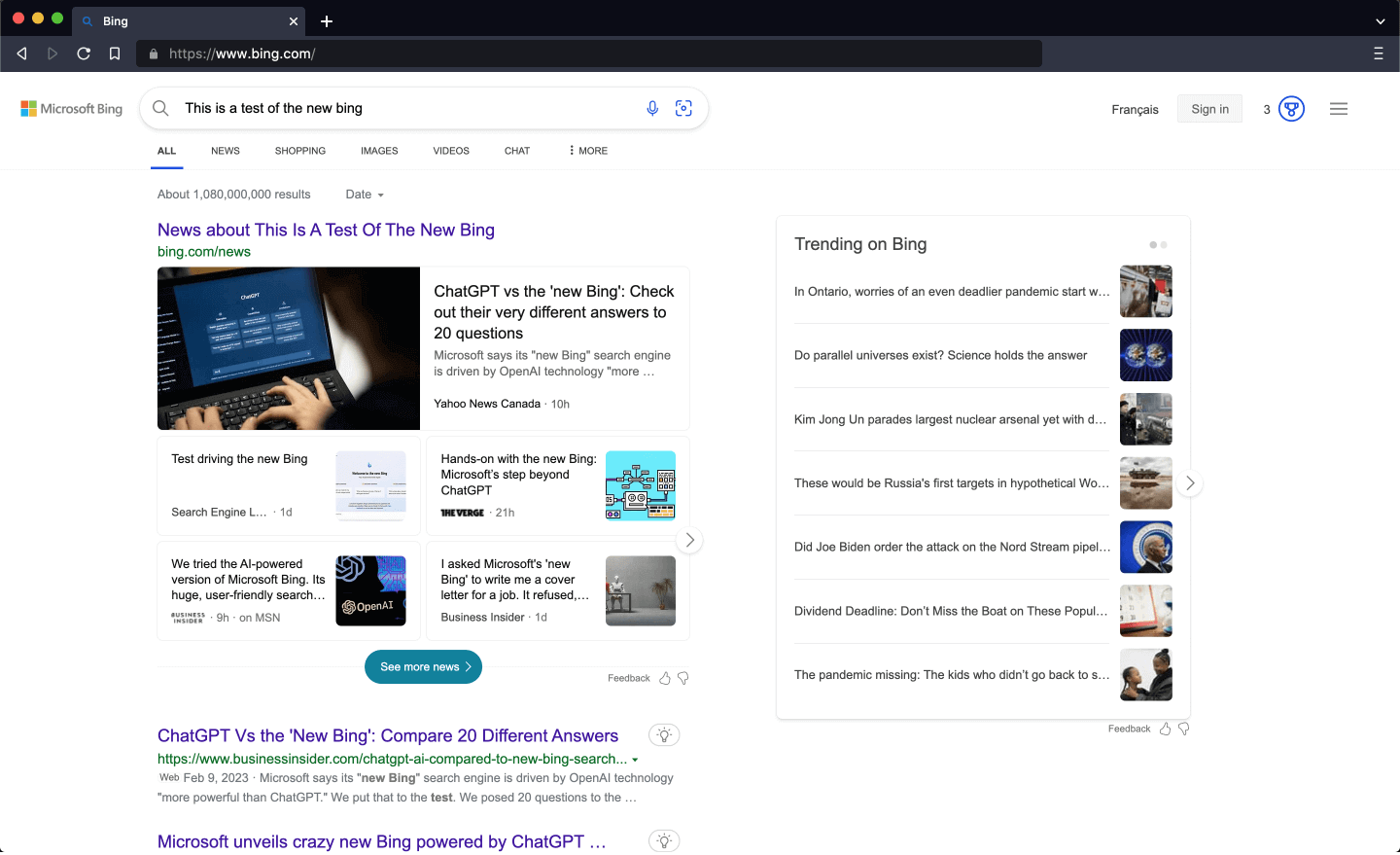
The results look clean and familiar, but there is no AI answer.
The results page is far less cluttered than the Bing of years ago, and closer to what people expect from Google. But the AI chat everyone is talking about is missing, and the user wonders if they missed a step.
TakeawayIf people expect a new feature and do not find it, they assume it is not for them.
 Try it
03
Problem
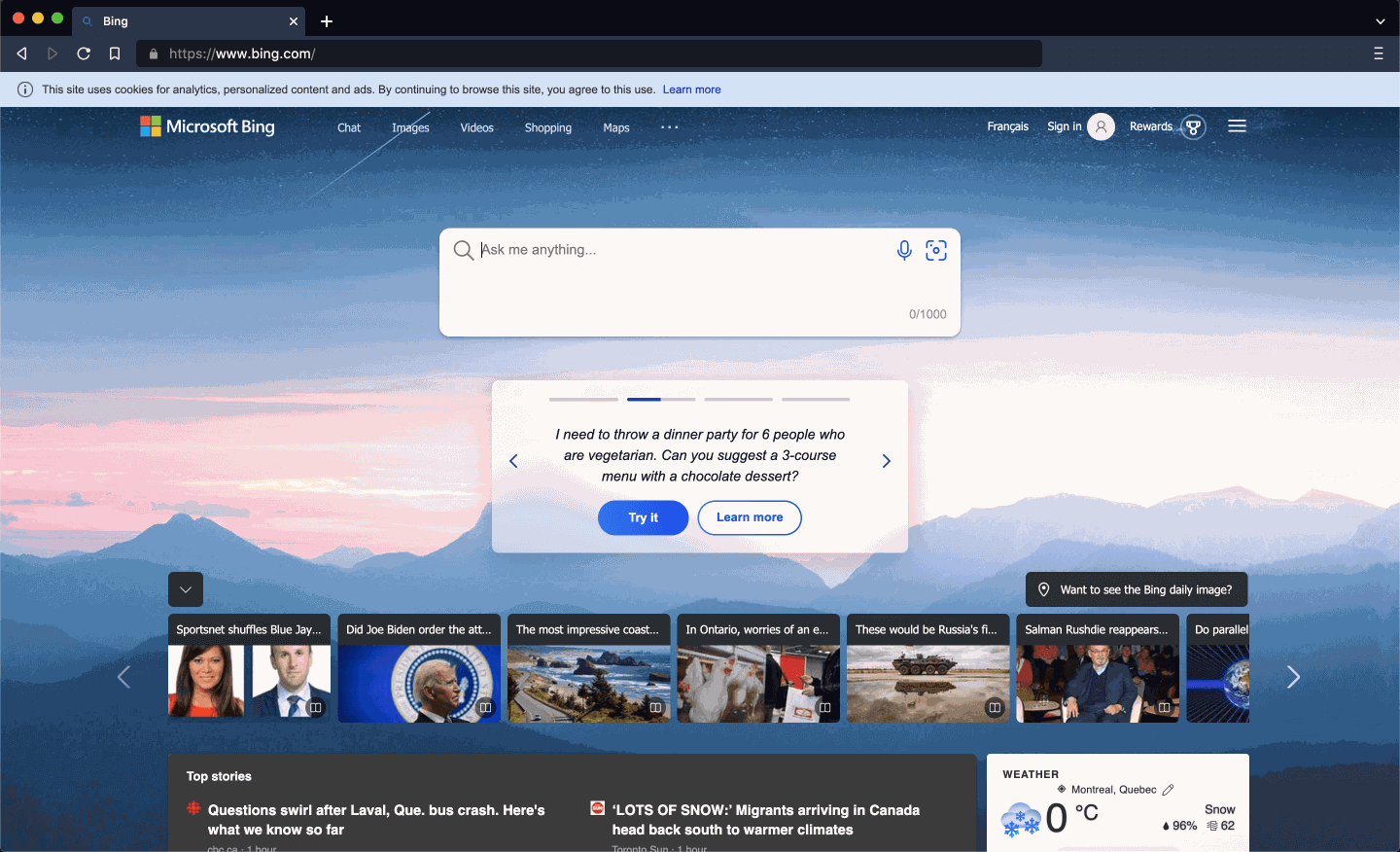
Back on the home page, the AI turns out to be a demo inside a small carousel.
Only by clicking through the carousel does the user find a sample question with a 'Try it' button. It is a demo version, and the full chat is not available yet. None of this was explained up front.
TakeawaySay what is and is not available right away, or people leave before they find out.
- News competes
04
Problem
The home page cannot decide if it is a search engine or a news site.
Under the search box sit rows of news thumbnails, top stories and weather. To compete with Google, Bing needs one clear job for this screen, and right now the search box shares attention with a news feed.
TakeawayA screen with one clear purpose is easier to remember and come back to.
Mental associationsPeople make sense of new information by connecting it to what they already know, and feel at ease when it matches. Right now, search means Google. Bing will need consistently better product decisions to change that association.
Launch week Easy to missRedesign 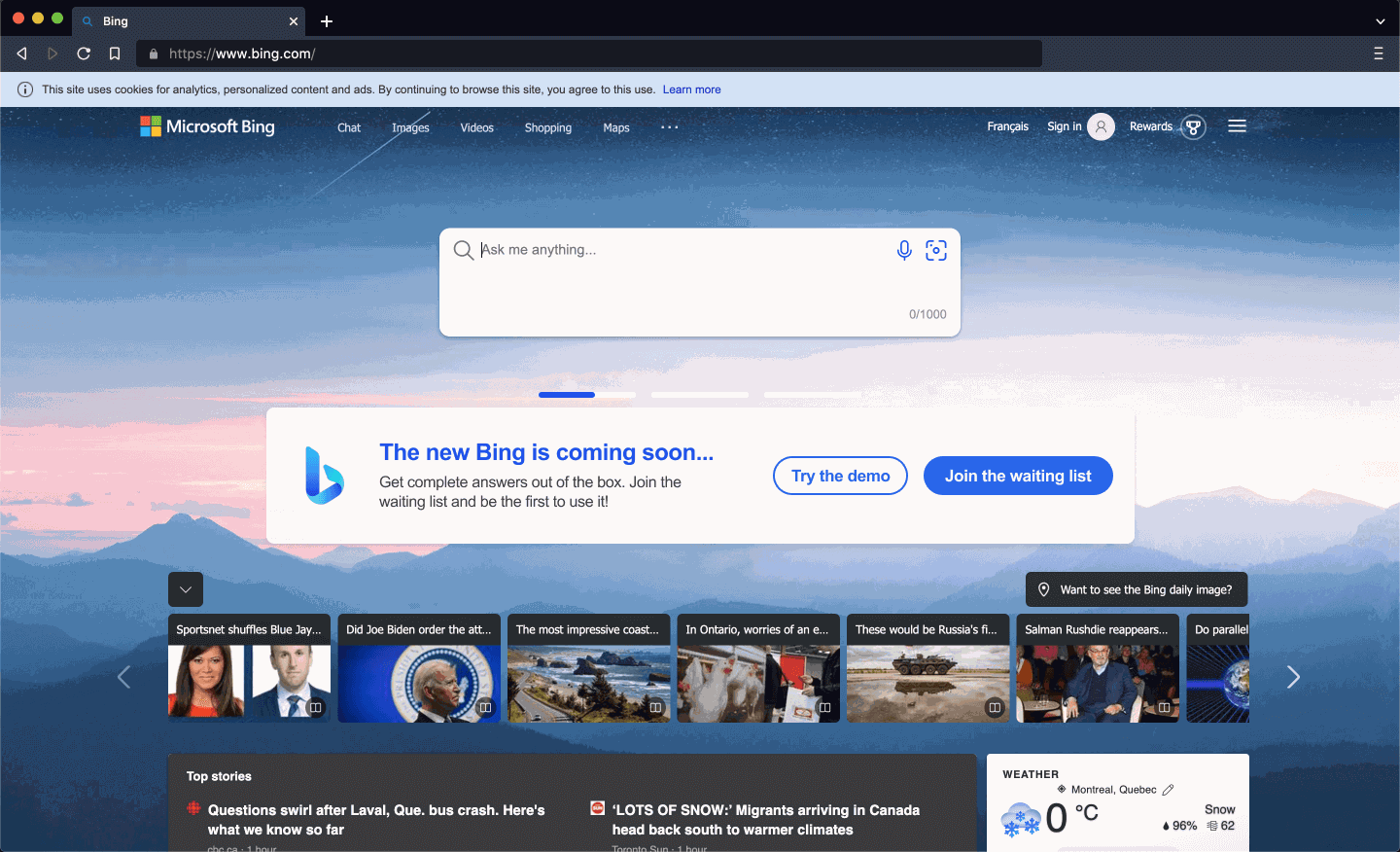 Clear next step
05
Repair 1
Tell people it is coming soon, and give them two clear next steps.
The redesign replaces the small carousel with a wide card that says the new Bing is coming soon, with 'Try the demo' and 'Join the waiting list' buttons. People who arrive curious leave with a plan instead of leaving confused and not coming back for years.
What changed
- A wide card replaces the small carousel
- The copy says the new Bing is coming soon
- Two buttons: try the demo or join the waiting list
TakeawayA clear prompt at the right moment decides whether a new feature gets adopted.
Accurate prompts drive adoptionYou have a few seconds to convince someone to try a new feature, so every prompt should be accurate and meaningful. Forbes notes that first impressions can make or break a relationship.
 Pop-up interrupts
06
Trying the demo
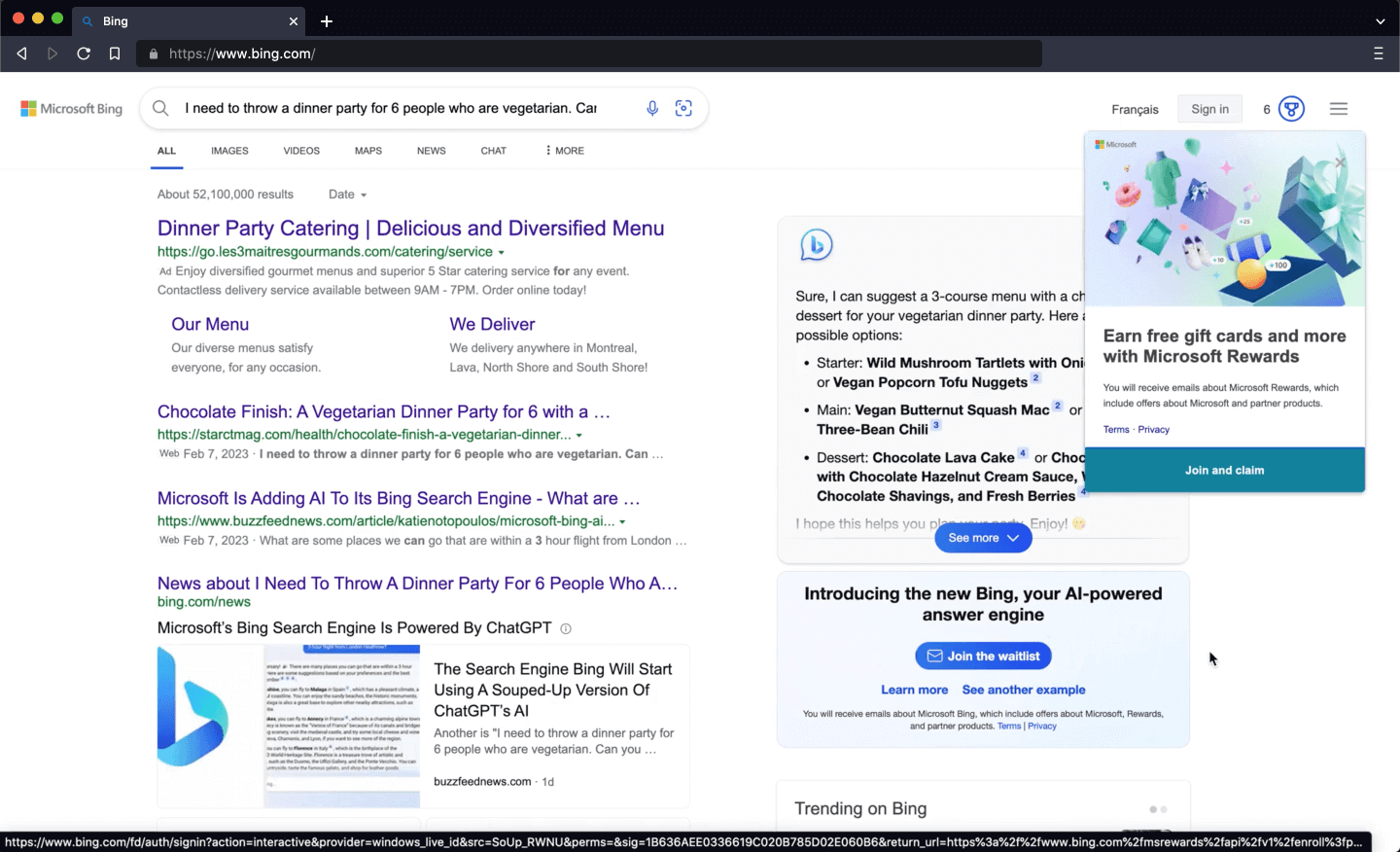
The AI answer types itself out live, and then a gift card offer covers it.
Watching the answer appear with recommendations is exciting. But an 'Earn free gift cards' pop-up opens over the answer at the worst moment, and the old style links on the left start to feel outdated next to the chat.
TakeawayDo not interrupt people at the exact moment they are enjoying the thing you want them to adopt.
 Get access faster
07
The call to action
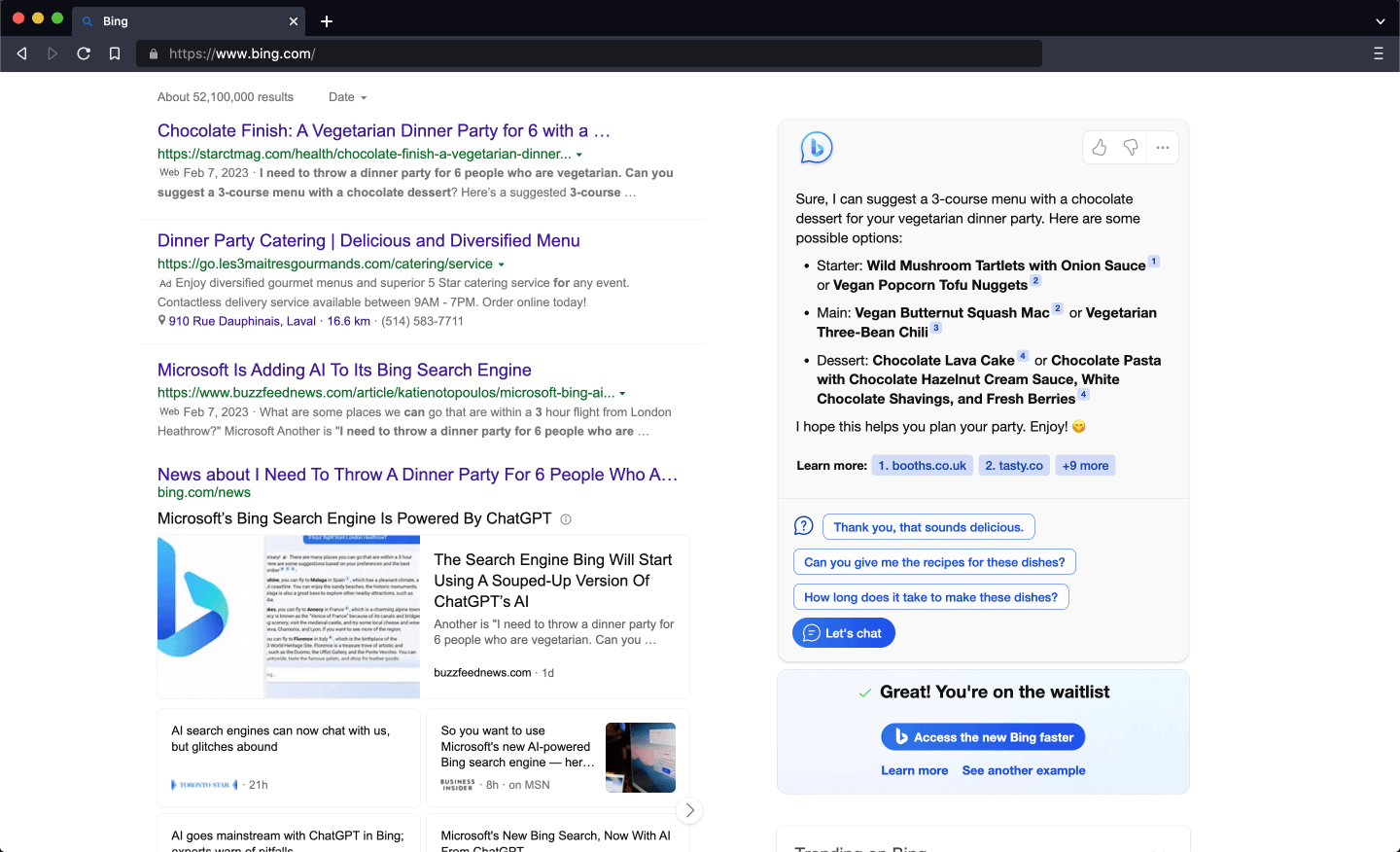
After a sign in and a password reset, the user is on the waitlist.
Closing the pop-up reveals a 'Join the waitlist' button. It sends the user to a Microsoft account sign in they had long forgotten. Once through, a small box confirms they are on the waitlist and offers a way to get access faster.
TakeawayEvery extra account step between interest and access is a place people drop off.
 Change your defaults
08
Problem
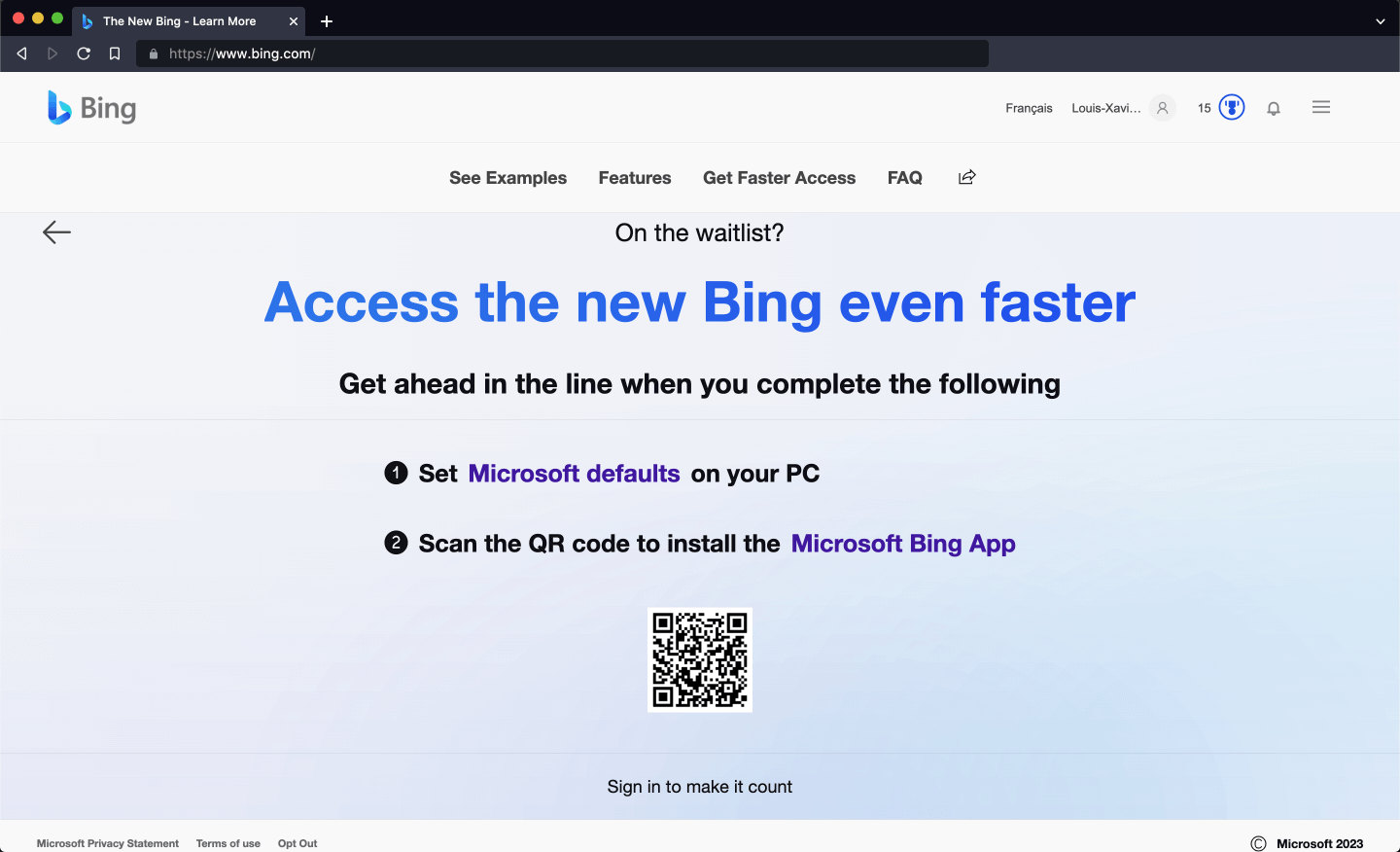
To move up the list, the user must make Microsoft their default and install an app.
The page asks for two things: set Microsoft defaults on the PC, and scan a QR code to install the Bing app. The defaults come as a browser extension that changes the home page, search and more, with broad permissions that raise privacy doubts.
TakeawayA large ask needs an equally clear reward, or it feels like a trade you did not agree to.
Defaults are worth billionsPeople rarely change defaults. Growth.Design cites reports that Google pays around 15 billion dollars a year to be the default search engine on iPhones, and holds about 92 percent of search according to StatCounter. Microsoft wants a bigger share by changing defaults.
- Nothing changes
09
Problem
After doing both tasks, the page looks exactly the same.
The user sets the defaults and installs the app, then returns to this page. Nothing has changed: no check marks, no thanks, no new position in line. They went along with the push to switch ecosystems, and the product did not even acknowledge it.
TakeawayWhen people do what you asked, show them right away that it counted.
Law of effectBehaviors grow stronger when they are followed by a reward, but the reward has to match the effort. When it is missing, people can push back and return to their old defaults.
Launch week Same page againRedesign 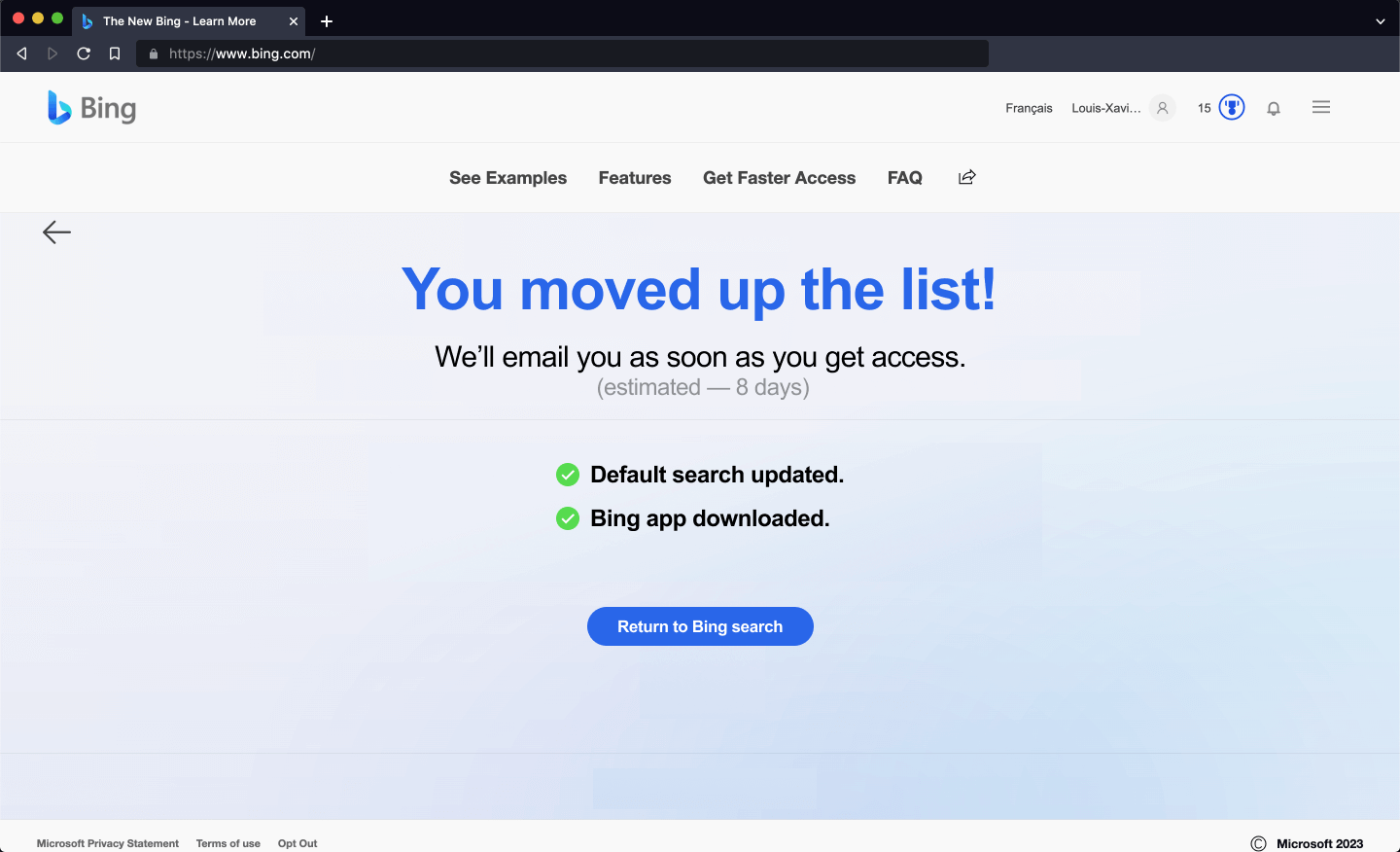 Tasks confirmed
10
Repair 2
Tell people what they did, what it earned and what happens next.
The redesigned page opens with 'You moved up the list!', shows a check mark for each completed task, and estimates how long access will take. It costs almost nothing to build and turns effort into a sense of progress.
What changed
- Clear feedback: check marks confirm each task
- Clear result: 'You moved up the list!'
- Clear expectations: an estimated wait time
TakeawayClear feedback, a clear result and clear expectations make effort feel worth it.
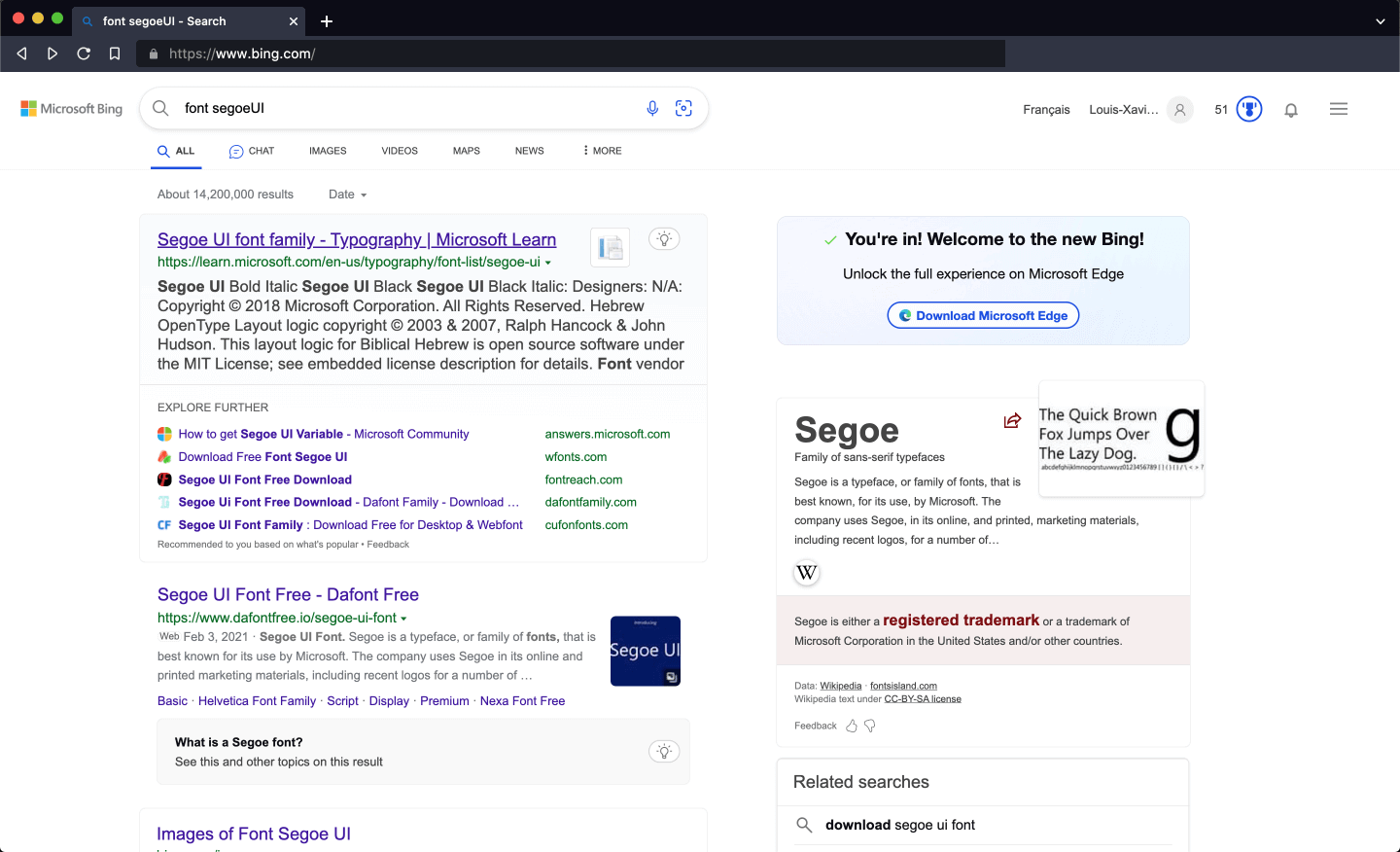 Another download
11
The result
Days later, access arrives, with one more condition attached.
After a few frustrating days on the old search, a card appears: 'You're in! Welcome to the new Bing!'. The full experience, though, is only unlocked in Microsoft Edge, so the user is asked to download another browser.
TakeawayEach new condition added after a promise chips away at the goodwill the launch created.
First visit Hopes highAccess Hopes worn down12
Looking back
Excitement drops at every step between the announcement and access.
The clean new look raised hopes. Then came a hidden demo, a badly timed pop-up, a big ask with no acknowledgment and an extra browser download. Growth.Design grades this first touchpoint a D.
What changed
- Announce the feature on the first screen
- Remove pop-ups from the demo
- Acknowledge every completed task
- Explain conditions like Edge up front
TakeawayInterest from a launch is easy to lose and hard to win back, so protect every step.
Every takeaway, in one place
- The setupThe first screen after an announcement has to show people where the new thing is.
- The first searchIf people expect a new feature and do not find it, they assume it is not for them.
- ProblemSay what is and is not available right away, or people leave before they find out.
- ProblemA screen with one clear purpose is easier to remember and come back to.
- Repair 1A clear prompt at the right moment decides whether a new feature gets adopted.
- Trying the demoDo not interrupt people at the exact moment they are enjoying the thing you want them to adopt.
- The call to actionEvery extra account step between interest and access is a place people drop off.
- ProblemA large ask needs an equally clear reward, or it feels like a trade you did not agree to.
- ProblemWhen people do what you asked, show them right away that it counted.
- Repair 2Clear feedback, a clear result and clear expectations make effort feel worth it.
- The resultEach new condition added after a promise chips away at the goodwill the launch created.
- Looking backInterest from a launch is easy to lose and hard to win back, so protect every step.
Source: Growth.Design: Episode 1: Can Bing's new AI search challenge Google?
Launch features people can actually find.
A big launch can still fail at the first screen. Zyxware can review how your new features are announced, how waitlists and sign ups ask for commitment, and what feedback people get after each step, then help you fix the moments where interest turns into doubt.