How McDonald's Kiosks Nudge Bigger Orders
 +20 XP
Case study
How McDonald's Kiosks Nudge Bigger Orders
A hungry visitor orders lunch on a McDonald's self-serve kiosk and walks away with far more food than planned. Screen by screen, this story shows which parts of the kiosk genuinely help people order and which parts quietly steer them toward larger, pricier meals.
+20 XP when you reach the endWhat you will learn
- Organize a menu around the jobs people come to do
- Spot how hidden calories and missing sizes frame a choice
- Tell a helpful suggestion from an impulse trap
Scroll to follow the story. The screen changes with you.
Based on the learnings from Growth.Design: The Psychology Behind McDonald's $2 Billion Self-Serve Kiosks, presented in our own format.
Step 1 of 10
- Loyalty first
01
The setup
The first thing a hungry visitor sees is a loyalty pitch.
A visitor in London walks up to a kiosk wanting a burger. The start screen leads with 'Redeem your points here' and a large yellow 'Order and earn points' panel, while the plain 'Start Order' button sits to the side.
TakeawayWhen the welcome screen serves the business goal first, the user's goal waits.
 Order as guest
02
Pushing the app
The next screen asks for the app a second time.
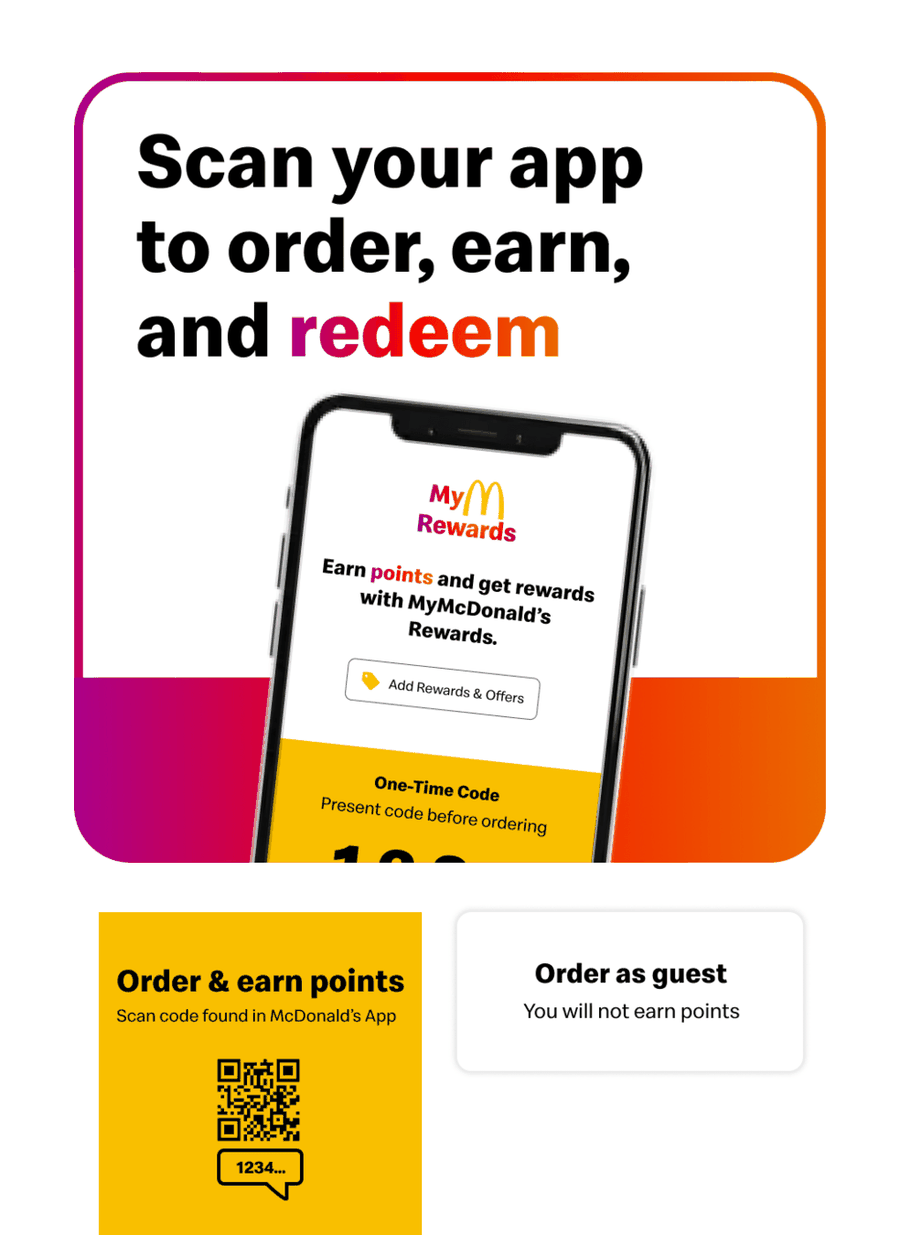
Right after Start Order, the kiosk shows 'Scan your app to order, earn, and redeem'. Ordering without the app is labeled 'Order as guest' with a note that you will not earn points.
TakeawayAsking the same question twice turns an offer into pressure.
 App code again
03
Why they persist
Even on the menu, a banner asks for the app code again.
At the top of 'Let's do lunch' sits another 'Enter your app code to earn rewards' banner. Three requests before the first burger shows how much the app matters to McDonald's.
TakeawayKnow why the business is pushing something, then decide how often it is fair to ask.
Tracking and retentionWhen customers use the app, McDonald's can track spending habits and show personalized offers at the kiosk. That lifts long-term engagement, which is why the app is promoted throughout.
- Start from the job
04
What works
The menu opens with the reasons people come in.
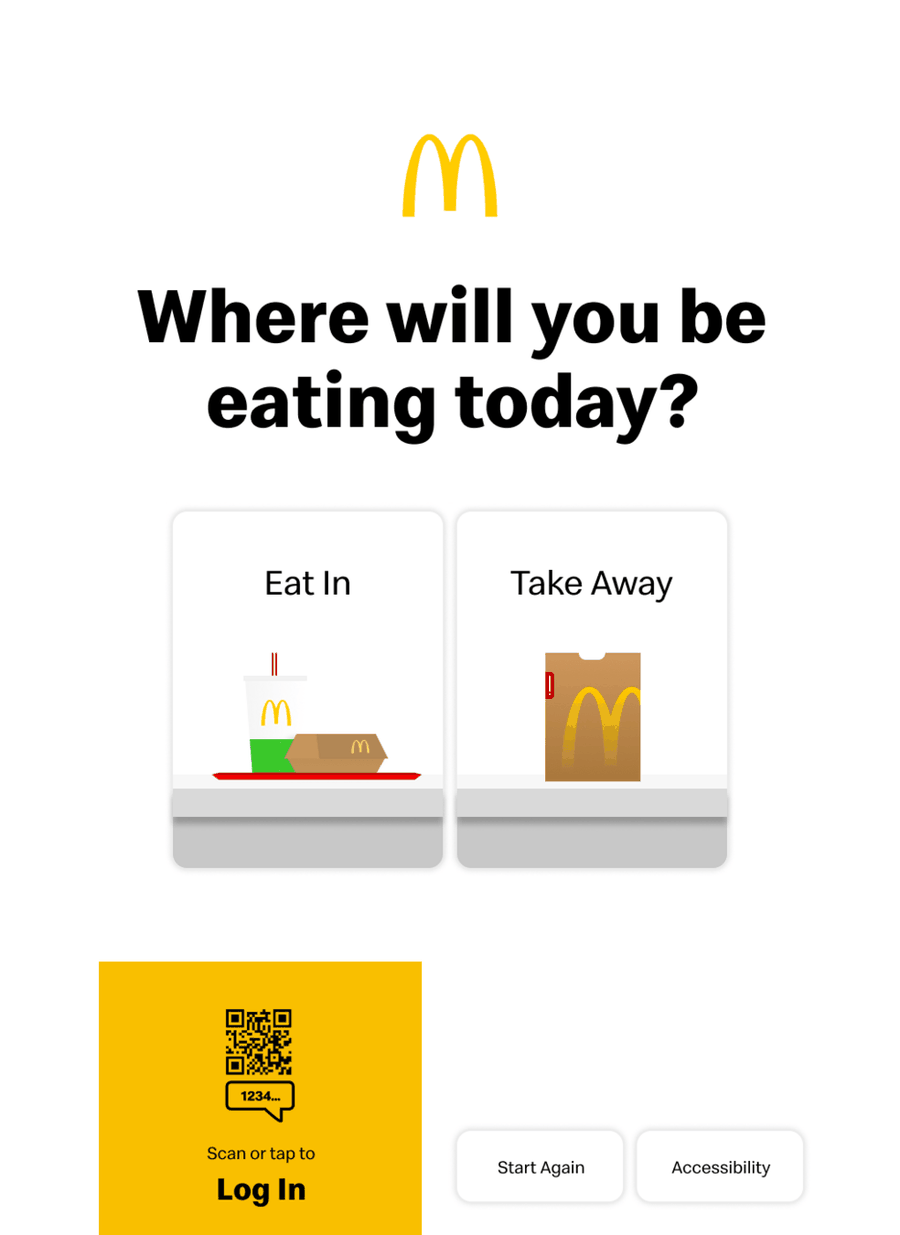
'Discover our menu' offers four big tiles: Burgers, Made for Sharing, Wraps and Salads, and Cold Drinks. They match common intents: I want a burger, I want something lighter, I am eating with friends, I only need a drink. Popular choices sit just below.
TakeawayGroup options by what people are trying to do, not by how the kitchen is organized.
Jobs-to-be-done shortcutsKnowing what customers want to achieve lets you design shortcuts to it. Combined with popular bundles and appetizing photos, the screen keeps people in quick, instinctive System 1 decision making.
 Calories in fine print
05
Problem 1
Calories are on every tile, but easy to miss.
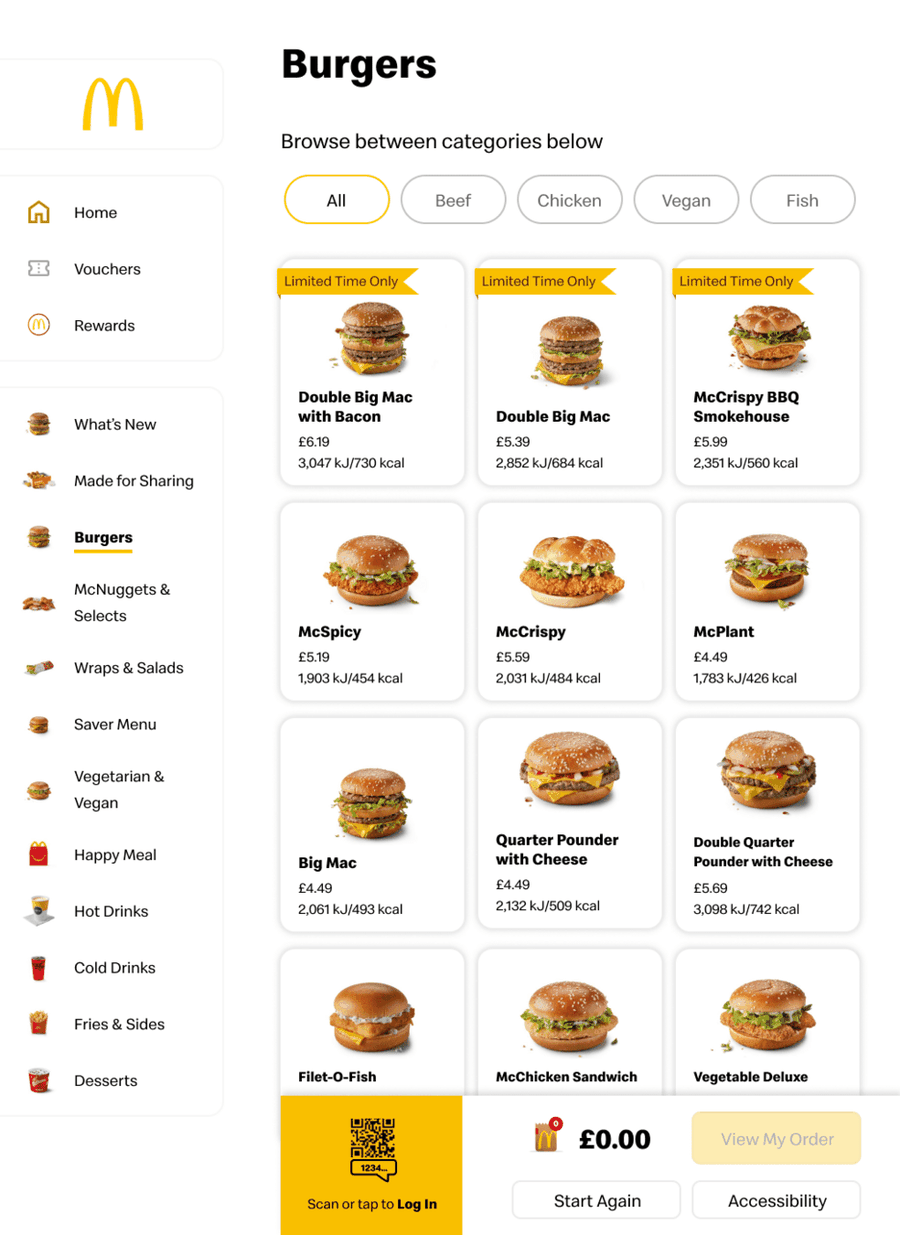
The burger grid is full of large food photos and 'Limited Time Only' ribbons. The calorie count under each item is set in tiny grey text, so the eye goes to the Double Big Mac with Bacon and skips its 3,047 kJ.
TakeawayInformation that is present but not visible does little to inform a decision.
Sensory appealThe kiosk packs its screens with images that heighten appetite. Calorie information, required by law, ends up treated like fine print that is easy to skip.
Today Easy to skipSuggested 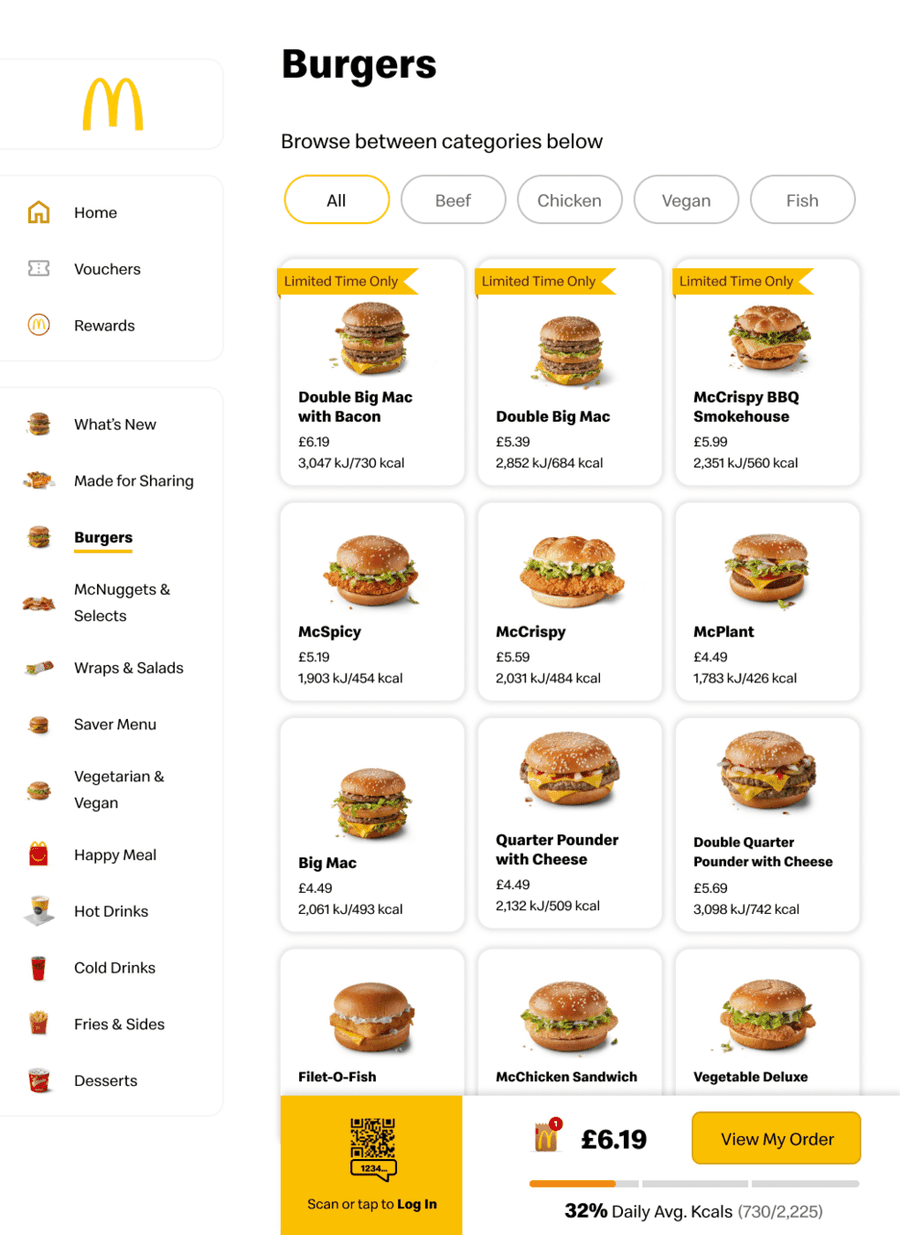 Daily share shown
06
A transparent version
Show how much of the day's calories the order already uses.
Growth.Design's suggestion adds a bar next to the order total: '32% Daily Avg. Kcals' for a single burger. Turning it into a meal with fries pushes the same bar to 48 percent, which people would notice.
What changed
- A progress bar under the order total
- Calories shown as a share of a daily average
- The bar updates as items are added
TakeawayMake the cost that matters to the customer as visible as the price.
Variant A 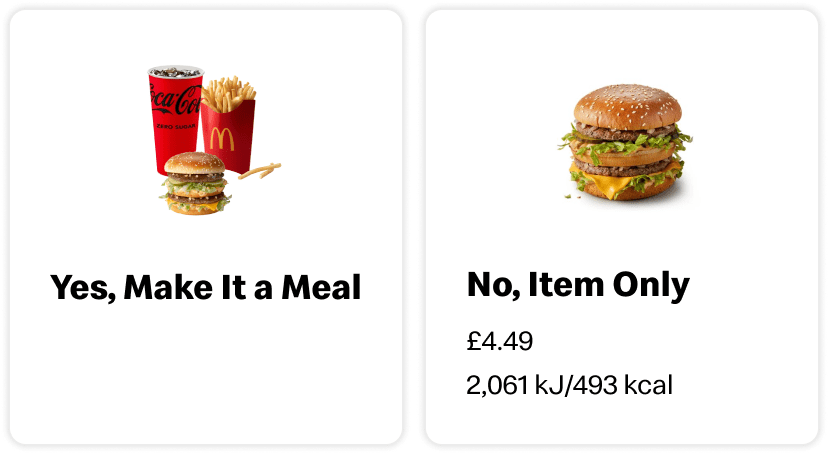 No price, no calories
Variant B 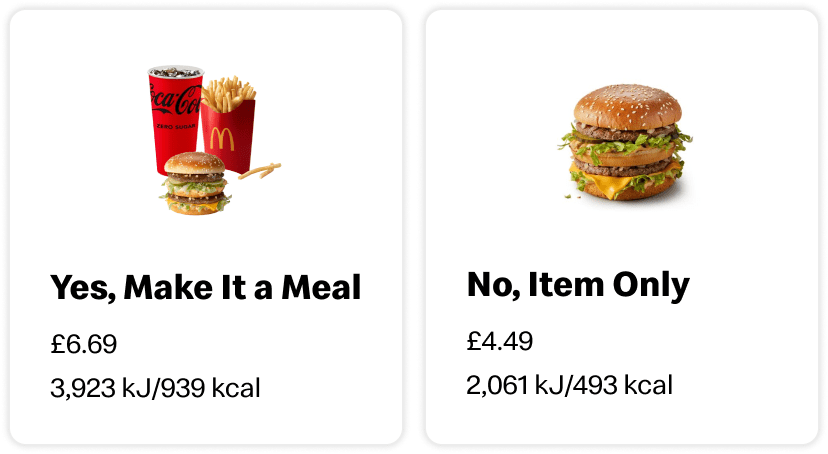 Full cost shown
07
Problem 2
The meal upgrade hides its price and calories.
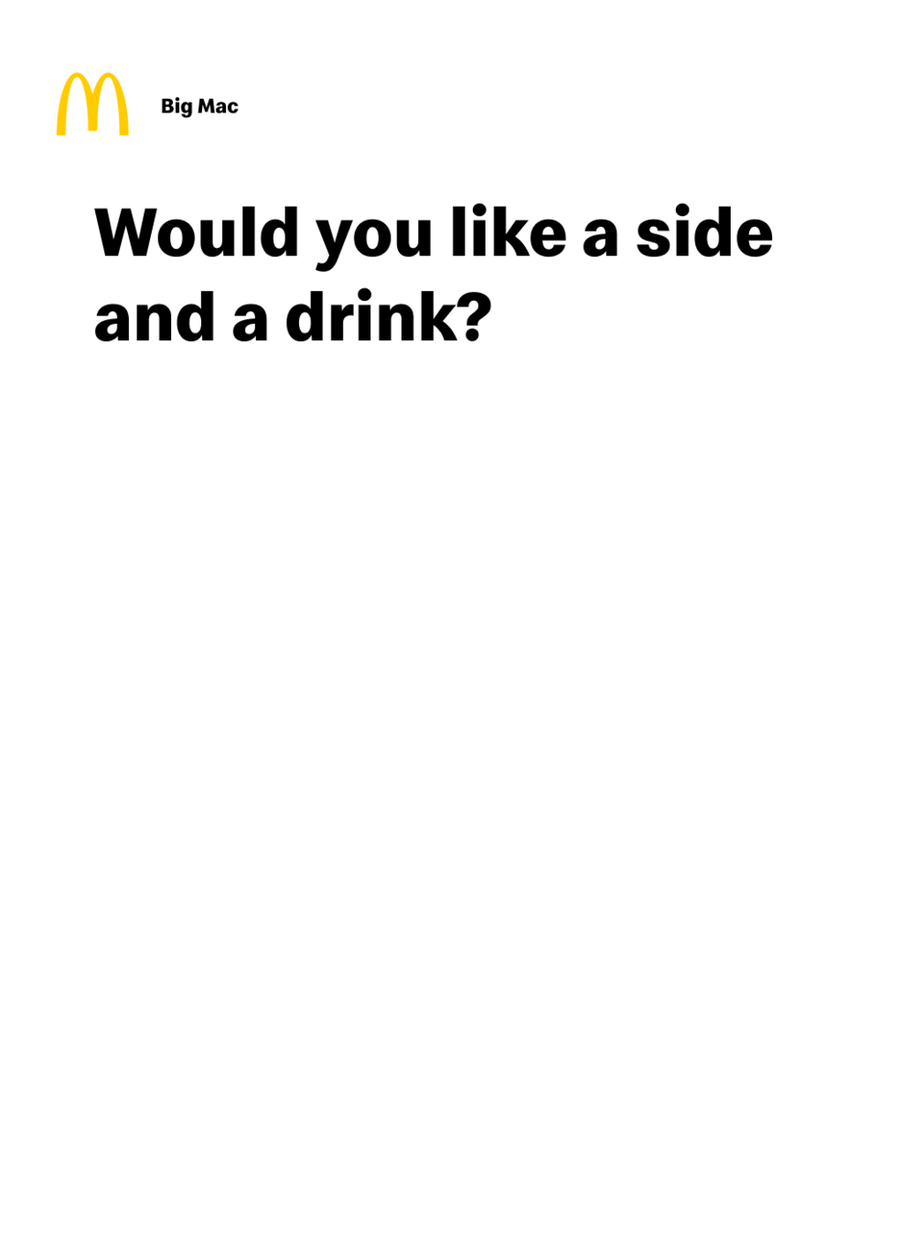
Choosing a plain Big Mac triggers 'Would you like a side and a drink?'. McDonald's uses version A, where 'Yes, Make It a Meal' shows no price and no calories, while 'No, Item Only' shows both. Version B would reveal the meal costs 6.69 pounds and 939 kcal.
TakeawayRemoving the numbers from one option reduces the choice to a simple yes or no.
 The missing Small
08
Problem 3
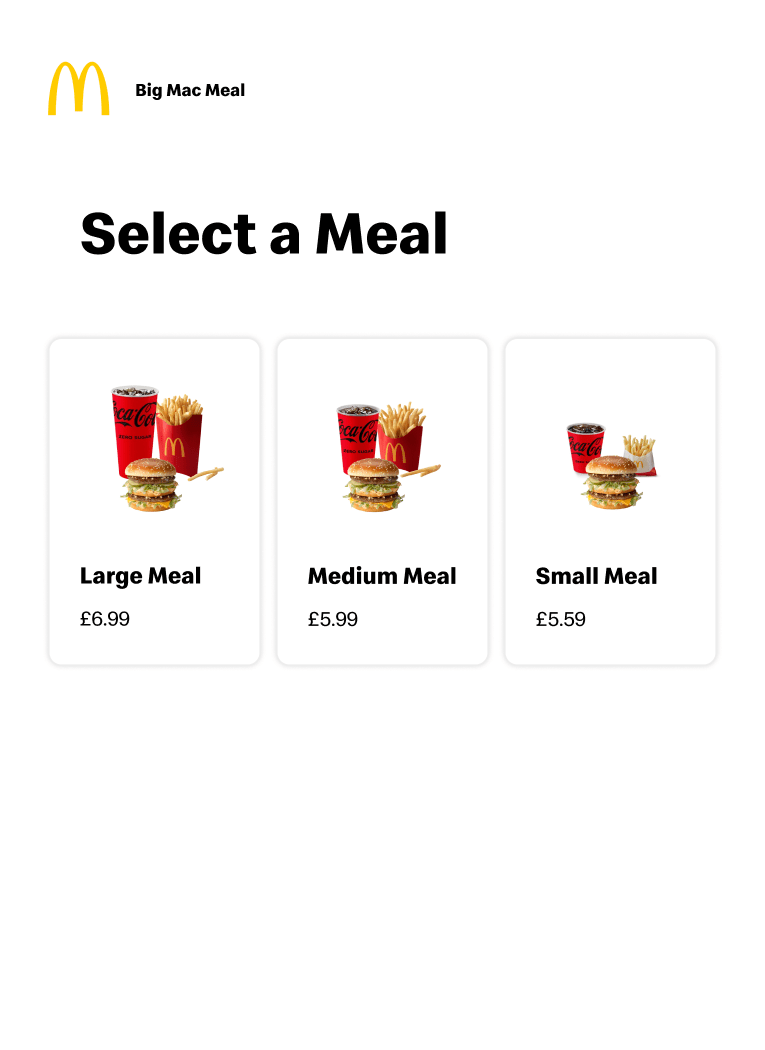
With only Large and Medium, Large feels like the obvious pick.
The kiosk's 'Select a Meal' screen offers just Large for 6.69 and Medium for 5.99, again without calories. A 70 pence gap makes Large look like good value. Adding a Small option, as in this version, makes Large feel as big as it really is.
What changed
- Offer Small, Medium and Large
- Show calories next to each price
TakeawayThe options you leave out shape the choice as much as the ones you show.
FramingHow information is presented changes decisions. Leaving out calories frames the meal choice around a small price difference rather than a large health difference.
 Impulse shelf
09
Problem 4
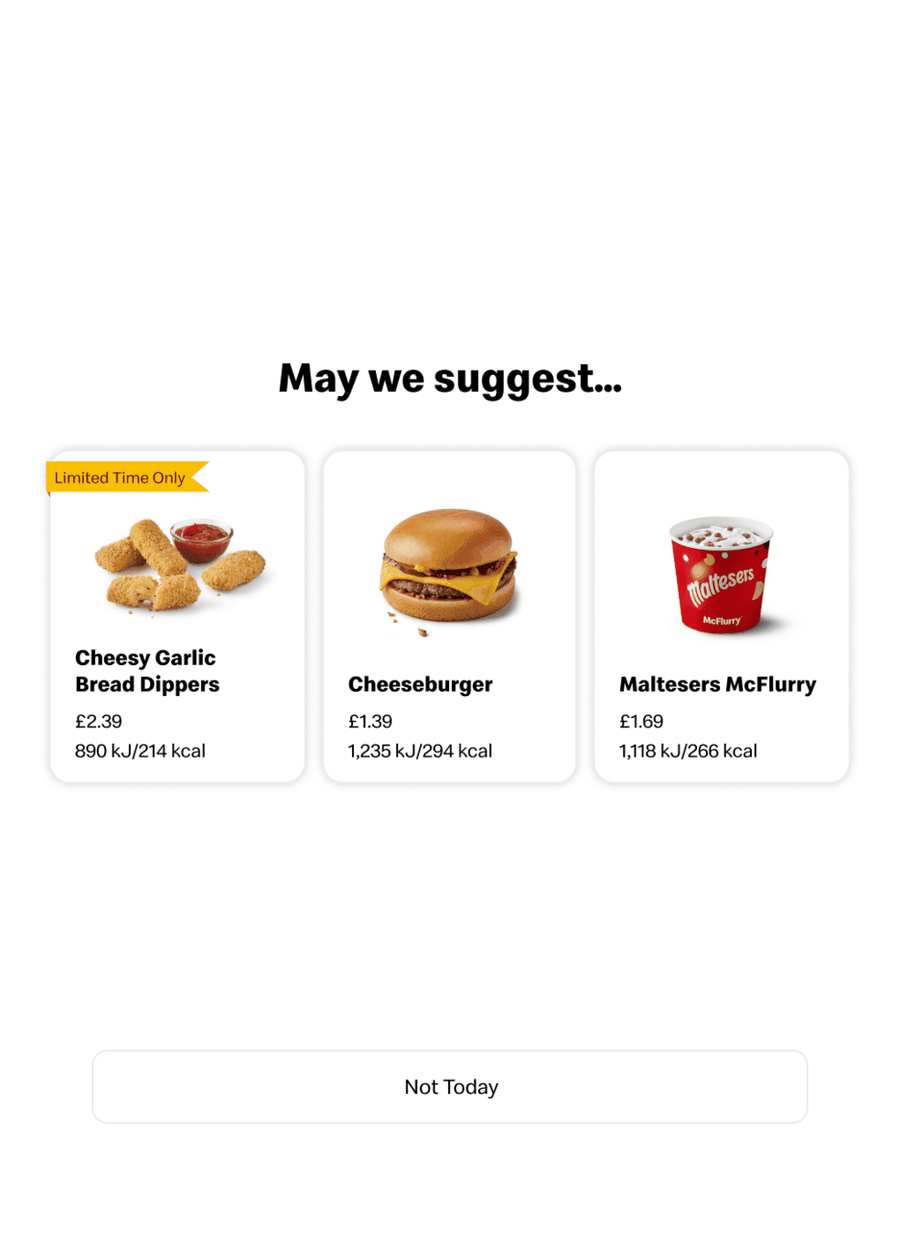
Before the order summary, a screen of cheap extras appears.
After tapping View My Order, the visitor gets 'May we suggest...' with garlic bread dippers, a cheeseburger and a McFlurry. It works like the snack shelf by a supermarket checkout, and the rest of the order is not shown, so it is hard to remember how much is already coming.
TakeawayHiding the running order makes impulse additions easier.
 12.46 total
10
The result
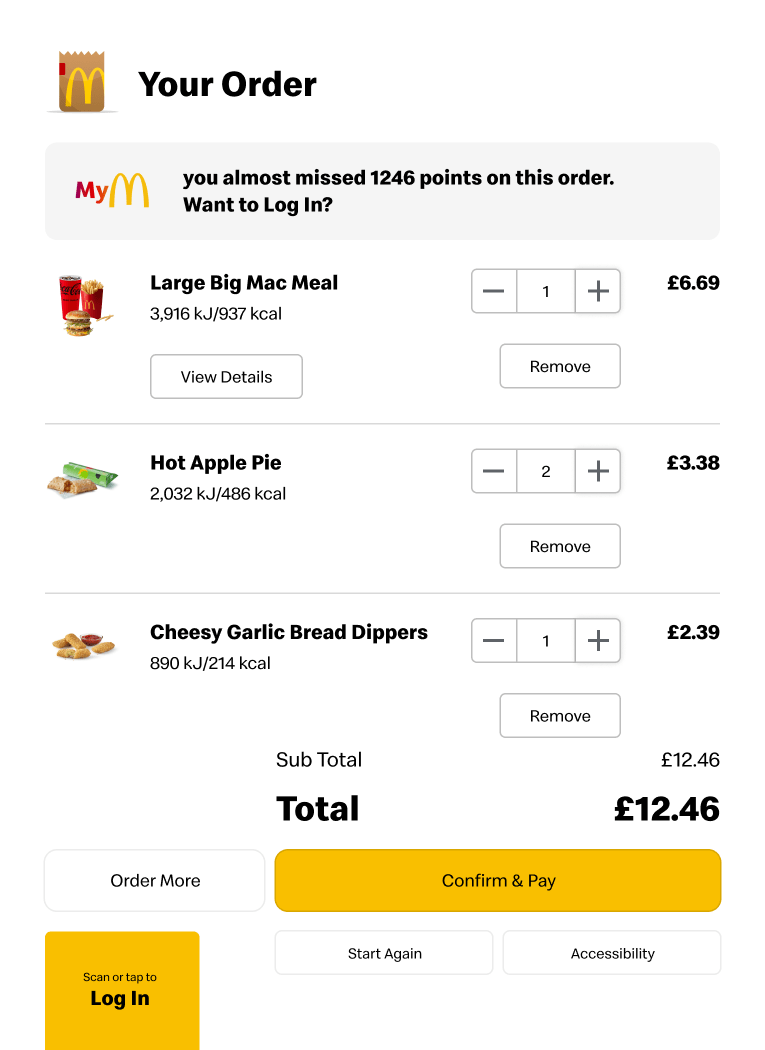
A single burger became a 12.46 pound order.
The summary lists a Large Big Mac Meal, two apple pies and the dippers, totalling 12.46 pounds. At the top, one more reminder says the visitor almost missed 1,246 points by not logging in.
TakeawayEach nudge is small, but together they change what people buy and how they feel afterwards.
No one is watchingWithout a cashier taking the order, there is no sense of being judged, which encourages more indulgent choices. Growth.Design cites a report that McDonald's increased revenue by 15 percent with these kiosks, and gives the experience an ethical score of D.
Every takeaway, in one place
- The setupWhen the welcome screen serves the business goal first, the user's goal waits.
- Pushing the appAsking the same question twice turns an offer into pressure.
- Why they persistKnow why the business is pushing something, then decide how often it is fair to ask.
- What worksGroup options by what people are trying to do, not by how the kitchen is organized.
- Problem 1Information that is present but not visible does little to inform a decision.
- A transparent versionMake the cost that matters to the customer as visible as the price.
- Problem 2Removing the numbers from one option reduces the choice to a simple yes or no.
- Problem 3The options you leave out shape the choice as much as the ones you show.
- Problem 4Hiding the running order makes impulse additions easier.
- The resultEach nudge is small, but together they change what people buy and how they feel afterwards.
Source: Growth.Design: The Psychology Behind McDonald's $2 Billion Self-Serve Kiosks
Grow order value without losing customer trust.
Self-serve flows can raise revenue and still treat people fairly. Zyxware can review your ordering or checkout journey, keep the shortcuts that help customers decide, and replace hidden costs and forced paths with clear, honest choices.