How LinkedIn Gets People to Turn Notifications Back On
 +20 XP
Case study
How LinkedIn Gets People to Turn Notifications Back On
A user with notifications switched off sends an important LinkedIn message and is immediately asked whether they want to know when the recipient replies. This story compares that prompt with a generic system request and breaks down the four reasons the contextual version works so much better.
+20 XP when you reach the endWhat you will learn
- Ask for permission right after a related action
- Name the person and the benefit, not the feature
- Use a simple yes or no before the system dialog
Scroll to follow the story. The screen changes with you.
Based on the learnings from Growth.Design: How Linkedin Increased Notification Opt-in Rates by 500%, presented in our own format.
Step 1 of 9
- Writing the message
01
The setup
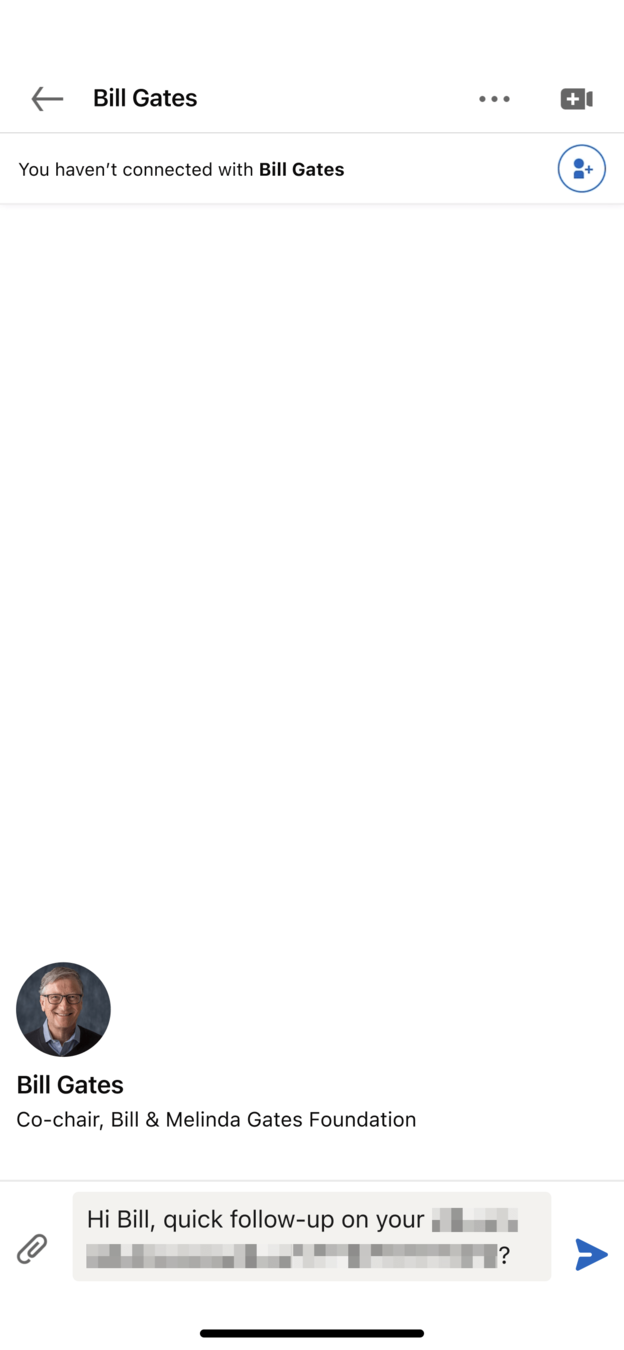
Someone writes an important message with notifications turned off.
The user is sending a quick follow-up to Bill Gates on LinkedIn. They previously disabled phone notifications for the app, so they would not know when a reply arrives.
TakeawayPeople who switched notifications off are not lost for good, but you need a good reason to ask again.
 Waiting for a reply
02
The moment
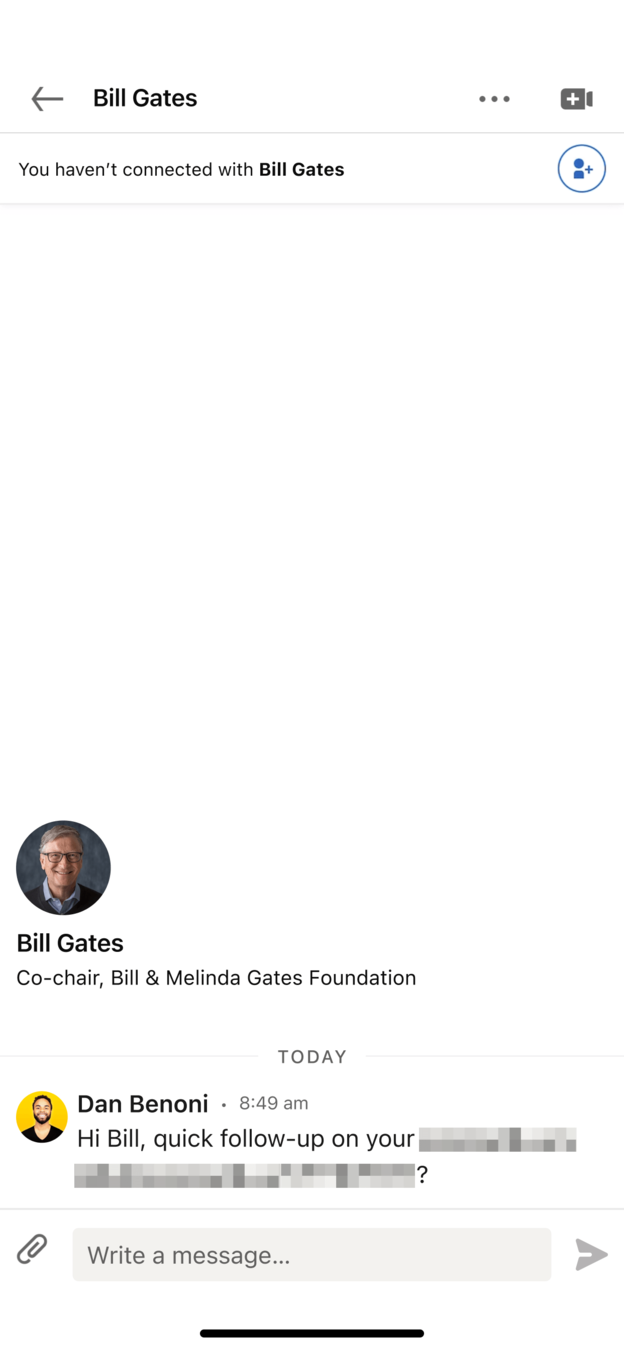
The message is sent, and now the user is waiting for an answer.
The follow-up appears in the conversation under Today. This is the point where the user cares most about hearing back, and LinkedIn chooses exactly this moment to ask.
TakeawayThe best time to ask for permission is when the benefit is on the user's mind.
 A specific question
03
The ask
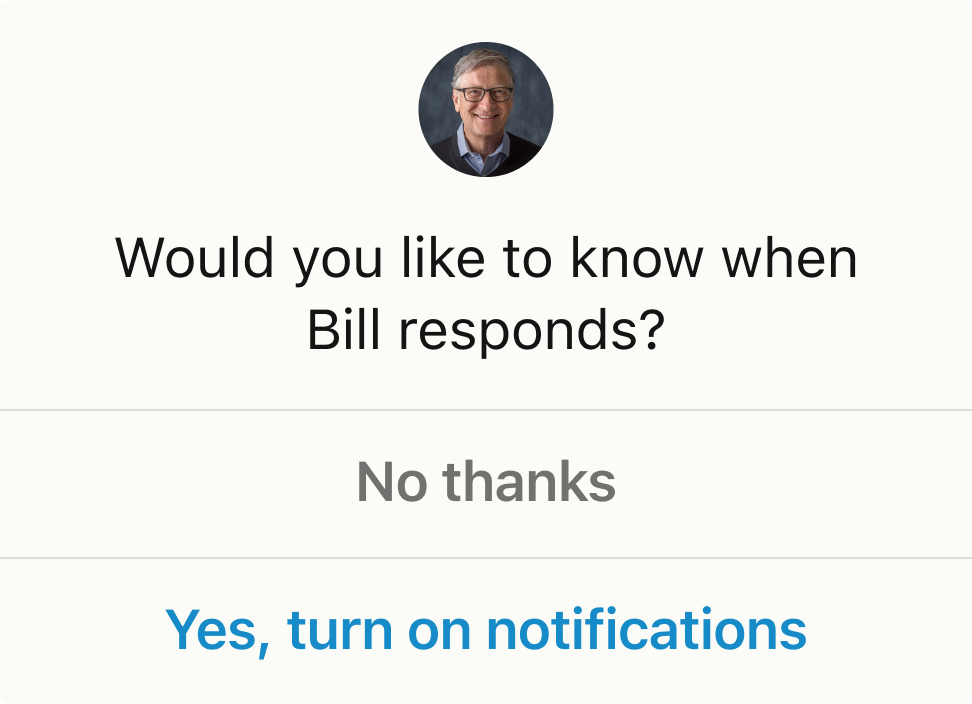
LinkedIn asks: would you like to know when Bill responds?
A small card with Bill's photo offers two options, 'No thanks' and 'Yes, turn on notifications'. It shows up only after sending, not at a random moment.
TakeawayA request tied to what the user just did feels like help, not an interruption.
Generic 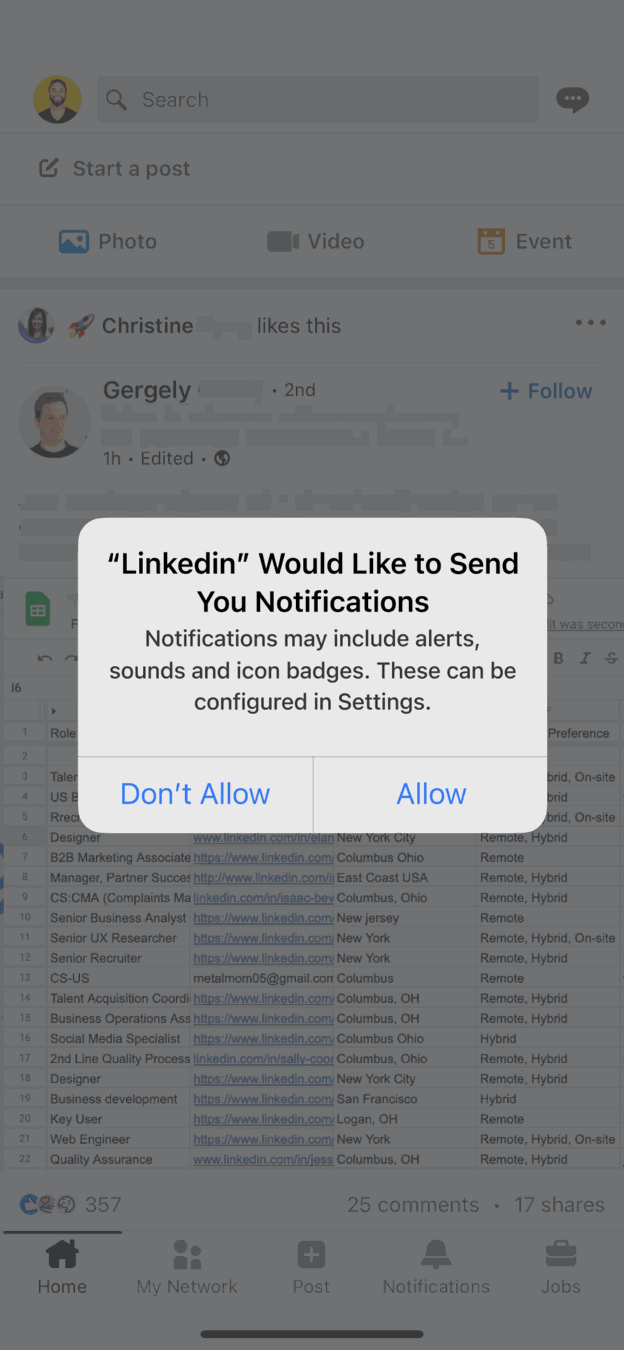 Random timing
Contextual Right after sending04
The comparison
Compare it with the system dialog that pops up over the feed.
The default request, 'LinkedIn Would Like to Send You Notifications', appears whenever you open the app, on top of a feed that has nothing to do with it. It talks about alerts, sounds and badges and offers 'Don't Allow' or 'Allow'.
TakeawayA random, feature-led request gives people no reason to agree.
- Effort invested
05
Reason 1
Context: the user just invested effort and expects a reply.
Having written and sent the message, the user already wants to hear back. Turning on notifications is a small step that follows naturally from that.
TakeawaySmall requests that fit what people just did meet little resistance.
Micro-commitmentPeople feel less threatened by small steps that are consistent with what they did before. The contextual question matters because turning iOS notifications back on later is a much bigger ask.
- A real person
06
Reason 2
Human: the prompt is about Bill, not about LinkedIn.
The card shows Bill's face and uses his name. The request is about one real conversation rather than the product in general.
TakeawayA named, visible person is more persuasive than a vague promise.
Singularity effectPeople care far more about one identifiable individual than about abstract groups. Naming the recipient works better than a promise like 'know when a connection answers'.
Features Alerts, sounds, badgesBenefit Know when he replies07
Reason 3
Value: the prompt names the benefit, not the features.
The system dialog lists alerts, sounds and icon badges. LinkedIn's card says what the user gets: knowing when Bill answers.
TakeawayDescribe what people gain, not what the system will do.
- Easy yes
08
Reason 4
Conversational: a plain yes or no answer.
'No thanks' and 'Yes, turn on notifications' read like a reply to a friend's question. 'Allow' and 'Don't Allow' are not words people use in real conversation.
TakeawayLet people answer the way they would speak.
Recapturing permissionsGrowth.Design cites that about 50 percent of users block notifications, and iOS will not show its prompt again after 'Don't allow'. According to LinkedIn's product team, this trigger converts 5 times better, 5 to 10 percent versus 1 to 2 percent for random prompts.
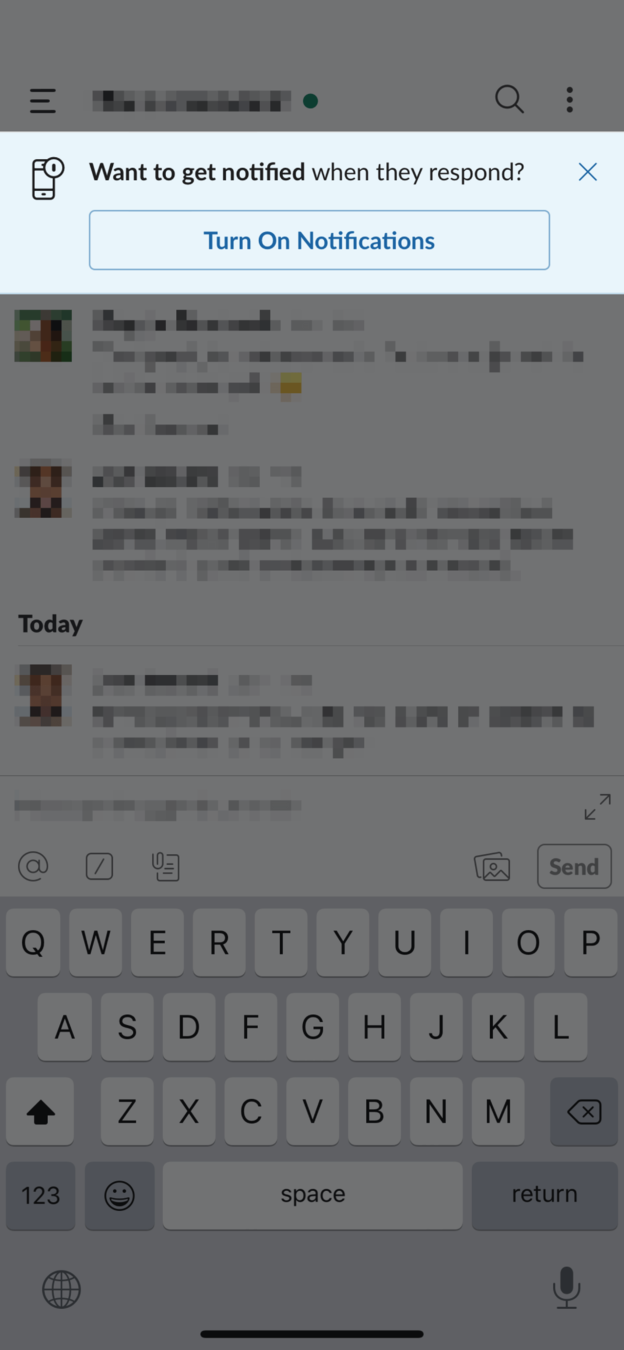 Same trigger
09
Apply it
The same pattern works in any product.
Slack shows a banner, 'Want to get notified when they respond?', with a Turn On Notifications button right above the conversation you just wrote in. The approach fits B2B and B2C, mobile and desktop.
TakeawayShow people you treat their attention as precious, and they will trust you with it.
Every takeaway, in one place
- The setupPeople who switched notifications off are not lost for good, but you need a good reason to ask again.
- The momentThe best time to ask for permission is when the benefit is on the user's mind.
- The askA request tied to what the user just did feels like help, not an interruption.
- The comparisonA random, feature-led request gives people no reason to agree.
- Reason 1Small requests that fit what people just did meet little resistance.
- Reason 2A named, visible person is more persuasive than a vague promise.
- Reason 3Describe what people gain, not what the system will do.
- Reason 4Let people answer the way they would speak.
- Apply itShow people you treat their attention as precious, and they will trust you with it.
Source: Growth.Design: How Linkedin Increased Notification Opt-in Rates by 500%
Earn permission instead of demanding it.
Notification opt-in is often lost in the first session with a generic system prompt. Zyxware can find the moments in your product when people already want to hear back, and design permission requests around those moments so more users stay reachable.