Onboarding Surveys That Pay Back Every Answer
 +20 XP
Case study
Onboarding Surveys That Pay Back Every Answer
A team lead signs up for Grammarly to give their business a consistent voice and answers an onboarding survey about role, team and goals. You will see which questions work, where the answers seem to vanish, and five rules for surveys that people are glad to fill in.
+20 XP when you reach the endWhat you will learn
- Start with simple questions and frame skipping as a loss
- Show how answers personalize goals, plans and next steps
- Avoid asking the same thing twice across team boundaries
Scroll to follow the story. The screen changes with you.
Based on the learnings from Growth.Design: How to Craft Onboarding Surveys Users Love: 5 Do's and Don'ts, presented in our own format.
Step 1 of 10
- Sign up
01
The setup
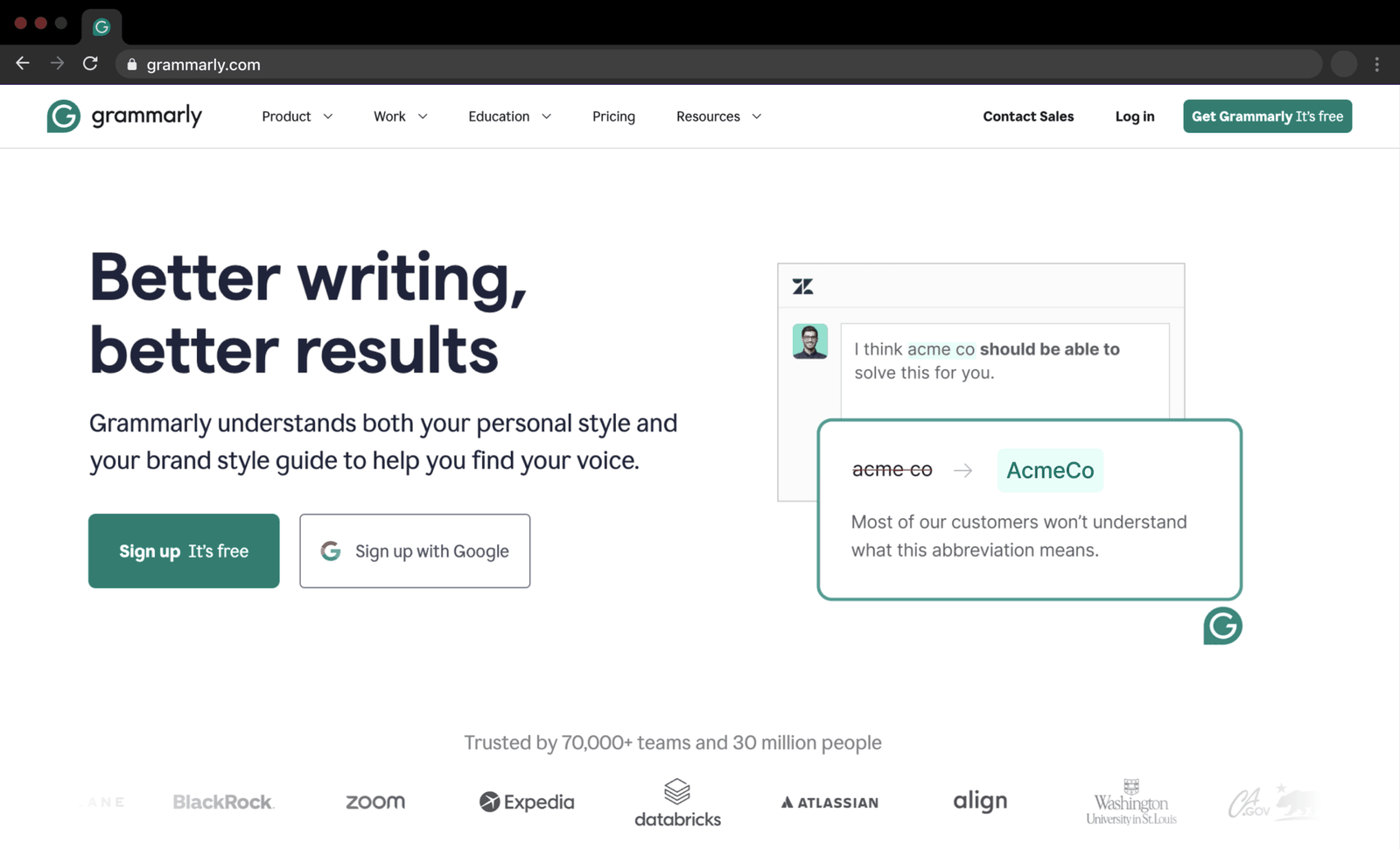
A regular Grammarly user realizes it could give their business a consistent brand voice.
The homepage promises better writing and a brand style guide that helps you find your voice. The user already uses Grammarly for personal writing, so they create a new account for their team.
TakeawayPeople arrive at onboarding with a specific goal; the survey should find it and serve it.
 One easy tap
02
Do 1
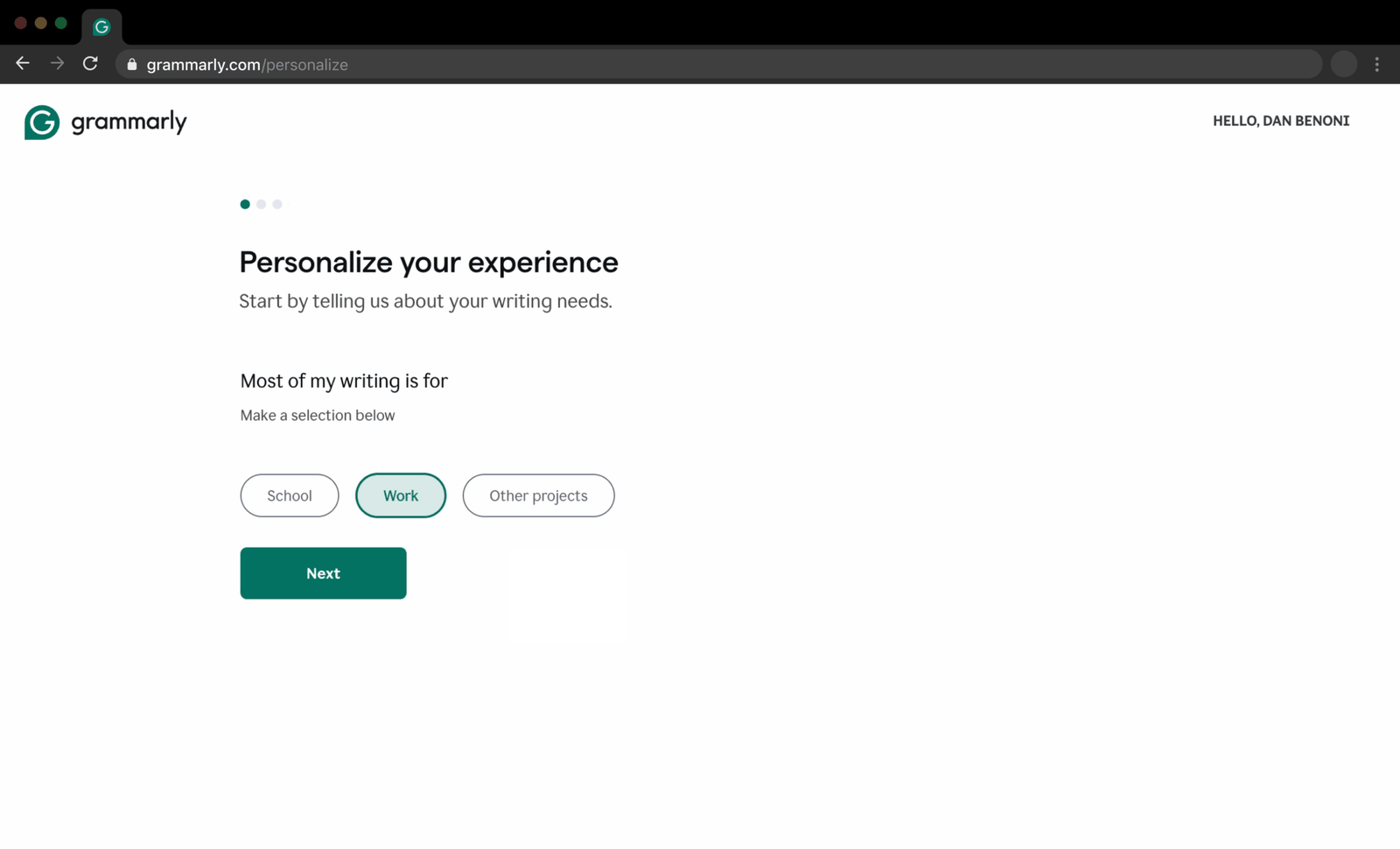
The first question is short and easy: most of my writing is for school, work or other projects.
Three large choices and a single 'Next' button. The question also fits the moment, since the user is signing up for their team.
TakeawayOpen with a question people can answer in one tap.
 Skip what, exactly
03
Do 2
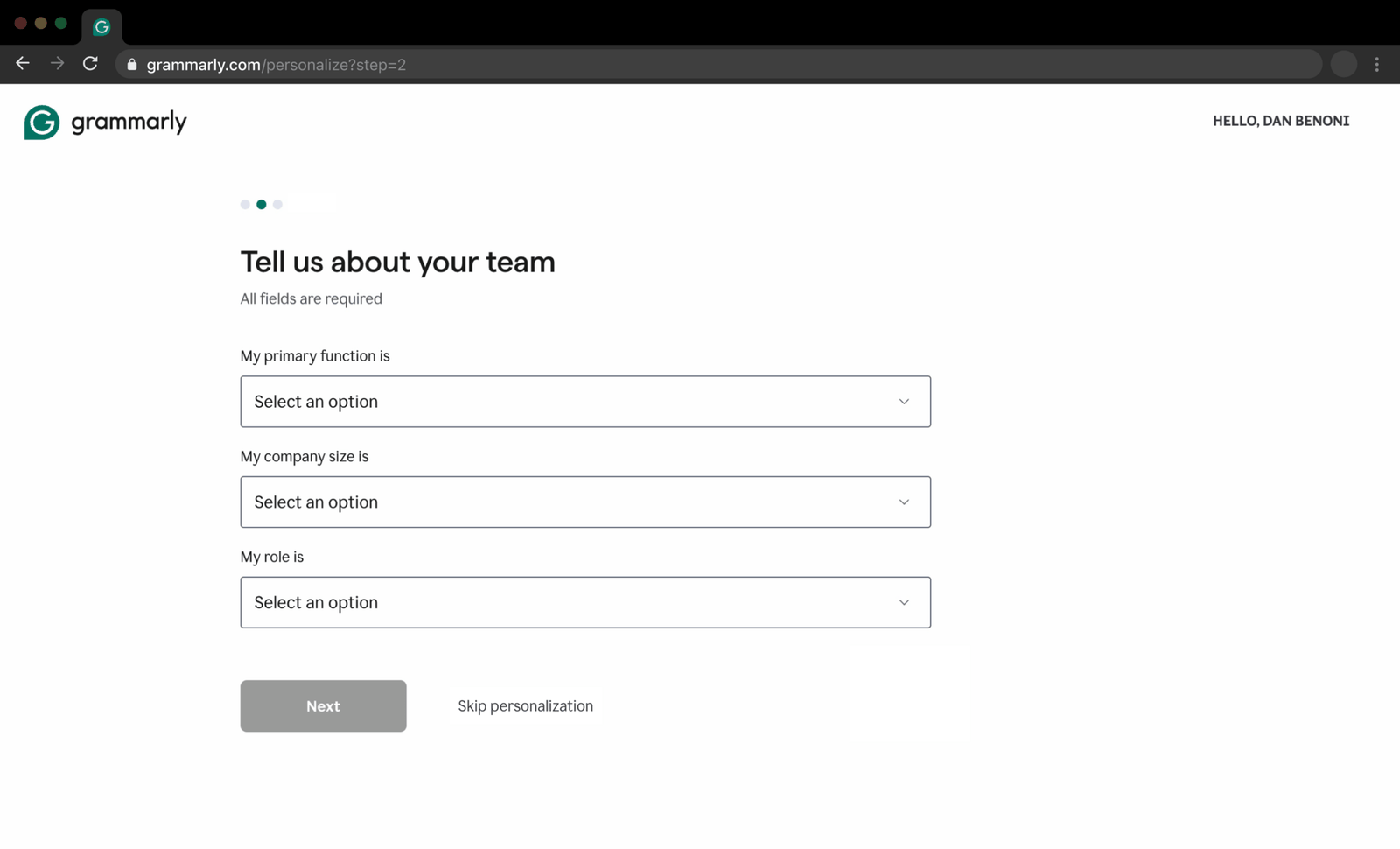
The team questions are harder, but skipping is framed as losing something.
'Tell us about your team' asks for function, company size and role, and the function dropdown is long. It is tempting to skip, but the link reads 'Skip personalization', which makes the user realize they would give up a better experience.
TakeawayTell people what they get for answering, including what they lose by skipping.
Framing effectHow information is presented changes how people decide. Calling it 'skipping personalization' makes each step feel more valuable. Grammarly also uses the spark effect: short, simple questions first to get people engaged.
Current 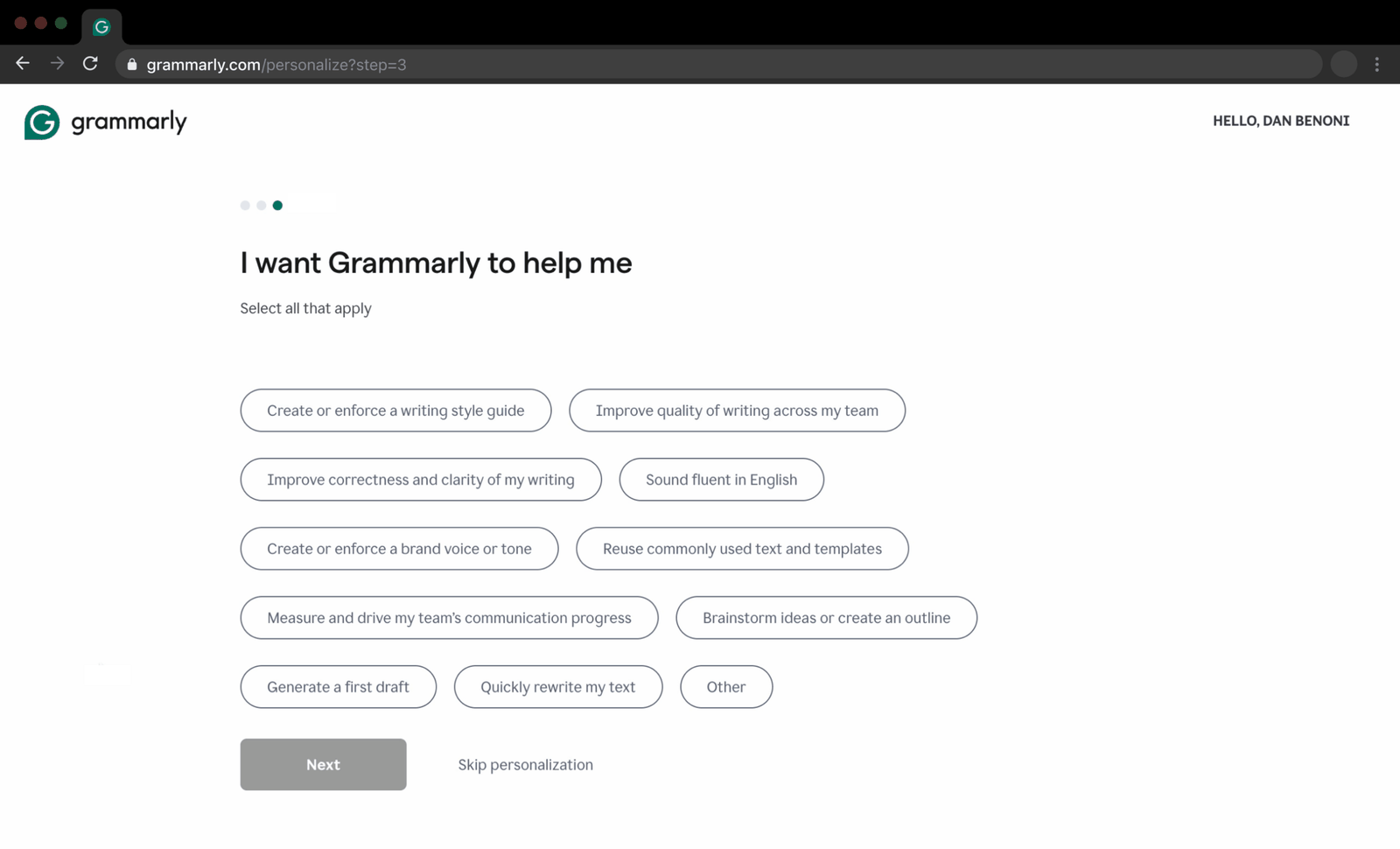 Why these?
Suggested 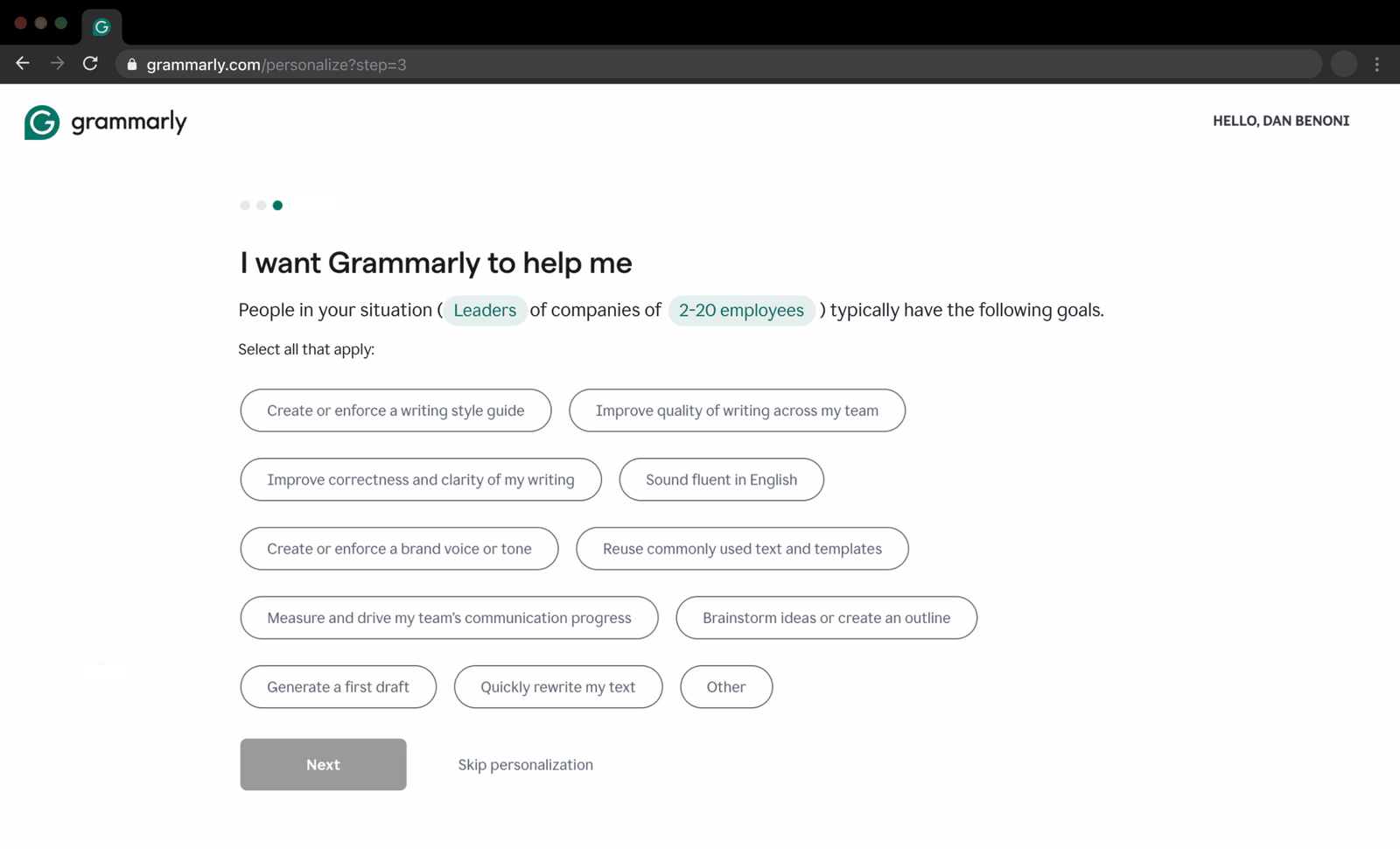 Based on you
04
Do 3 and 4
The goals question is useful, but the options look random, not personalized.
'I want Grammarly to help me' shows eleven goals with no link to what the user just said. Growth.Design's version adds one line: people in your situation, leaders at companies of 2 to 20 employees, typically have the following goals.
What changed
- A sentence ties the goals to role and company size
- The previous answers are highlighted inline
TakeawayAsking about goals early shows you care; saying how you chose the options proves it.
Personalization clarityPeople prefer personalized experiences, and Grammarly does tailor these goals to earlier answers. But Growth.Design cites McKinsey (2021): personalization that is poorly communicated can be worse than none at all.
 Matches, silently
05
Where it slips
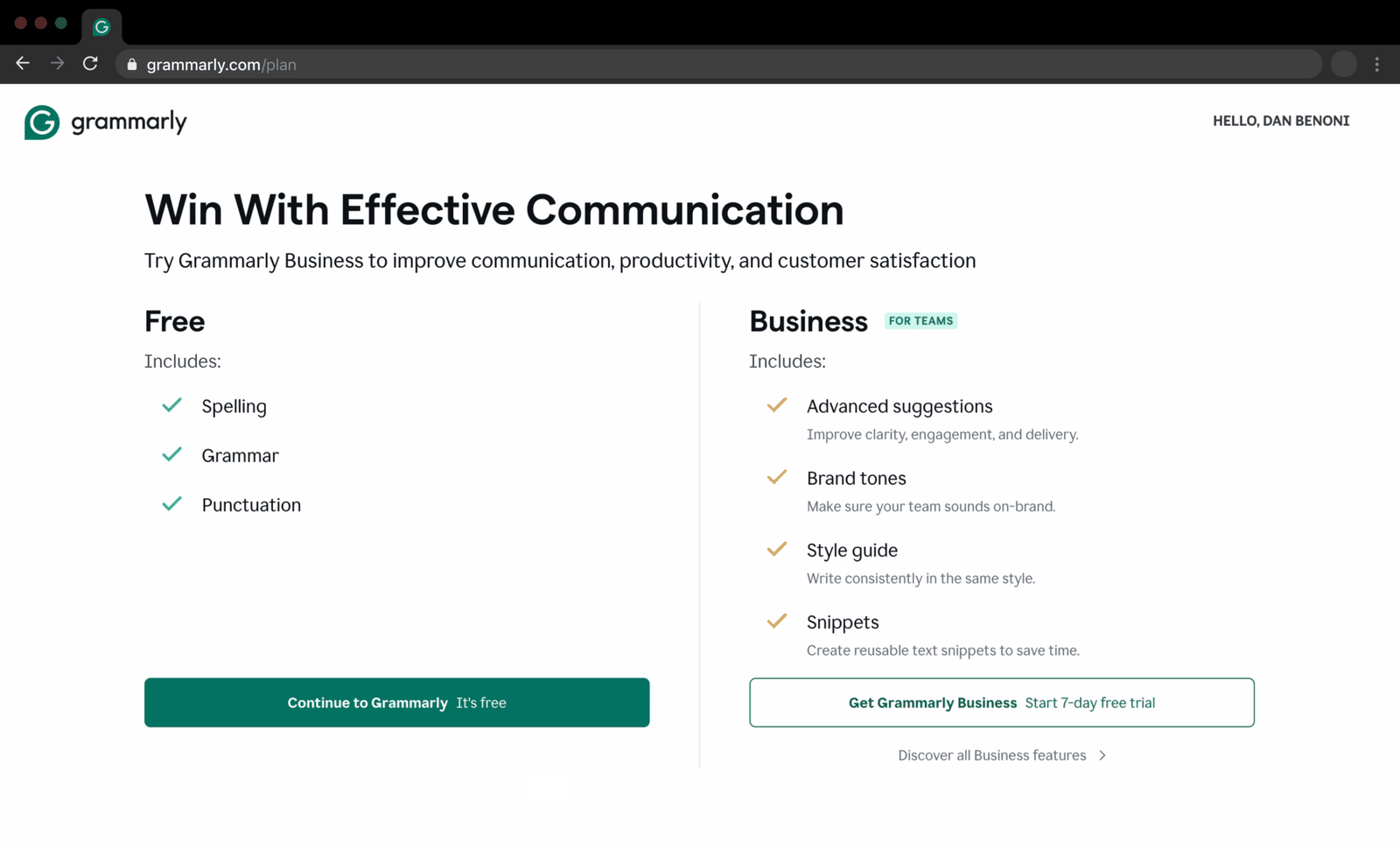
Right after the goals, a plan page appears that feels like an unrelated upsell.
'Win With Effective Communication' puts Free on the left and Business on the right, with Free as the solid green button. The user nearly continues for free, not noticing that the Business plan covers exactly the goals they picked.
TakeawayIf the offer matches the answers, say so, or people will read it as a sales pitch.
Current Just an optionRedesign 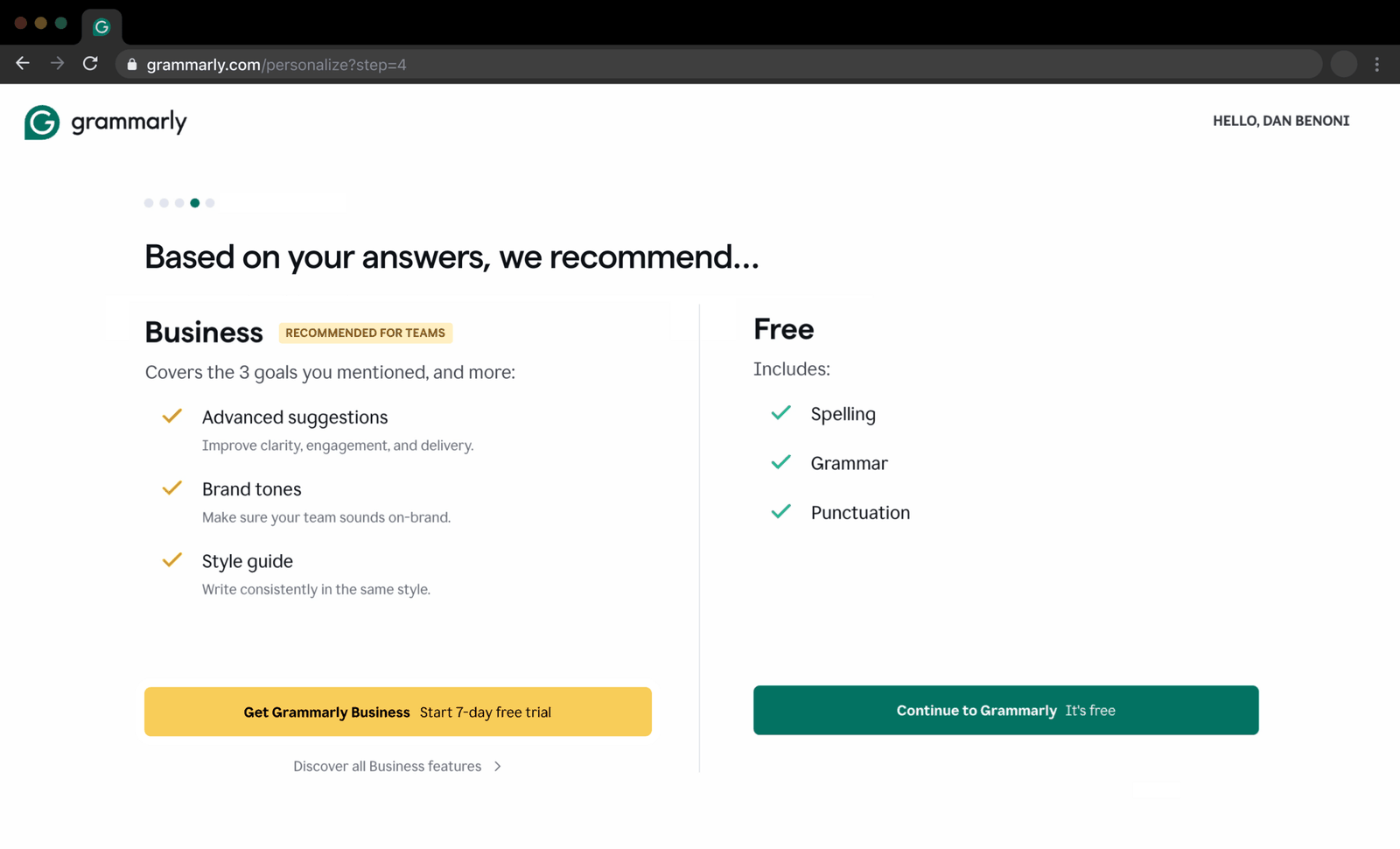 Your 3 goals
06
The repair
Present the plan as the result of the survey: 'Based on your answers, we recommend...'
In Growth.Design's redesign, the plan page keeps the survey's progress dots, puts Business first with a 'Recommended for teams' label, and says it covers the three goals the user mentioned. The Business button is highlighted so the match is hard to miss.
What changed
- Pseudo set framing: the plan step is part of onboarding
- Personalization: 'Covers the 3 goals you mentioned'
- Salience: Business comes first and is highlighted
TakeawayA recommendation feels helpful when it visibly comes from the person's own answers.
Personalized paywallAccording to a former Grammarly growth lead cited by Growth.Design, upgrade rates increased by more than 10 percent when Grammarly tested a paywall that showed it understood users' goals, showed the features that help, and offered a personalized upgrade path.
 Already answered
07
Don't
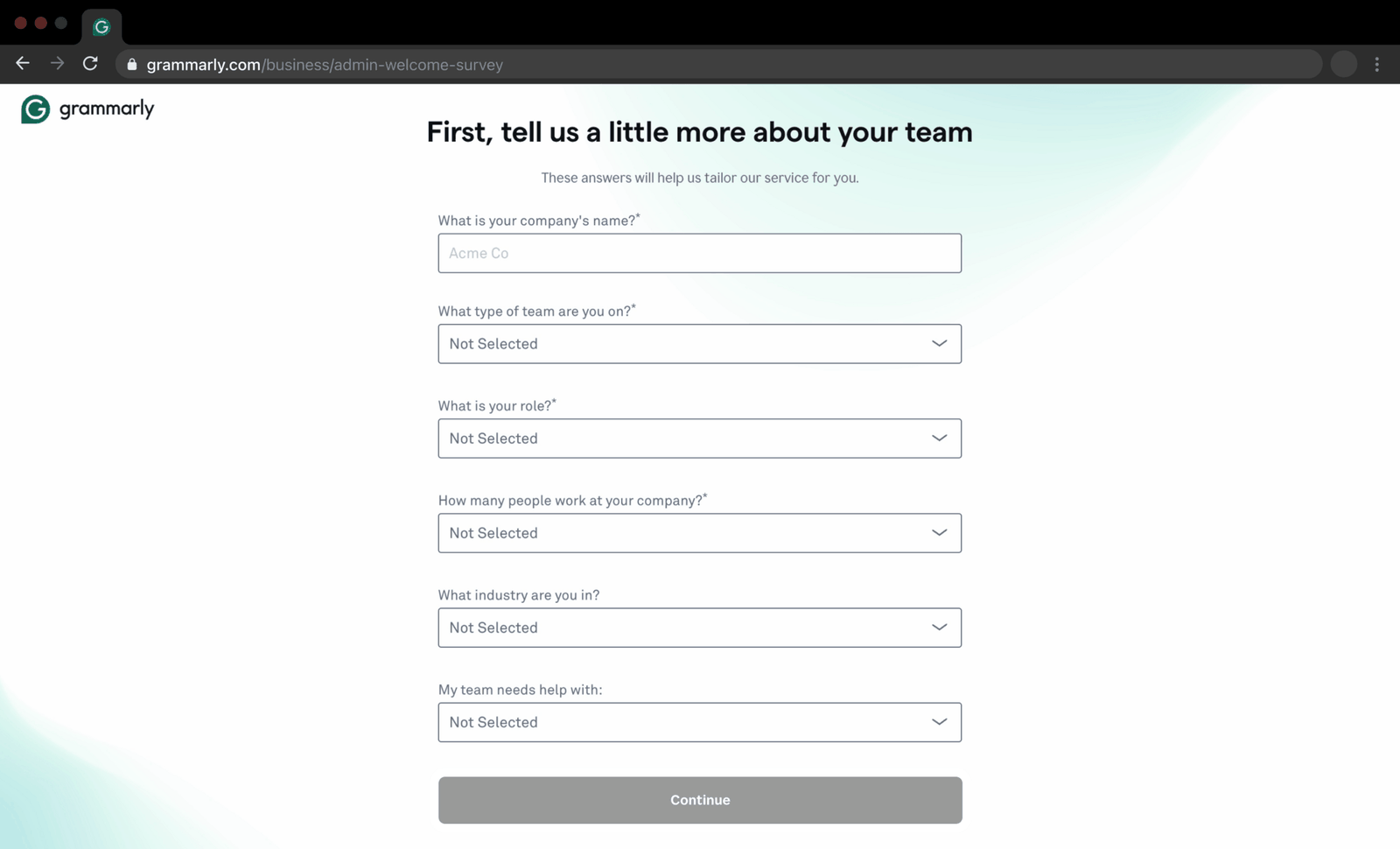
After paying, the team setup asks most of the same questions again.
'First, tell us a little more about your team' asks for team type, role, company size and needs, which the user answered minutes earlier. They fill it in reluctantly.
TakeawayNever make people repeat an answer you already have.
Conway's LawThe structure of an organization shows up in the products it builds. Growth.Design cites a former Grammarly employee: this step was built by one team and the earlier steps by another, creating an inconsistent, sometimes redundant experience at the handoff.
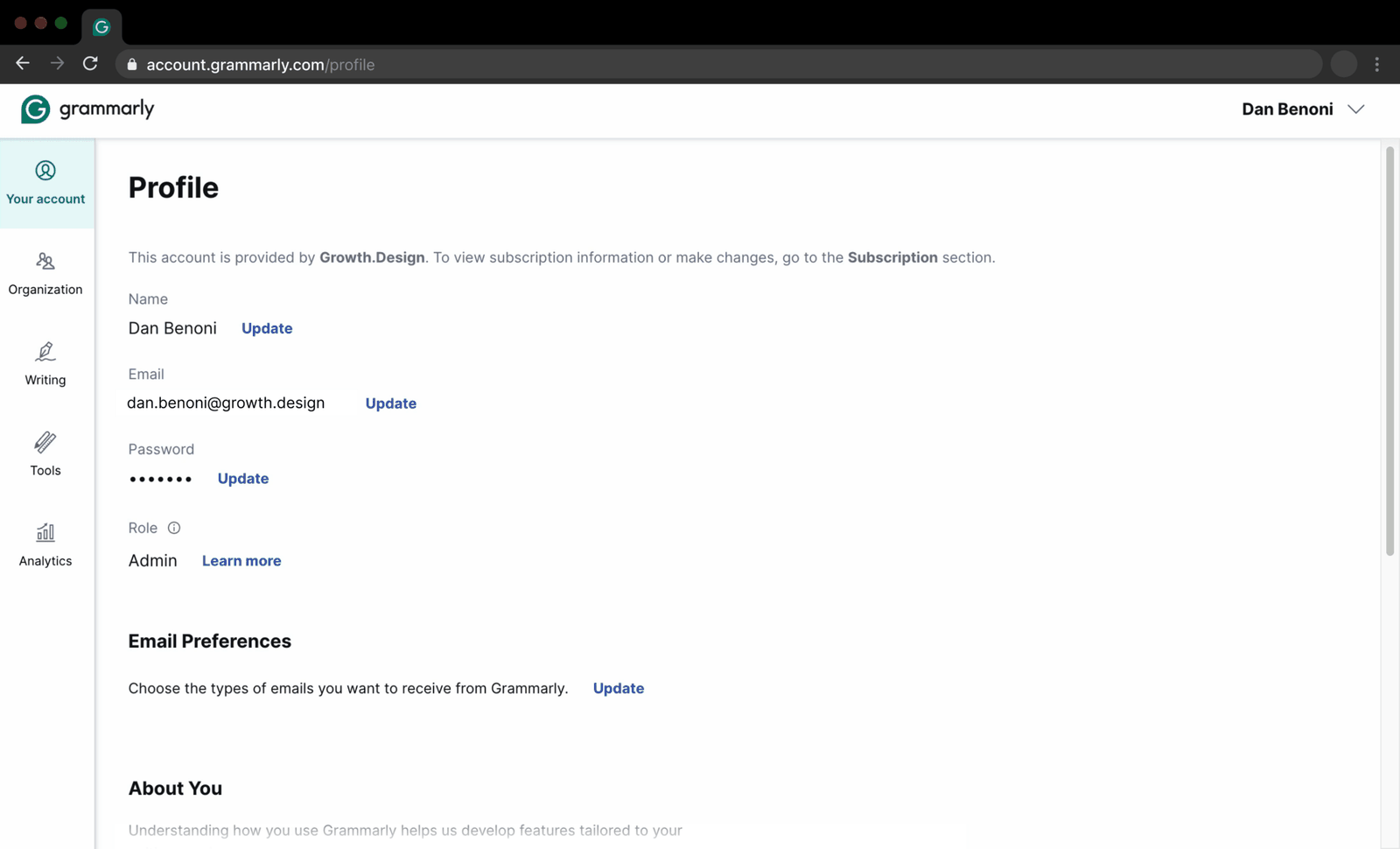 Just a profile
08
The payoff
All those answers lead to a plain profile page.
After two surveys, the user lands on 'Profile' with name, email and password fields. To set up the style guide they came for, they have to dig through the organization menus themselves.
TakeawayIf you ask for a lot, the next screen has to show that you listened.
Current GenericRedesign 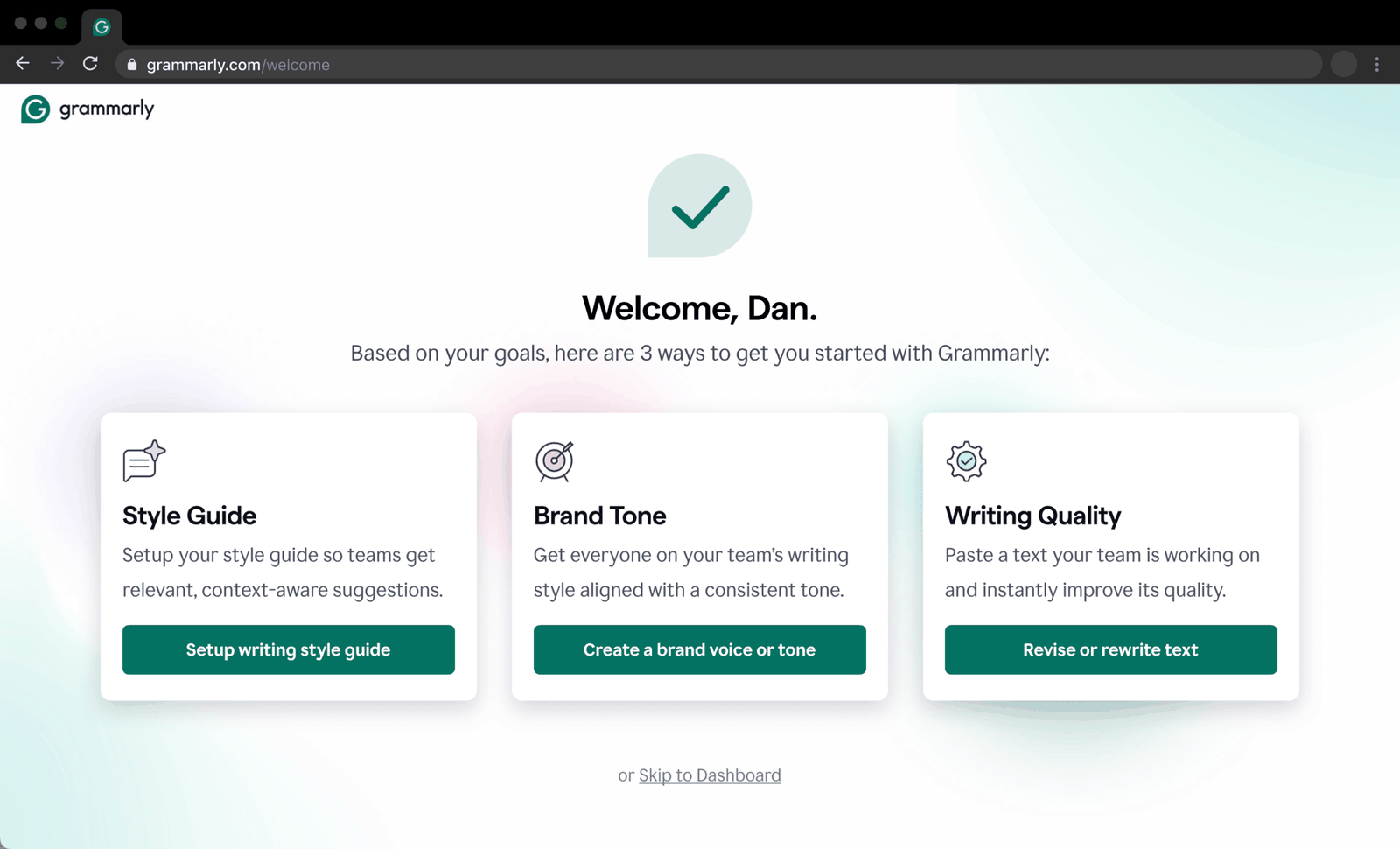 From your goals
09
The repair
End onboarding with three next steps built from the user's own goals.
Growth.Design's redesign replaces the welcome, repeated survey and profile steps with one screen: 'Welcome, Dan. Based on your goals, here are 3 ways to get you started.' Each card, Style Guide, Brand Tone and Writing Quality, maps to a goal the user picked and has its own button.
What changed
- Three redundant steps become one screen
- Each card matches a goal chosen earlier
- Every card has a direct action button
TakeawayPay back the effort of answering with a start that is clearly made for them.
ReciprocityWhen people give, they expect to get something back. According to Nielsen Norman Group, onboarding questionnaires work but also raise expectations, so show people you listened as early as possible.
Start simple Simple firstPay it back Answers used10
The result
Five rules turn an onboarding survey into something people want to finish.
Start with simple questions. Highlight how the answers will benefit people. Ask about their goals early. Personalize later steps using earlier answers. And watch for gaps where different teams own different parts of the flow.
What changed
- Simple questions first, and 'skip' framed as a loss
- Goals asked early and used to personalize later steps
- Recommendations that say why they fit
- No repeated questions across team handoffs
TakeawayEvery question is a promise, and the rest of the product has to keep it.
Every takeaway, in one place
- The setupPeople arrive at onboarding with a specific goal; the survey should find it and serve it.
- Do 1Open with a question people can answer in one tap.
- Do 2Tell people what they get for answering, including what they lose by skipping.
- Do 3 and 4Asking about goals early shows you care; saying how you chose the options proves it.
- Where it slipsIf the offer matches the answers, say so, or people will read it as a sales pitch.
- The repairA recommendation feels helpful when it visibly comes from the person's own answers.
- Don'tNever make people repeat an answer you already have.
- The payoffIf you ask for a lot, the next screen has to show that you listened.
- The repairPay back the effort of answering with a start that is clearly made for them.
- The resultEvery question is a promise, and the rest of the product has to keep it.
Source: Growth.Design: How to Craft Onboarding Surveys Users Love: 5 Do's and Don'ts
Make onboarding questions worth answering.
Onboarding surveys collect useful data, but only work when people see the payoff. Zyxware can audit your sign up and setup flows, remove redundant questions, and design personalized paths so each answer visibly improves what users get next.