Getting People to Turn On a New Feature
 +20 XP
Case study
Getting People to Turn On a New Feature
While looking for brunch on Google Maps, a user is interrupted by a security prompt that turns out to be inaccurate, then passes on a Safe Browsing prompt that leaves too many questions open. A redesign of that prompt shows five principles that make people far more likely to try a new feature.
+20 XP when you reach the endWhat you will learn
- Only interrupt people with prompts that are accurate and relevant
- Put the benefit first and answer doubts in the prompt itself
- Use novelty, exclusivity and clear buttons to encourage a first try
Scroll to follow the story. The screen changes with you.
Based on the learnings from Growth.Design: Google: How to increase feature adoption the right way, presented in our own format.
Step 1 of 8
- The real task
01
The setup
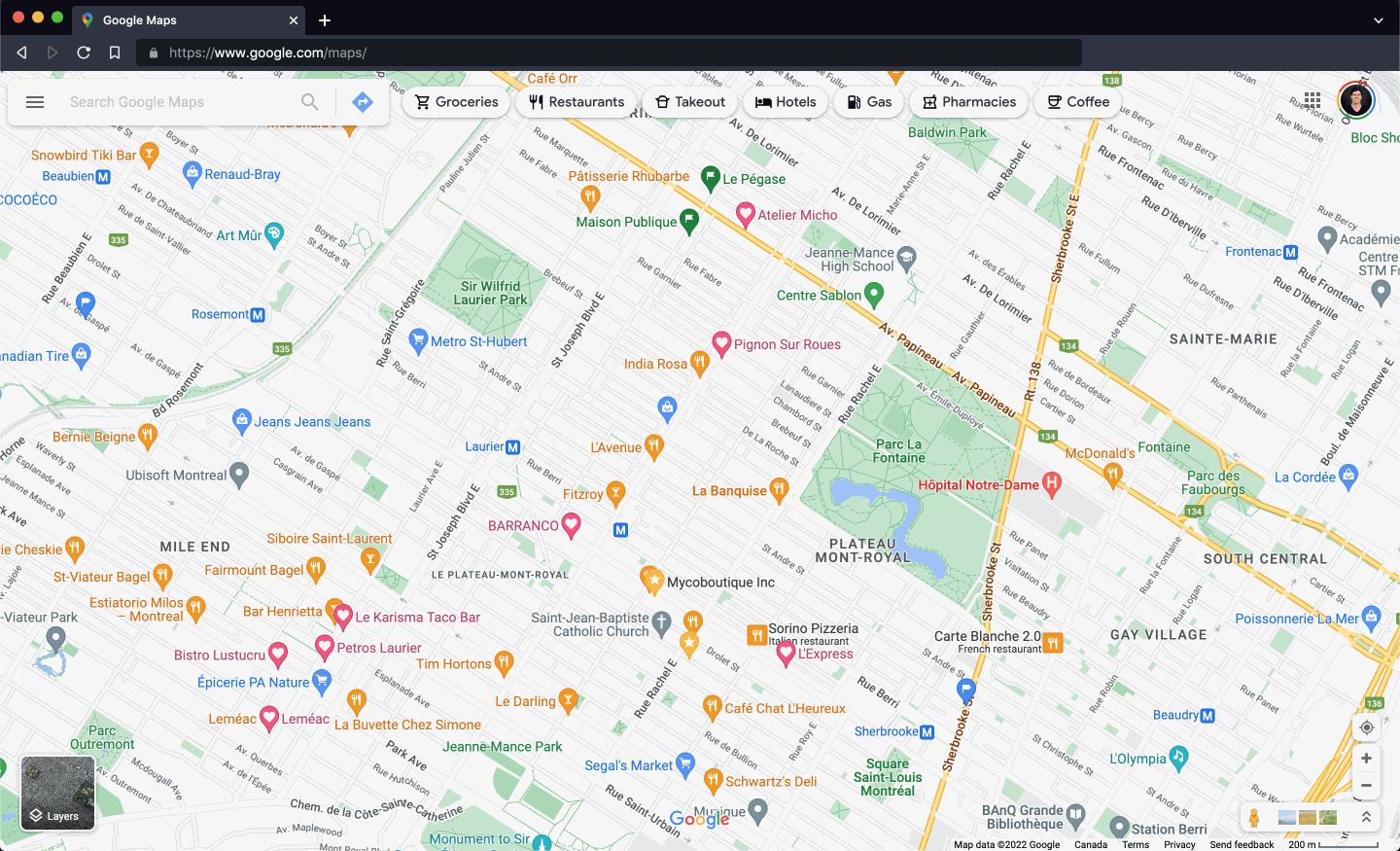
On a Sunday morning, someone opens Google Maps to find a new brunch spot.
They have one goal: browse restaurants nearby. The map is full of places to try, and the search bar and category chips at the top are all they need.
TakeawayEvery prompt you show competes with the task the person came to do.
 Already on?
02
The interruption
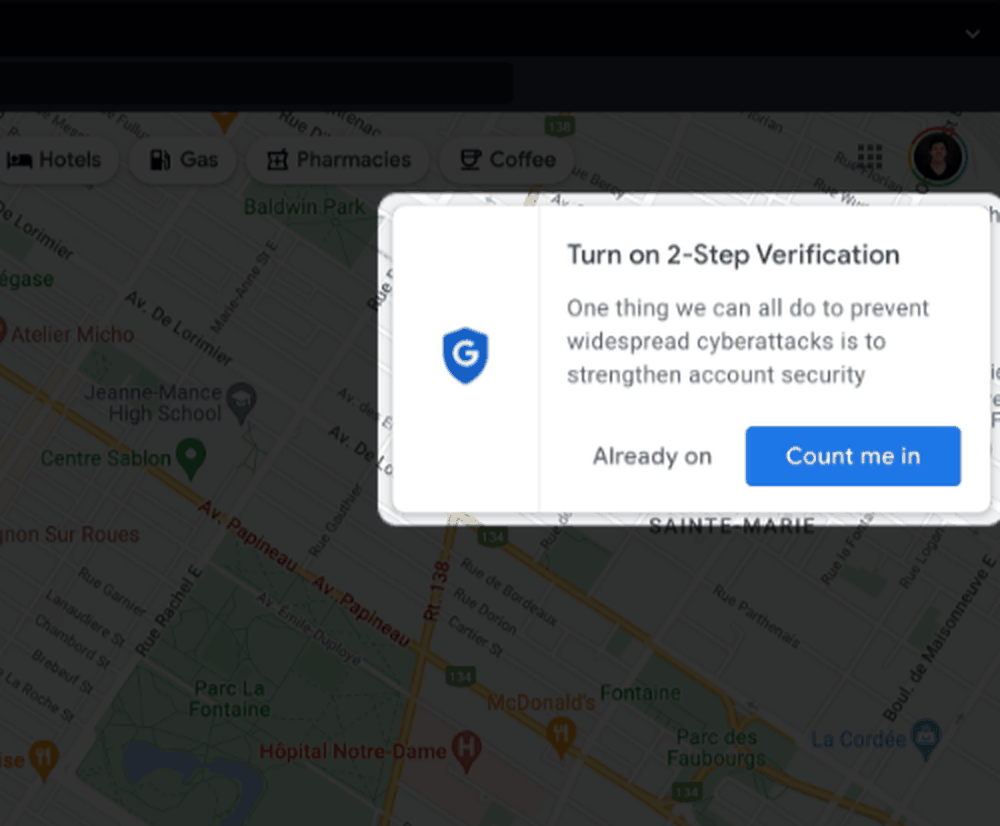
A pop-up asks them to turn on 2-Step Verification, which they thought was already on.
The prompt appears over the map with no link to what they were doing. It offers 'Already on' as an answer, which raises a worrying question: if Google does not know it is on, has someone changed their account?
TakeawayAn inaccurate prompt does more than fail; it creates anxiety.
Create accurate promptsYou have only a few seconds to persuade someone to act on a notification, so every interruption must be necessary and correct, especially when introducing a feature. It is also the first touchpoint, and first impressions can make or break a relationship. Growth.Design cites Forbes on this point.
 It was on
03
Checking
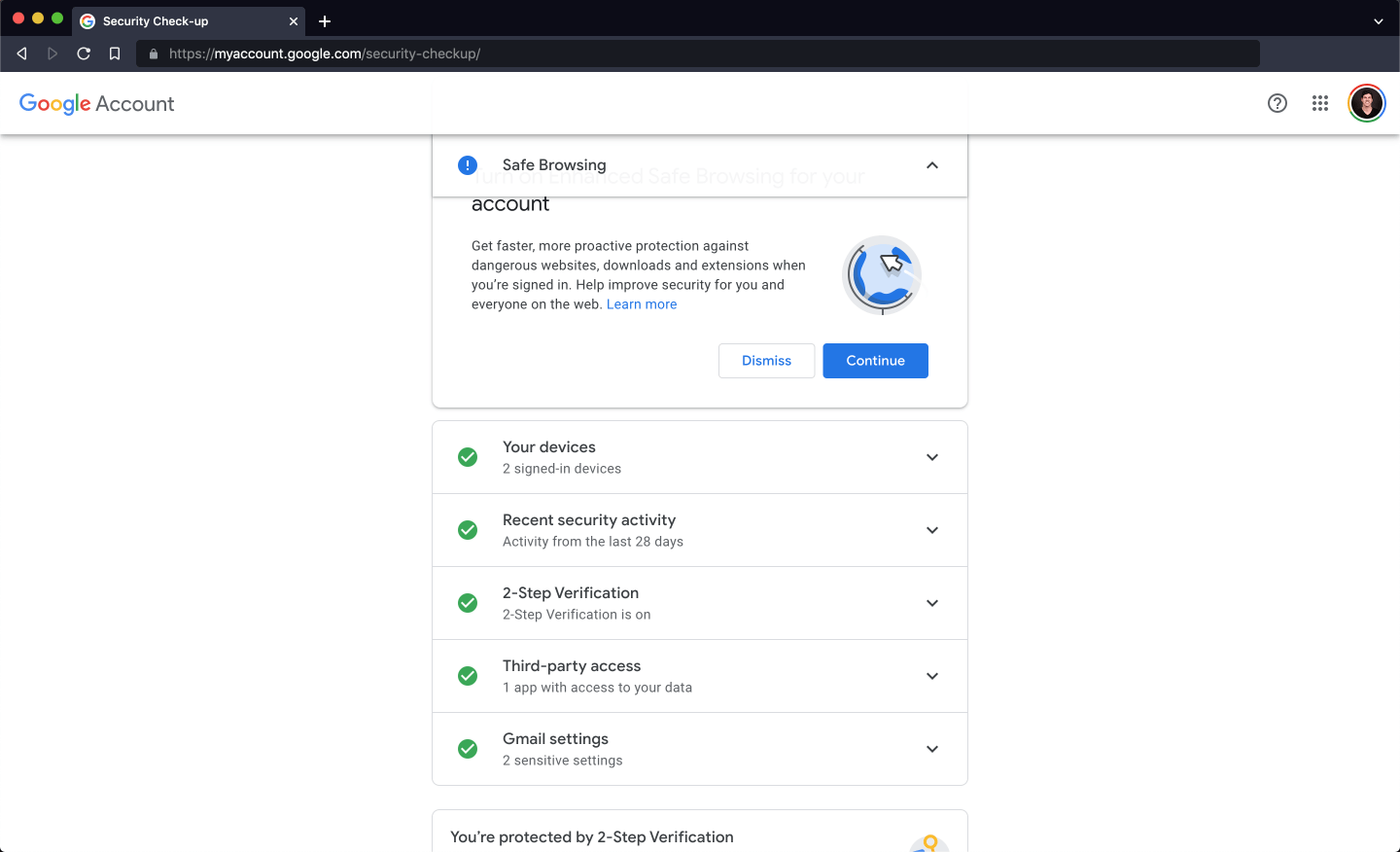
In the Security Check-up, 2-Step Verification shows as on.
The user clicks through to their account to check and finds '2-Step Verification is on'. The relief is real, but the prompt cost them trust and pulled them away from their brunch plans.
TakeawayCheck a person's current state before asking them to change it.
 What will it do?
04
Another feature
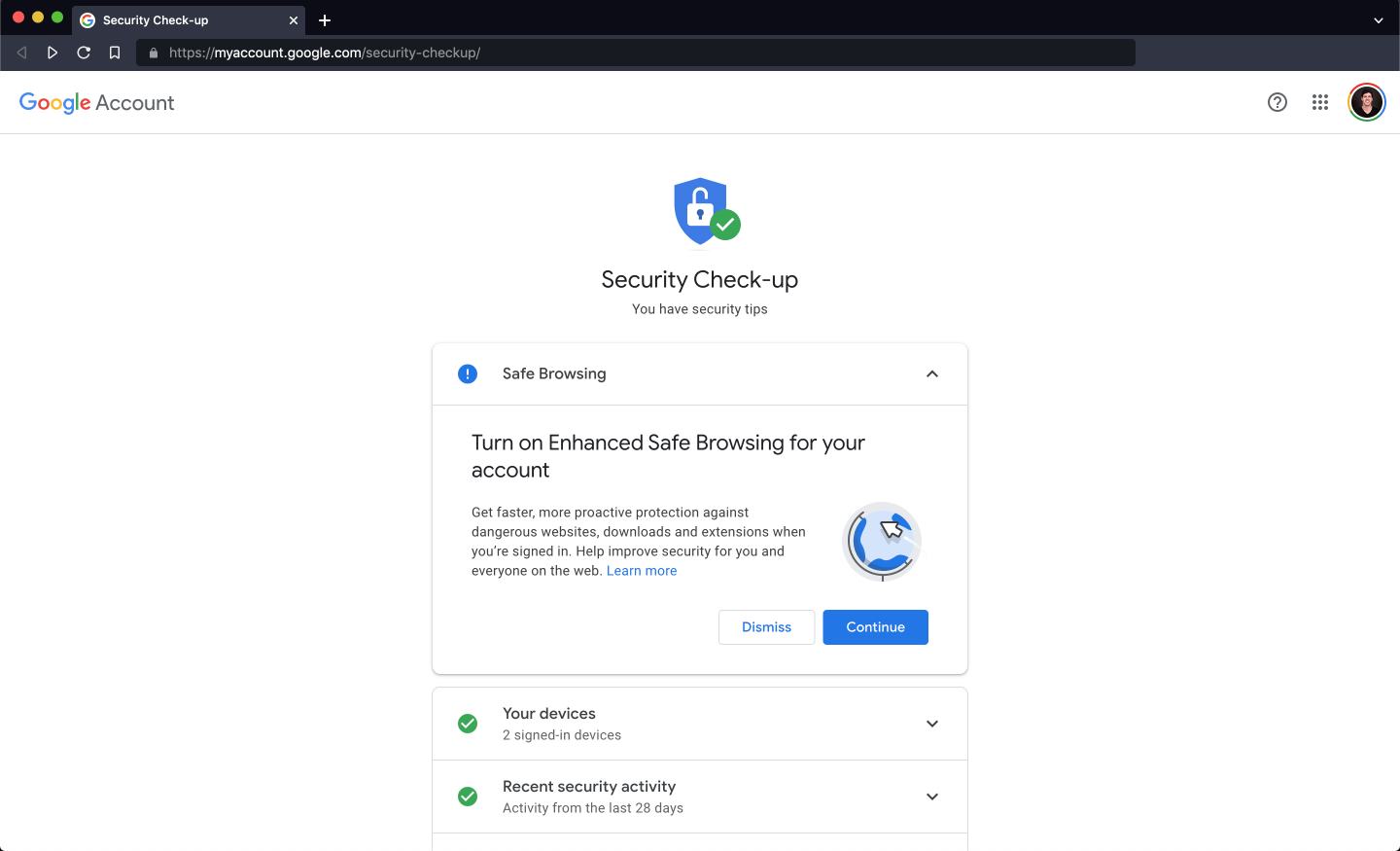
The Check-up then suggests Enhanced Safe Browsing, and it raises more questions than it answers.
'Turn on Enhanced Safe Browsing for your account' sounds interesting, but will it block everything while they browse? Will it slow things down? With those doubts unanswered, the user clicks away.
TakeawayIf a prompt leaves doubts open, people choose the safe option: doing nothing.
Break down barriers earlyWhen people see something new, they have questions and even doubts. The best way to convince them is to answer those questions as they come to mind. Otherwise they find something else to do. Growth.Design cites insideBE (2022).
- Helps everyone
05
A bigger question
If it helps improve security for everyone on the web, why is it not on by default?
The description says the feature helps protect you and everyone else. That makes the user wonder why they have to opt in at all, which weakens the case for the prompt.
TakeawayWhen a feature benefits everyone, consider turning it on and explaining it later.
Set expectations by defaultWhen interrupting people to enable a feature, make sure it is not something they would expect to be on already, or the interaction loses value. A tip Growth.Design cites from Appcues (2021): turn it on by default and introduce it once people start to benefit from it.
Original An instructionRedesign 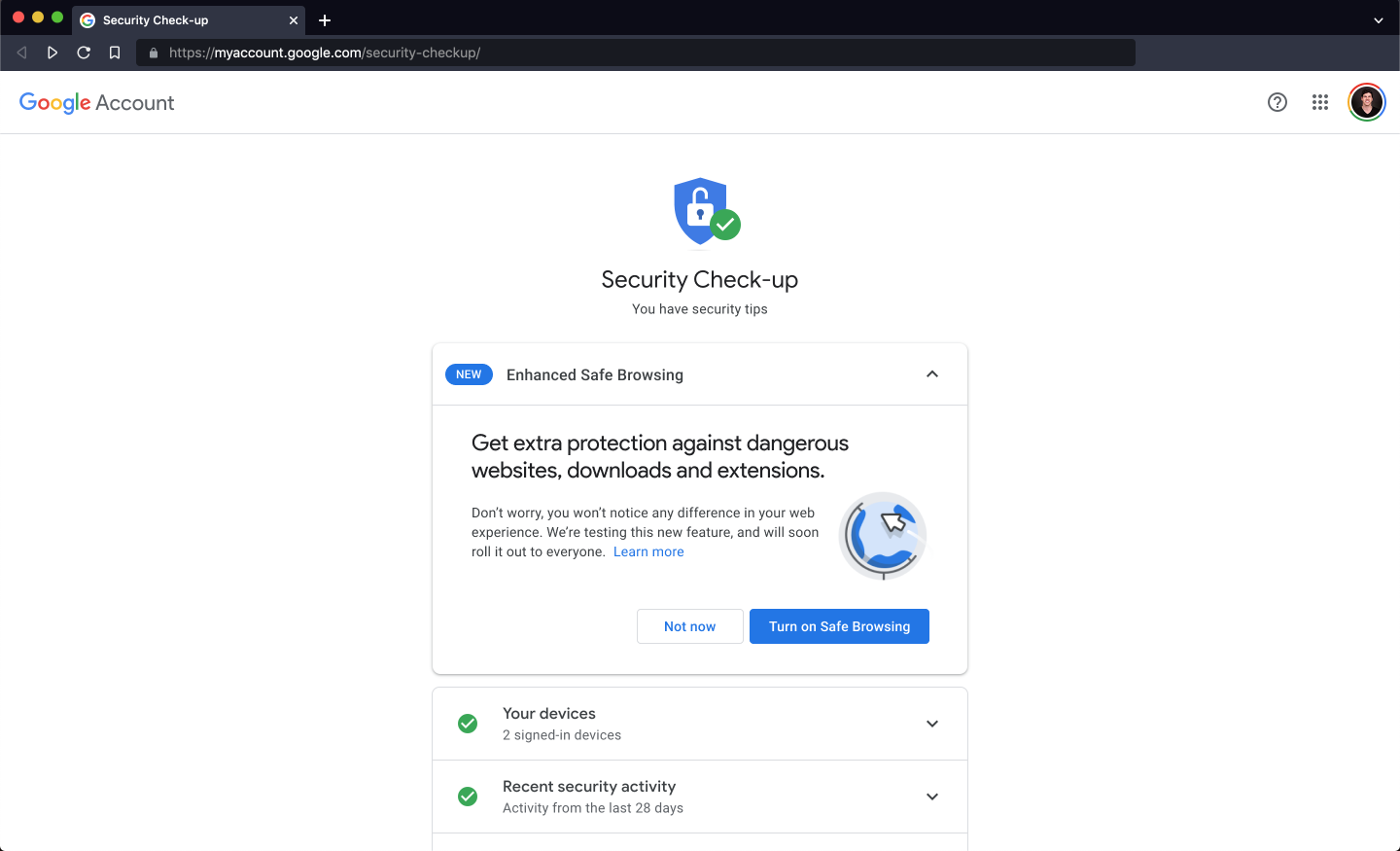 New badge
06
Principles 1 and 2
The redesign flags the feature as new and leads with what you get.
Growth.Design's version adds a 'NEW' badge next to Enhanced Safe Browsing. The headline is no longer an instruction but a benefit: 'Get extra protection against dangerous websites, downloads and extensions.'
What changed
- Novelty effect: a 'NEW' badge, since people react well to new things
- Clear benefit: the headline states the protection you get
TakeawaySay what is new, then say why it matters, in that order.
- Doubt answered
07
Principles 3 to 5
The body copy answers the main worry, and the buttons say exactly what happens.
'Don't worry, you won't notice any difference in your web experience' removes the fear of a slower or blocked browser. 'We're testing this new feature, and will soon roll it out to everyone' makes early access feel special. The buttons read 'Turn on Safe Browsing' and 'Not now' instead of 'Continue' and 'Dismiss'.
What changed
- Breaking barriers: the main concern is answered up front
- Exclusivity: early access, used only when it is true
- Feedforward: buttons describe what will happen
TakeawayAnswer the likely doubt in the prompt, and make every button describe its result.
Know the barriers firstGrowth.Design stresses that answering questions before they arise depends on solid user research, so you know which doubts actually stop people.
Original Continue to what?Redesign Clear action08
The result
Same feature, same space, but a prompt that makes trying it the easy choice.
The original asked people to act without saying why or what would happen. The redesign uses five principles, novelty, clear benefits, breaking barriers, exclusivity and feedforward, which can be applied to almost any feature release.
What changed
- Novelty and a benefit led headline
- Doubts answered before they come up
- Honest exclusivity and self explanatory buttons
TakeawayFeature adoption is won or lost in a few lines of copy.
Every takeaway, in one place
- The setupEvery prompt you show competes with the task the person came to do.
- The interruptionAn inaccurate prompt does more than fail; it creates anxiety.
- CheckingCheck a person's current state before asking them to change it.
- Another featureIf a prompt leaves doubts open, people choose the safe option: doing nothing.
- A bigger questionWhen a feature benefits everyone, consider turning it on and explaining it later.
- Principles 1 and 2Say what is new, then say why it matters, in that order.
- Principles 3 to 5Answer the likely doubt in the prompt, and make every button describe its result.
- The resultFeature adoption is won or lost in a few lines of copy.
Source: Growth.Design: Google: How to increase feature adoption the right way
Help people discover what you built.
New features often go unused because the prompt that introduces them is vague, badly timed or wrong. Zyxware can research the questions your users have, rewrite announcement and opt in prompts around real benefits, and test which version gets more people to try the feature.