How a Pandemic Dashboard Shaped Fear More Than Understanding
 +20 XP
Case study
How a Pandemic Dashboard Shaped Fear More Than Understanding
In March 2020, a worried viewer turns from an alarming news headline to the most shared live COVID-19 map, hoping for clarity. The dashboard's symbols, colors and totals make things feel worse than the data says, and this story shows why and how to present the same numbers more responsibly.
+20 XP when you reach the endWhat you will learn
- See how symbol size and color distort perceived scale
- Show recovered and active figures, not only cumulative totals
- Add context such as demographics and error margins
Scroll to follow the story. The screen changes with you.
Based on the learnings from Growth.Design: Coronavirus Dashboard UX: How Design Impacts Your Perception, presented in our own format.
Step 1 of 9
- Alarming headline
01
The setup
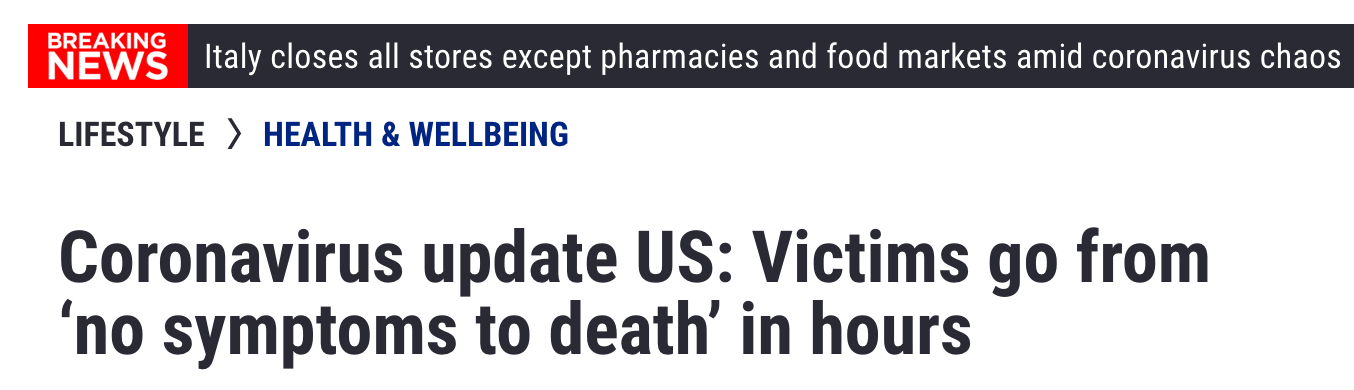
An ordinary evening is interrupted by a frightening headline.
Flipping channels, the viewer lands on a report headlined 'Victims go from no symptoms to death in hours'. They had heard of the virus before, but this latest piece of news instantly outweighs everything else they knew.
TakeawayThe last thing people saw shapes how they read everything that follows.
Availability heuristicWe often misjudge how big an event is because recent information is easier to recall. A fresh, vivid headline takes priority over what a person already knew.
 Top stories
02
The search
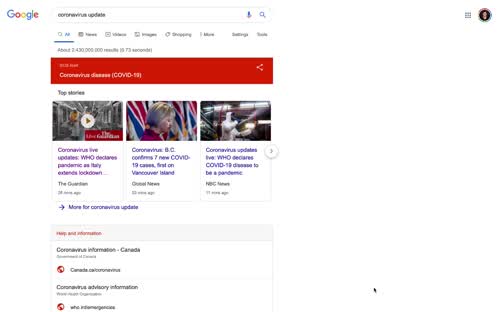
Scared, the viewer searches for data on how far the virus has spread.
A search for 'coronavirus update' returns top stories and official information. The viewer wants something more objective than the news, and finds a real-time map from Johns Hopkins University that is being shared everywhere.
TakeawayPeople turn to data to calm their fears, so the data has to be presented with care.
 A sea of red
03
First look
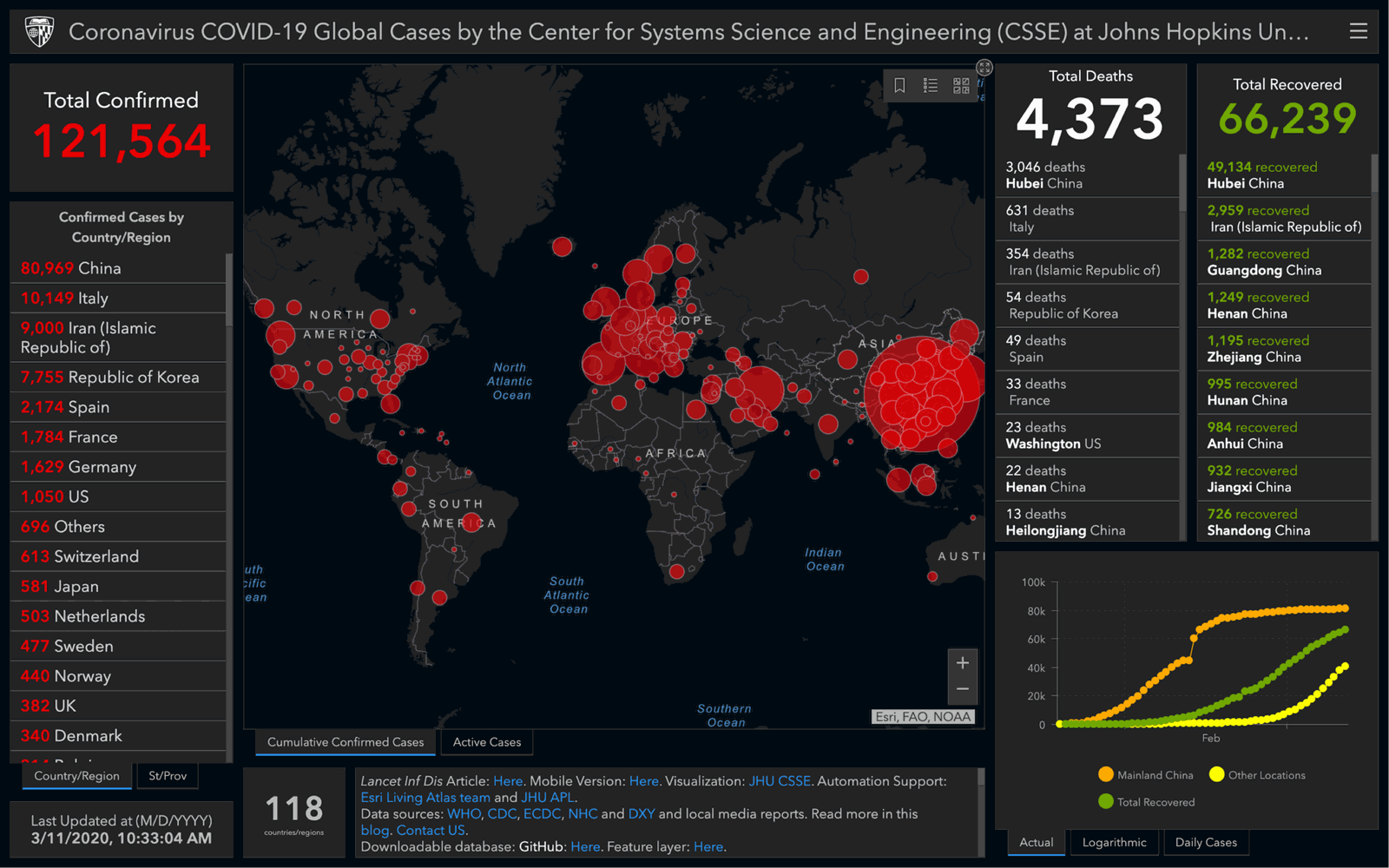
A black map covered in red circles confirms the viewer's worst fears.
The dashboard shows 121,564 total confirmed cases in large red numbers, 4,373 deaths, and a world map full of red bubbles. It feels so bad that the viewer cannot process it, closes the laptop and goes into denial.
TakeawayA design that overwhelms people pushes them away from the information they need.
Confirmation biasWe favor information that confirms what we already believe. Anchored by the news they just watched, the viewer reads the map as proof of their fears and ignores the facts that might reassure them.
 Whole country red
04
Problem 1
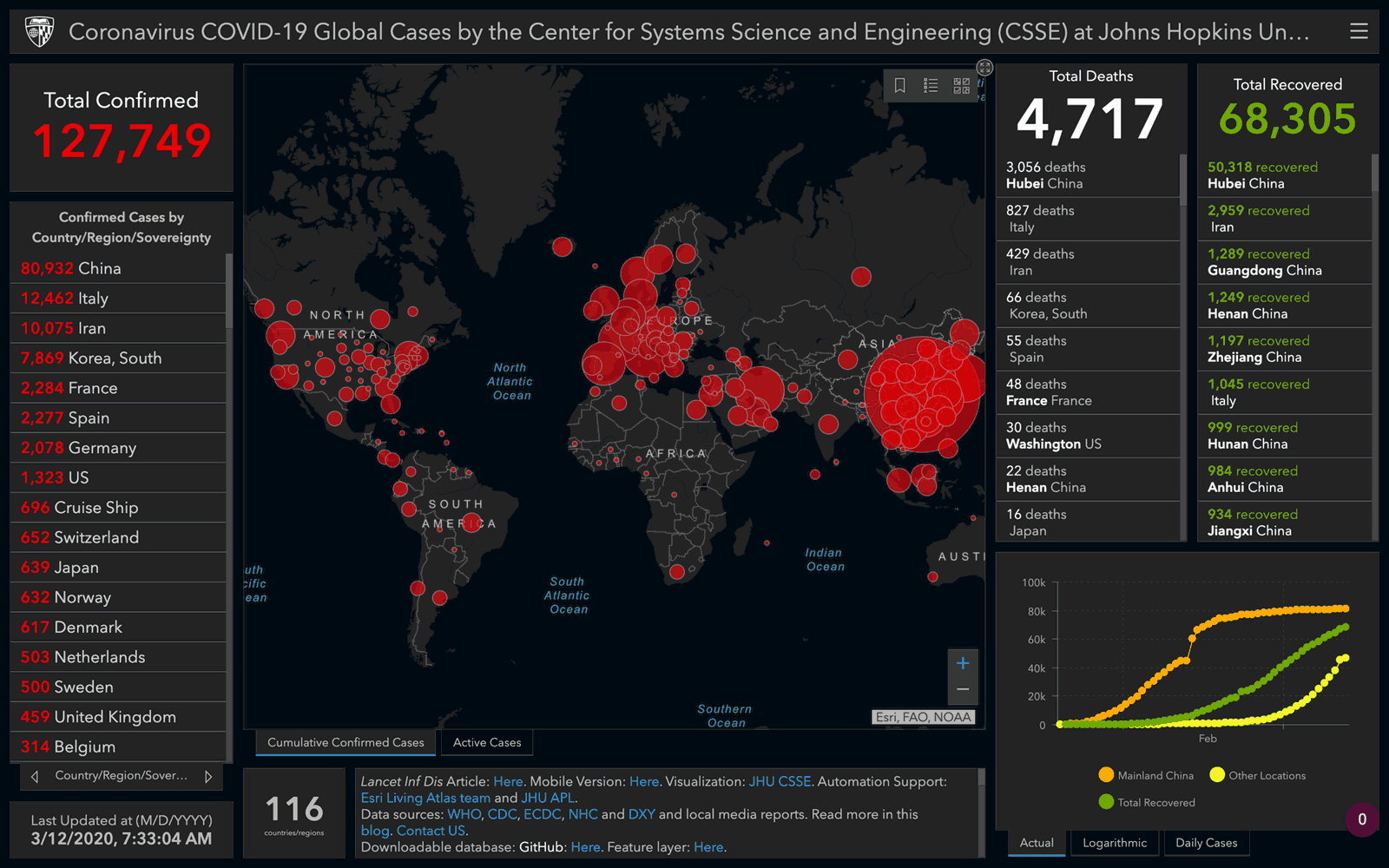
The circles make China look entirely infected.
The next day, the viewer looks closer. The circle over China covers the whole country, yet it represents about 81,000 cases among 1.4 billion people, barely 0.005 percent. China also has two thirds of worldwide cases, but the map makes it look like the rest of the world has three times more.
TakeawaySymbol size should match the proportion it represents, not overwhelm the geography.
Data representationGrowth.Design, citing Datawrapper's guidance on responsible coronavirus visualizations, notes that symbol maps are a poor fit here. The relative scale drives perception of the spread, and the symbols cannot show growth: Europe already looks fully infected, as if it cannot get worse, when in fact it could.
Symbol map Oversized circleIn proportion  Actual proportion
05
Repair 1
Drawn in proportion, the spread in China is a small dot.
Shown to scale, the confirmed cases in China would be a tiny mark on the map of the country. The same numbers produce a completely different feeling when the visual matches reality.
What changed
- Scale symbols to population
- Avoid symbols that swallow whole countries
- Show how numbers change over time
TakeawayTest what a chart makes people feel, then check that the feeling matches the data.
- 68,305 recovered
06
Problem 2
Half the people counted have recovered, but the map ignores them.
The viewer notices the Total Recovered column: 68,305 people, more than half of all confirmed cases. The headline number and every red circle count cumulative cases, so the map keeps growing redder even as people get better.
TakeawayA cumulative total hides progress. Show active and recovered figures too.
Negativity biasAccording to Daniel Kahneman's work, we remember the unpleasant more strongly than the positive. When data carries a negative meaning, Growth.Design recommends avoiding cumulative totals on a dashboard, because they can amplify and distort perceptions.
Original Alarming redCalmer palette 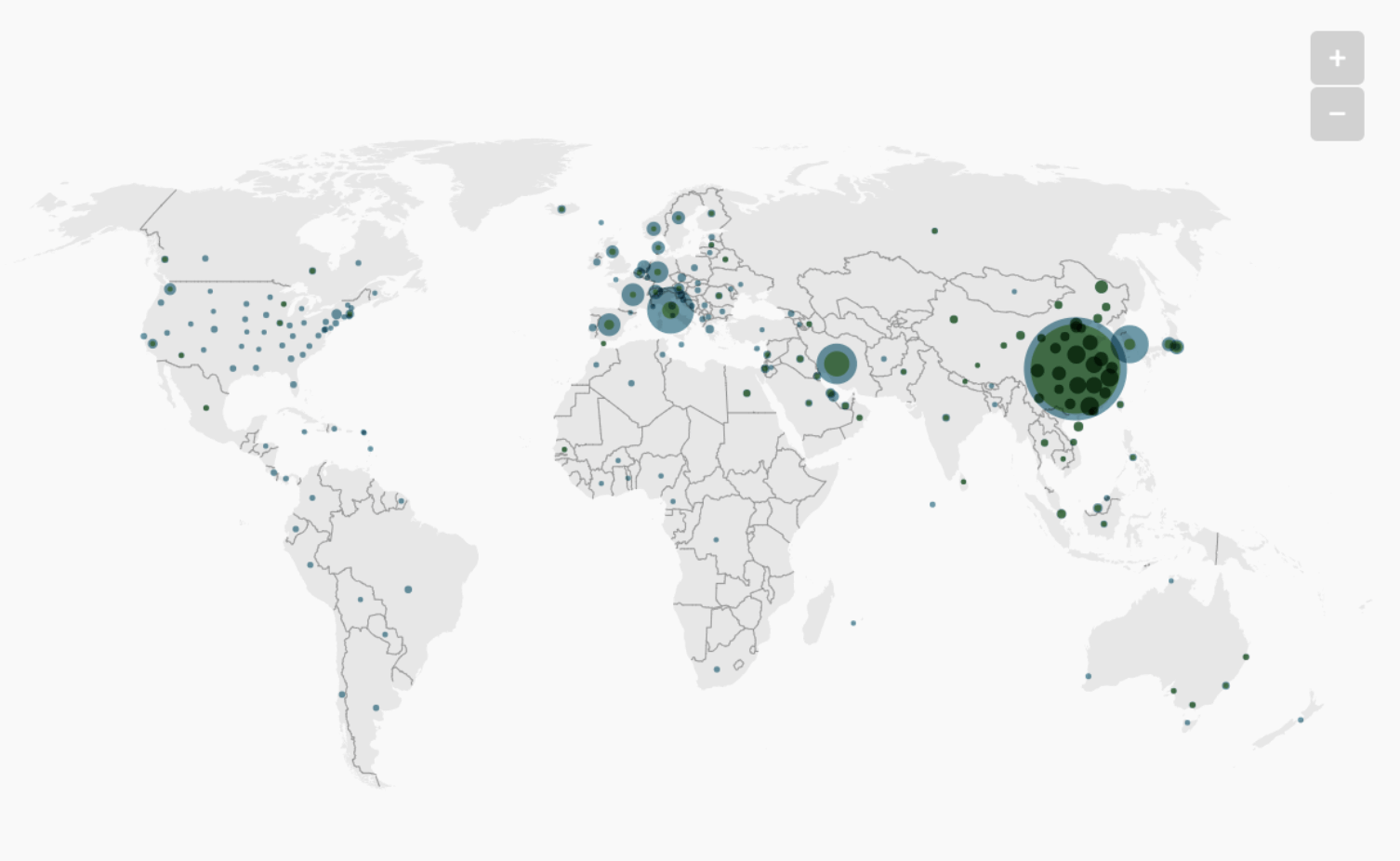 Calmer colors
07
Problem 3
Bright red on black reads like a death sentence.
Every case, whatever the outcome, is drawn in the same alarming red on a dark background. A lighter map with muted teal circles presents the same data in a way that informs without frightening, and is more respectful to the people affected.
What changed
- Light background instead of black
- Neutral color for case circles
- Red kept for what truly needs attention
TakeawayColor carries meaning. Pick one that matches the message you intend.
The human side of dataBehind every data point is a real person. Growth.Design cites Amanda Makulec's guidance: most infected people will survive, so the map does not need to be death red. Make sure people feel respected by your choice of layout and color.
 We know of
08
Repair 2
Add the context the numbers are missing, and admit their limits.
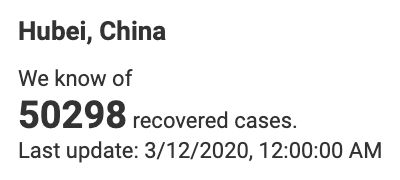
Two things are left out: demographics, such as age and health conditions, and error margins, since the numbers are never fully accurate. Even the wording can help. A tooltip that says 'We know of 50,298 recovered cases' is more honest than a bare total.
What changed
- Show age and health breakdowns
- State the margin of error
- Word totals as what is known
TakeawayAsk of every design: what is this really saying?
Original Fear firstResponsible Facts first09
The result
The dashboard earned a failing grade for experience.
The news sparked the viewer's curiosity, but the map was too much to take in, the numbers and visuals did not match, and recoveries were ignored. Growth.Design grades the dashboard experience an F: the red overwhelmed the overall picture and key information was missing.
What changed
- Proportional symbols
- Active and recovered cases shown
- Respectful colors
- Demographics and error margins
TakeawayA dashboard is judged by what people understand from it, not by how much data it holds.
Every takeaway, in one place
- The setupThe last thing people saw shapes how they read everything that follows.
- The searchPeople turn to data to calm their fears, so the data has to be presented with care.
- First lookA design that overwhelms people pushes them away from the information they need.
- Problem 1Symbol size should match the proportion it represents, not overwhelm the geography.
- Repair 1Test what a chart makes people feel, then check that the feeling matches the data.
- Problem 2A cumulative total hides progress. Show active and recovered figures too.
- Problem 3Color carries meaning. Pick one that matches the message you intend.
- Repair 2Ask of every design: what is this really saying?
- The resultA dashboard is judged by what people understand from it, not by how much data it holds.
Source: Growth.Design: Coronavirus Dashboard UX: How Design Impacts Your Perception
Make your data easy to read and hard to misread.
Dashboards are trusted because they look objective, yet small choices in scale, color and totals can change what people believe. Zyxware can review your dashboards and reports with real users, check what each chart actually communicates, and redesign them so decisions rest on an accurate picture.