How Small Touches Could Make Been's First Run Delightful
 +20 XP
Case study
How Small Touches Could Make Been's First Run Delightful
A traveler downloads been to map every country they have visited, and meets a feature list, an empty map, a cold form and a discouraging 0 percent. We look at each flat moment and the small delighters that would make the first run motivating instead.
+20 XP when you reach the endWhat you will learn
- Prime new users with meaning, not a feature list
- Give an empty state an obvious, easy first action
- Replace distant goals with feedback people can see
Scroll to follow the story. The screen changes with you.
Based on the learnings from Growth.Design: How small UI delighters have a huge impact on UX, presented in our own format.
Step 1 of 10
- Keep track of visits
01
The setup
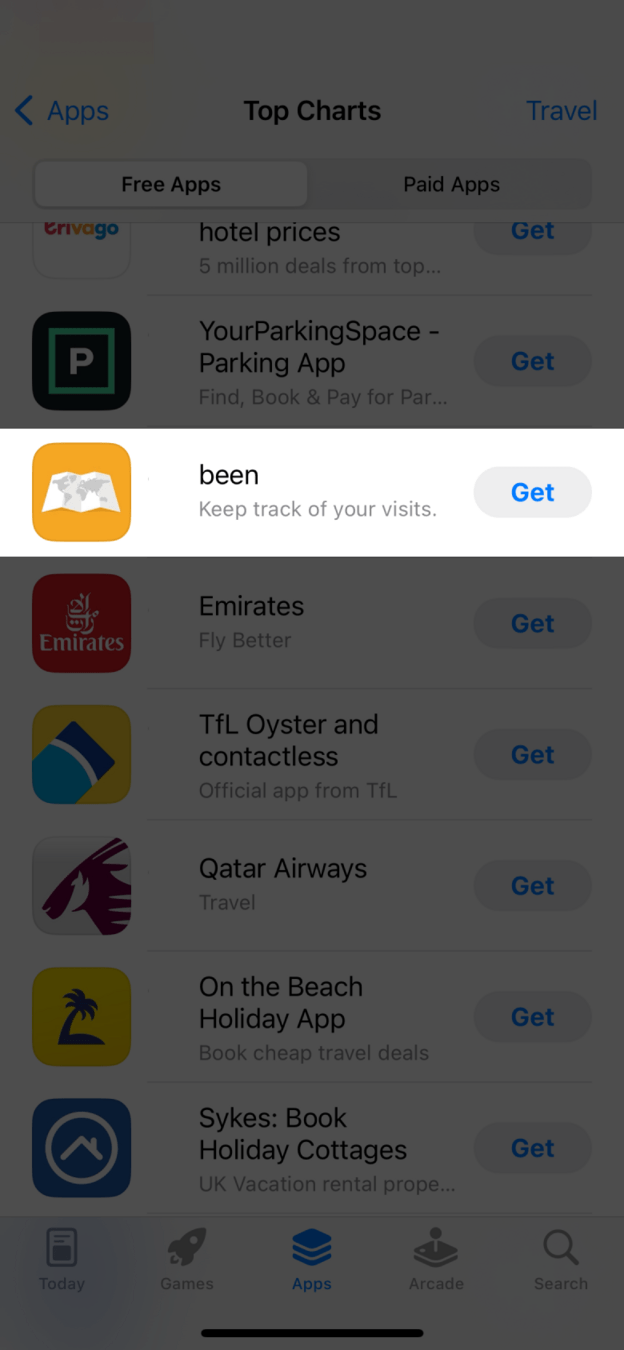
Old holiday photos inspire someone to track every place they have been.
They find 'been', an app that keeps track of your visits, in the App Store's travel charts. It is exactly what they were looking for, so they tap 'Get' with real excitement.
TakeawayPeople arrive with a motivation. The first run should build on it, not flatten it.
 Zoomable map?
02
Problem 1
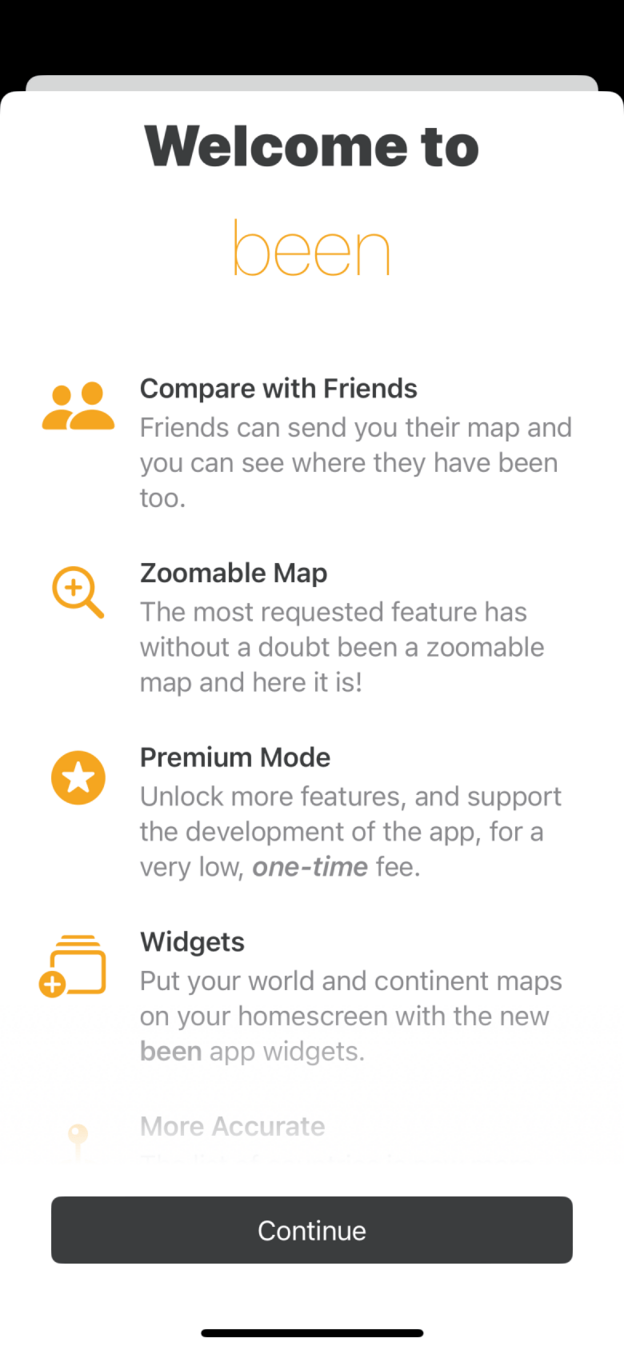
The welcome screen is a long list of features.
'Welcome to been' is followed by Compare with Friends, Zoomable Map, Premium Mode, Widgets and more. None of it says why tracking your travels is worth doing, and a new user has no reason to care about widgets yet.
TakeawayAn intro should sell the outcome, not the settings.
PrimingWhat people see first shapes how they react to what follows. Been could use its intro to prime people on the meaning and value of tracking their trips, instead of just listing features.
 Tiny plus sign
03
Problem 2
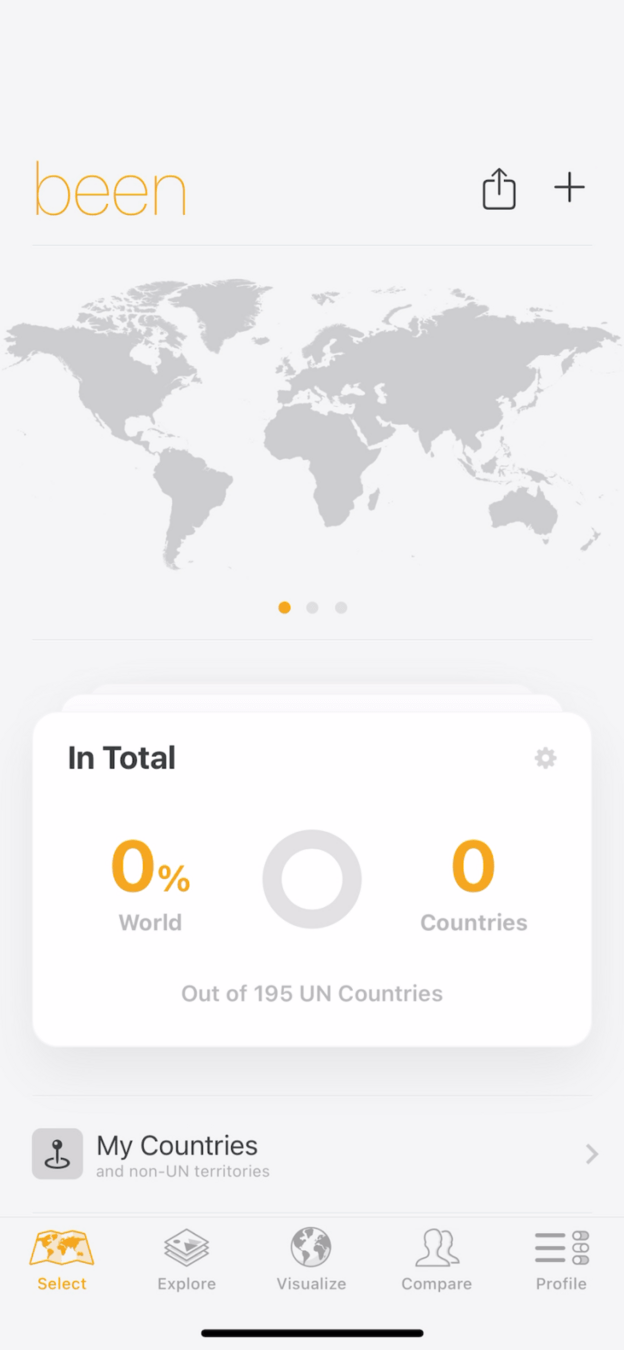
After 'Continue', the user lands on an empty map with no guidance.
The home screen shows a gray world map, 0 percent of the world and 0 countries. The only way to start is a small '+' in the top corner, marked by a very subtle animation that is easy to miss.
TakeawayAn empty state should point clearly to the first action.
Current Where to start?Redesign 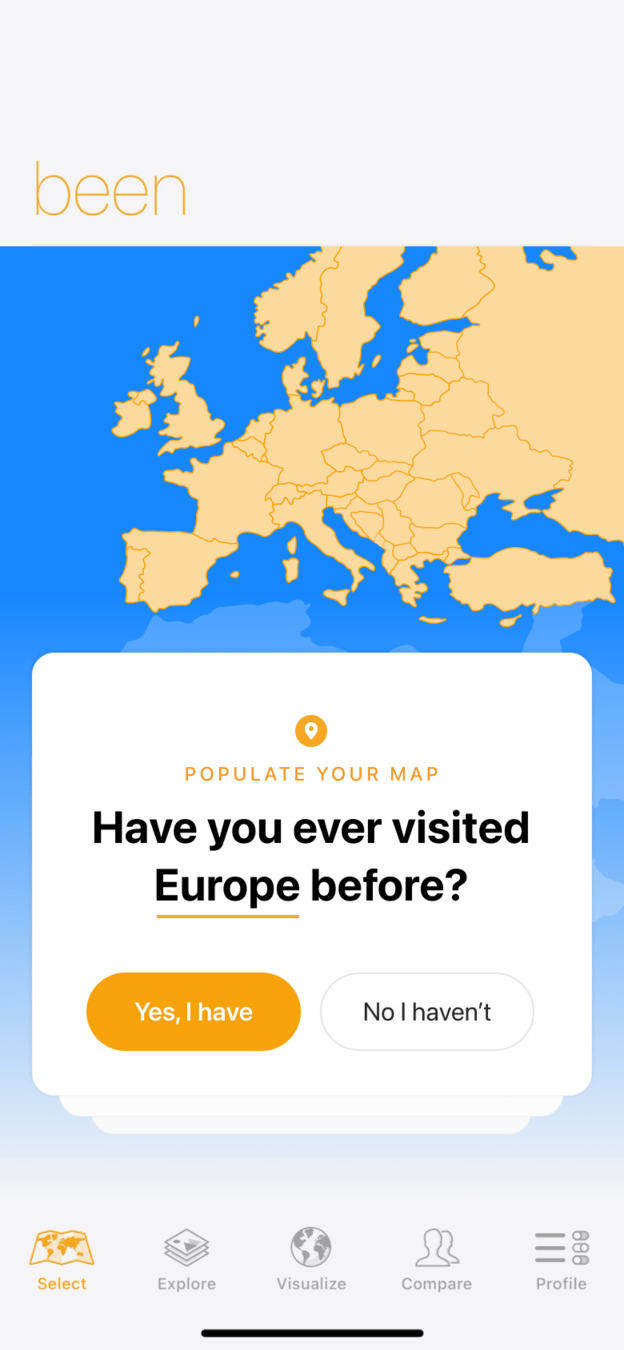 Yes, I have
04
Fix 1
Start with one easy question: 'Have you ever visited Europe before?'
The redesign replaces the empty gray map with a colorful map of Europe and a single card asking a yes or no question. Answering takes one tap and instantly puts the first places on the map.
What changed
- The empty world map becomes a colored map of Europe
- A single 'Populate your map' question card
- Two clear answers: 'Yes, I have' and 'No I haven't'
TakeawayTurn the first action into a question anyone can answer in a second.
Spark effect and aesthetic usabilityPeople act more readily when the effort is small, so an easy question gets them engaging immediately. And people tend to believe that things that look better work better, which is why the redesign adds color.
 Too many fields
05
Problem 3
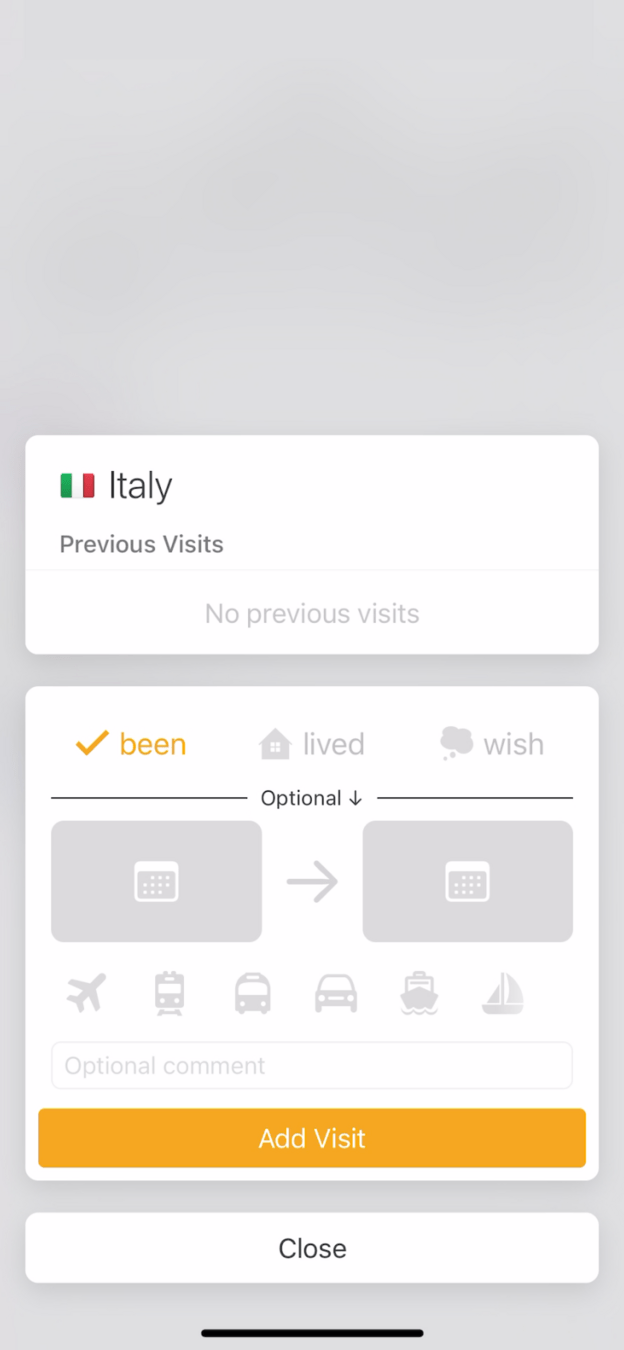
Adding Italy opens a busy form that feels cold.
After searching for Italy, the user sees 'No previous visits', tabs for been, lived and wish, two date pickers, six transport icons and an optional comment. It is a lot of input for a first entry, and nothing about it recalls the trip.
TakeawayA form about memories should feel like one.
Current Feels like adminRedesign 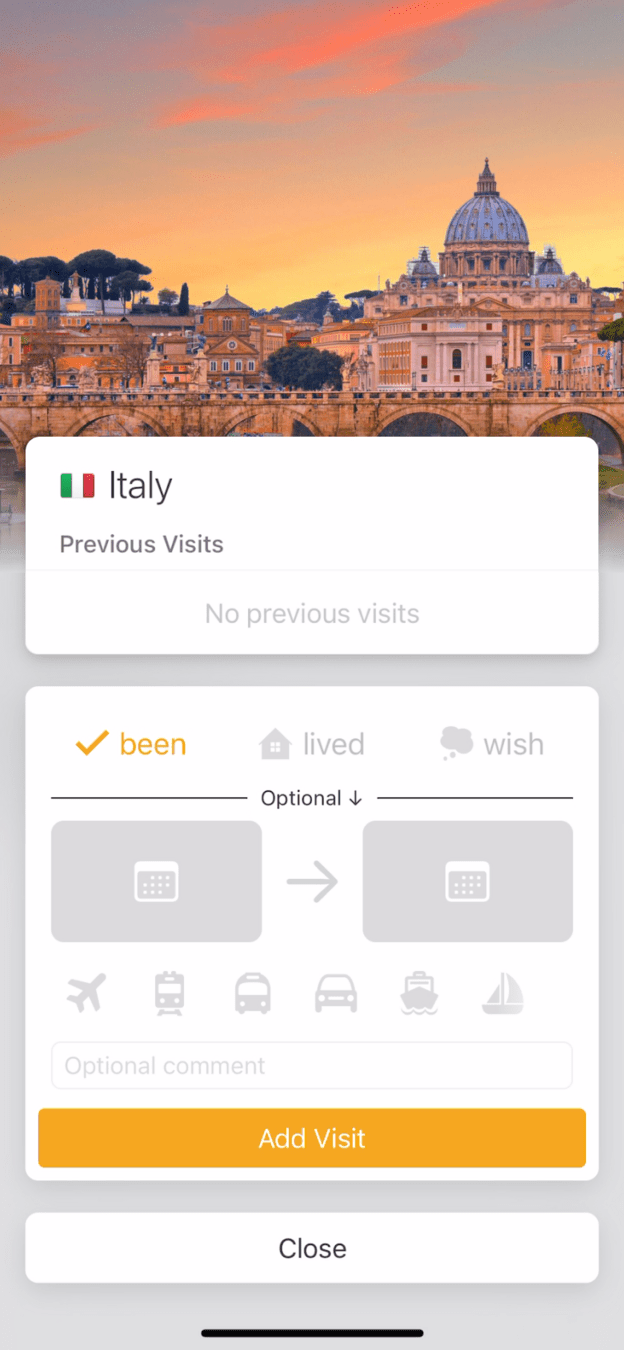 Brings back memories
06
Fix 2
Add a photo of the place at the top of the form.
In the redesign, a warm image of Rome at sunset sits above the same fields. Nothing else changes, yet filling in the dates now feels like remembering a trip rather than completing paperwork.
What changed
- A photo of the destination tops the form
- The fields stay the same, so no extra work is added
TakeawayA single image can change how an entire task feels.
Form 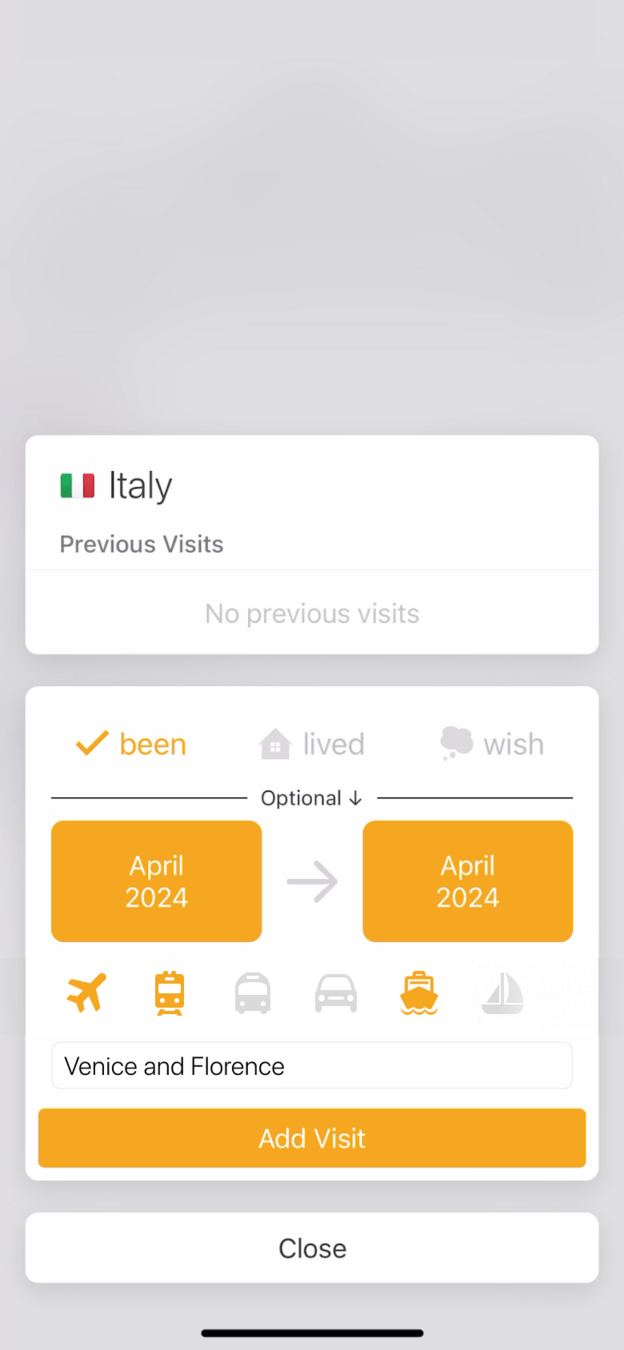 Add Visit
Achievement 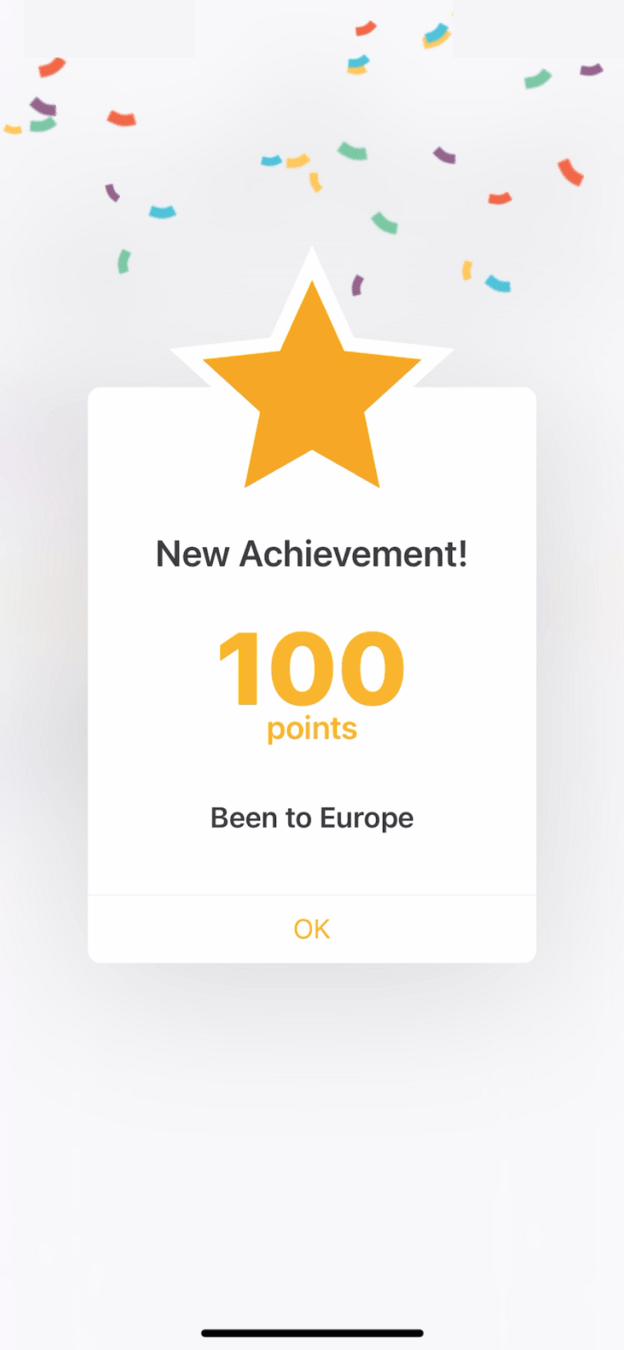 Points for what?
07
Problem 4
Adding the trip earns '100 points', which mean nothing.
After filling in April 2024, Venice and Florence, and tapping 'Add Visit', a confetti screen announces a new achievement: 100 points for 'Been to Europe'. The points are not explained or used anywhere else.
TakeawayA reward only motivates if people understand what it gives them.
 0 percent
08
Problem 5
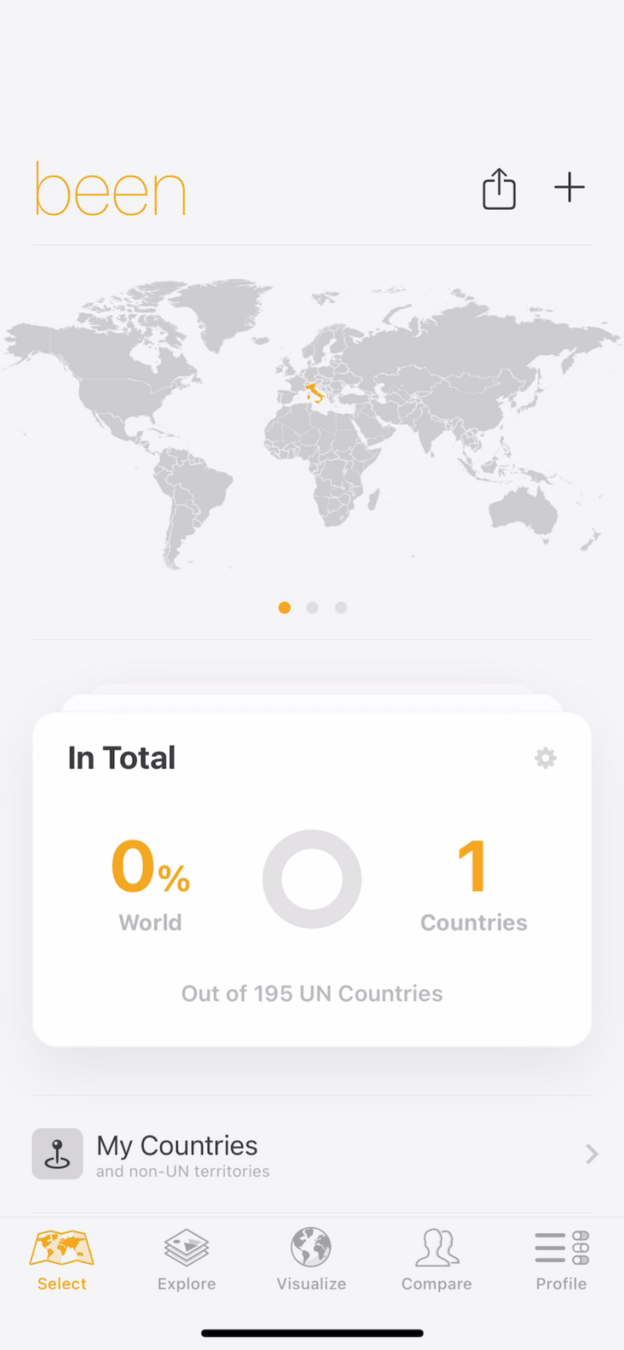
Back on the map, the counter still shows 0 percent of the world.
One country is added, but the big number reads 0 percent, out of 195 UN countries. Nothing on the gray map lights up to show where they have been. It feels like nothing was accomplished.
TakeawayIf progress is invisible, people assume there is none.
Goal-gradient effectThe closer people are to a goal, the harder they work to reach it. A goal that seems too far has the opposite effect. Try shaping instead: reinforce small steps that move people toward the target.
Current DiscouragingRedesign 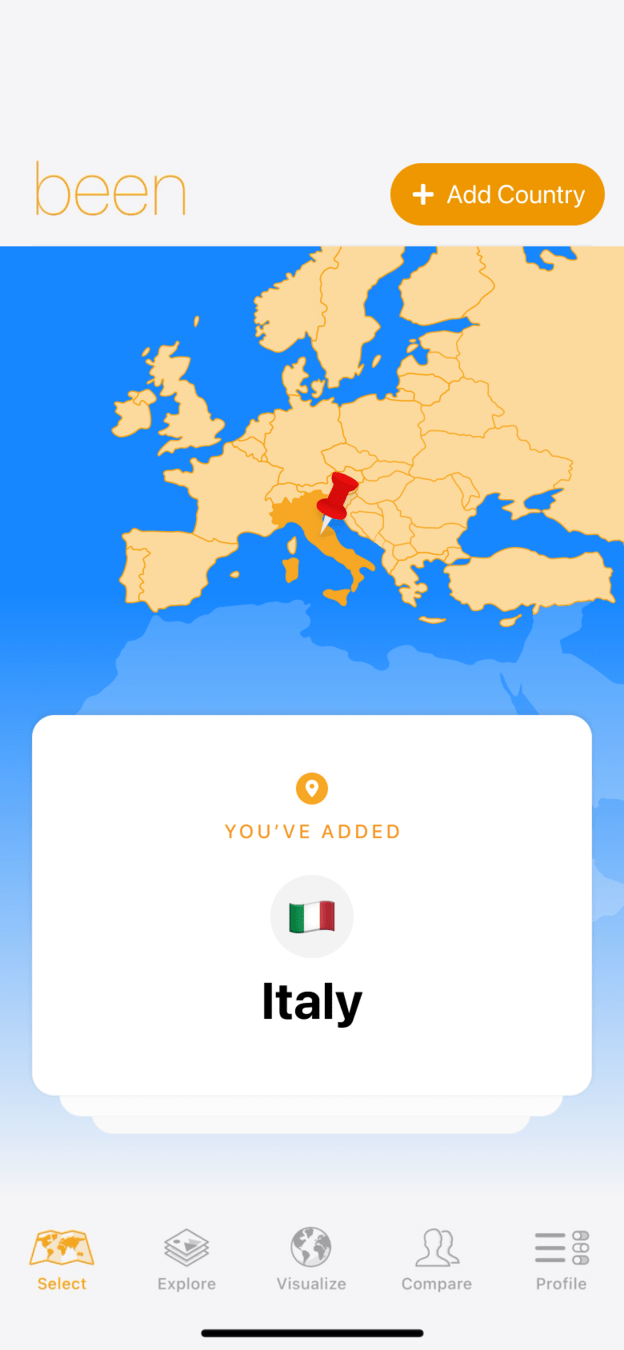 Italy lights up
09
Fix 3
Show Italy lighting up on the map with a clear 'You've added' card.
The redesign drops the far away 'out of 195 countries' target. Instead, the map zooms to Europe, Italy is highlighted with a pin, and a card says 'You've added Italy'. An 'Add Country' button waits in the corner for the next one.
What changed
- The distant 195 country goal is removed
- The added country is highlighted on the map
- A 'You've added Italy' confirmation card
- A visible 'Add Country' button for the next step
TakeawayCelebrate the step people just took, and make the next one obvious.
Peak-end rulePeople remember an experience mostly by its high points and its ending. Making the moment a country is added feel good shapes how the whole first run is remembered.
Current start Features firstRedesigned Progress first10
The result
A few small delighters turn a flat first run into a motivating one.
Growth.Design gives the current onboarding a C: an exciting start that gets dragged down by little guidance, a bland form and discouraging feedback. A starter question, a photo and visible progress would lift each of those moments.
What changed
- Guidance: an easy first question
- Emotion: a photo on the entry form
- Motivation: visible, local progress
TakeawayDelight is rarely one big feature. It is many small moments done well.
Every takeaway, in one place
- The setupPeople arrive with a motivation. The first run should build on it, not flatten it.
- Problem 1An intro should sell the outcome, not the settings.
- Problem 2An empty state should point clearly to the first action.
- Fix 1Turn the first action into a question anyone can answer in a second.
- Problem 3A form about memories should feel like one.
- Fix 2A single image can change how an entire task feels.
- Problem 4A reward only motivates if people understand what it gives them.
- Problem 5If progress is invisible, people assume there is none.
- Fix 3Celebrate the step people just took, and make the next one obvious.
- The resultDelight is rarely one big feature. It is many small moments done well.
Source: Growth.Design: How small UI delighters have a huge impact on UX
Make the first five minutes worth coming back for.
First impressions decide whether people explore a product or forget it. Zyxware can walk through your first run as a new user would, find the flat and confusing moments, and design small, testable changes that give people momentum early.