How Better Design Could Make Amber Alerts Save More Children
 +20 XP
Case study
How Better Design Could Make Amber Alerts Save More Children
At 2:57 in the morning, a phone blasts an Amber Alert about an abducted three year old, and the person holding it has no idea what to look for or what to do. See the six problems with today's alert, and five design changes that would make it easier to recognize, act on and trust.
+20 XP when you reach the endWhat you will learn
- Spot why long, text-only alerts get ignored
- Use faces, vehicles and maps to speed up recognition
- Give people a clear action and a clear ending
Scroll to follow the story. The screen changes with you.
Based on the learnings from Growth.Design: Amber Alert Redesign: 5 UX Improvements That Could Save Lives, presented in our own format.
Step 1 of 9
- The key fact
01
The setup
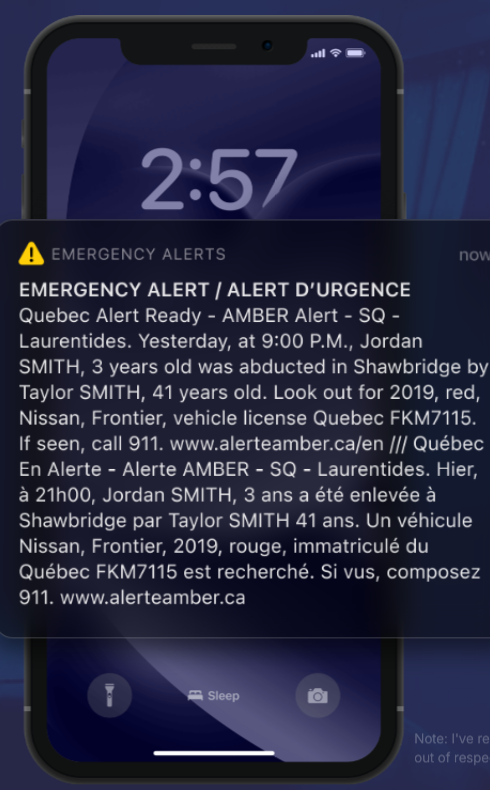
A piercing alarm and a wall of text wake him in the middle of the night.
His phone blares a sound loud enough to make him think of a nuclear attack. The lock screen shows 'Emergency alert / Alert d'urgence' followed by a dense block of text. It takes a while to find the point: Jordan Smith, 3 years old, was abducted in Shawbridge.
TakeawayIn an emergency, the most important fact should be the first thing people read.
- Same text again
02
Problem 1
The alert repeats everything in English and then in French.
There is no language setting for emergency alerts, so Canadian authorities send every message in both languages. The result is roughly twice as much text as anyone needs, on a screen read half asleep.
TakeawayEvery extra line in an urgent message delays the action you need.
- Which vehicle?
03
Problems 2 and 3
Where is Shawbridge, and what does a 2019 Nissan Frontier look like?
The alert names a town he does not know and a vehicle model he cannot picture: is it a pickup, an SUV or a sedan? It also names the suspect, Taylor Smith, without saying if Taylor is a man or a woman, or what they look like.
TakeawayPeople cannot watch for something they cannot picture.
 Only a test
04
Problem 4
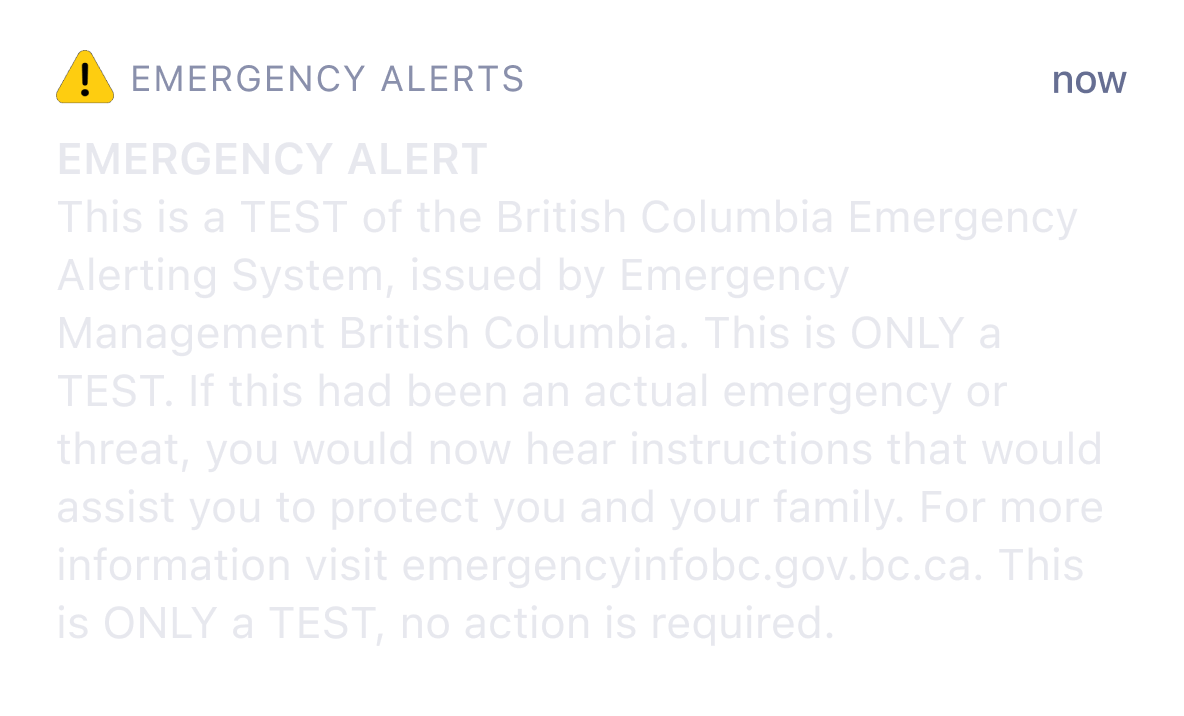
A test message uses the same layout and the same alarm.
Emergency alerts are now used for weather warnings, COVID-19 rules, vaccination notices and system tests like this British Columbia one, which says no action is required. They all share the same heavy layout and the same terrifying sound.
TakeawayIf every alert looks equally urgent, none of them feels urgent.
HabituationThe more a stimulus repeats, the weaker our reaction, which is how the brain separates useful signals from redundant ones. The first emergency alert causes panic. By the thirtieth it feels like any other notification, and a lack of anything to do makes that worse, as in the fable of the boy who cried wolf.
 No clue what to do
05
Problems 5 and 6
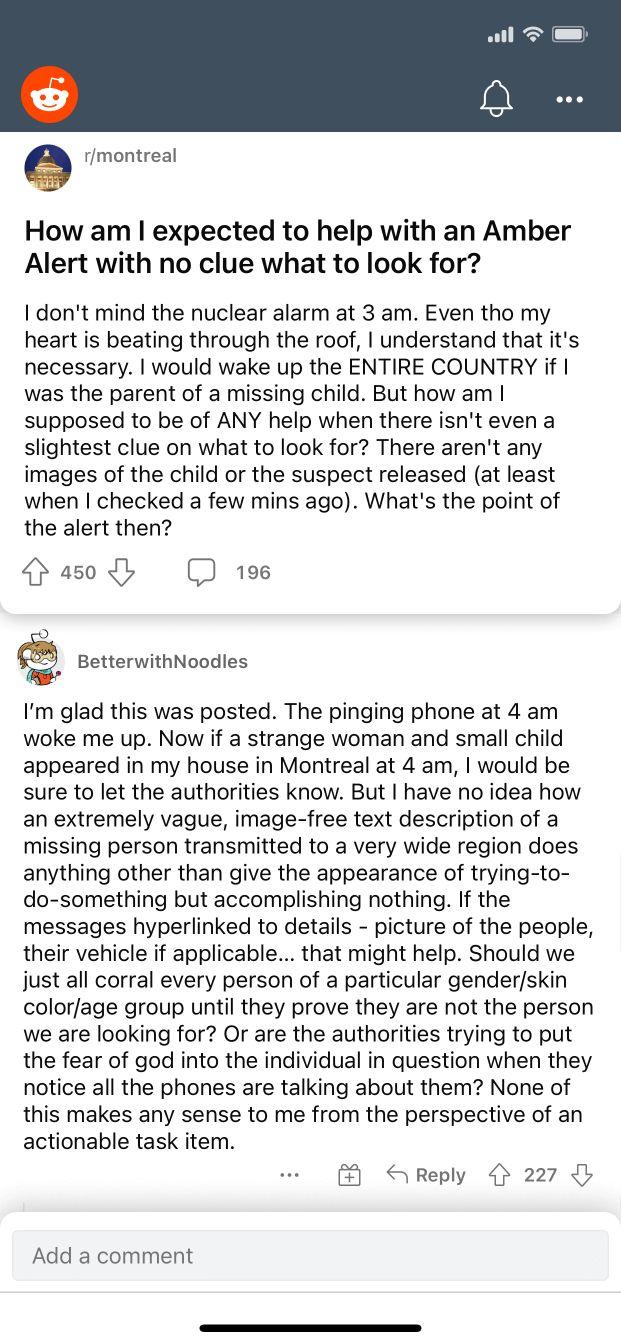
People online ask how they are supposed to help with no clue what to look for.
Tapping the alert does nothing, so he checks Reddit. A post on r/montreal asks exactly his question, and another on r/ontario says people are learning to ignore the alerts. When a message is important but not actionable, people build a habit of dismissing it.
TakeawayAn alert without a clear action trains people to ignore the next one.
The impact of bad UXGrowth.Design cites the US Office of Justice: Amber Alerts are 8 times less likely to be resolved by phone alerts than by radio, TV and road signs, even though Pew Research finds 97 percent of Americans have a cellphone. In places like Canada the alerts cannot be disabled and ring through Sleep Mode, and the Financial Post reports 911 is flooded with complaints after each one, which slows rescue efforts.
 Experts warned
06
The consequence
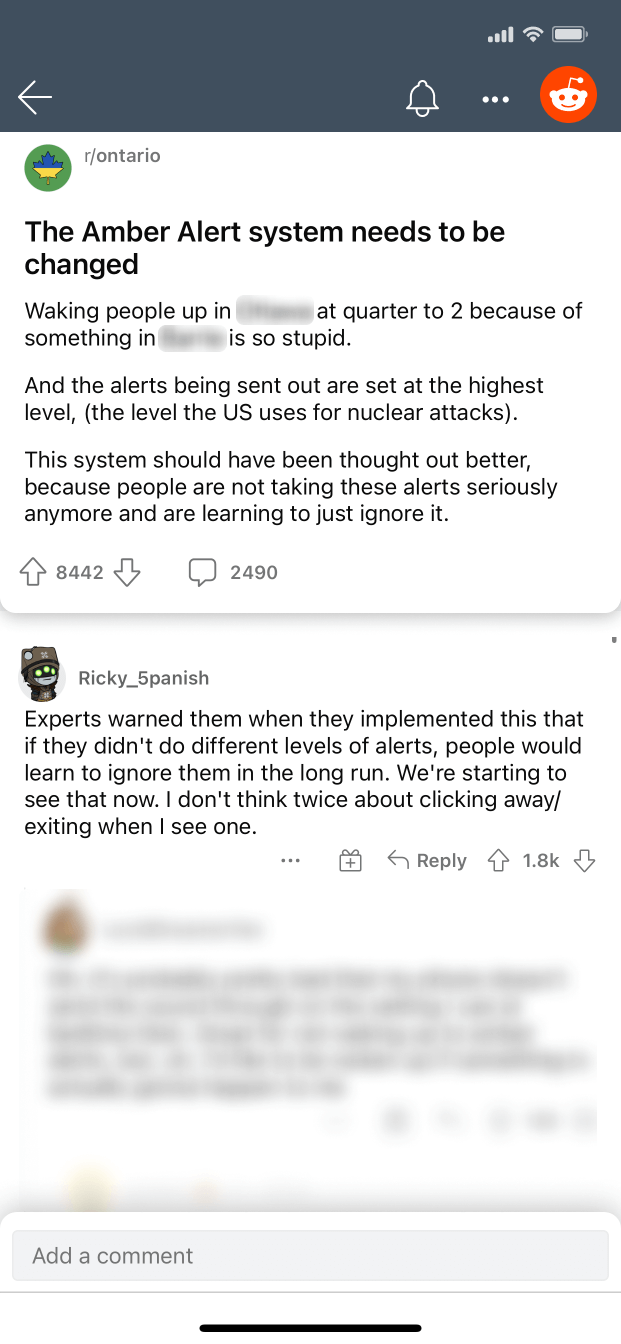
Experts warned that people would stop paying attention, and they have.
The top reply on the r/ontario thread points out that experts warned about this when the system launched without different alert levels. Once someone clears an alert without reading it, there is no way to bring their attention back, and every rescue loses another helper.
TakeawayTrust in a warning system is spent every time it asks for attention without a reason.
 Status at a glance
07
The opportunity
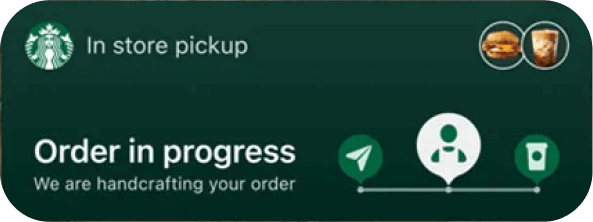
Live lock screen tiles already show real-time status at a glance.
Apple's Live Activities, with an Android equivalent, let apps like Starbucks show a live, visual status right on the lock screen. The same format could carry an Amber Alert: a compact tile with the essentials, updated as the search moves.
TakeawayBorrow patterns people already understand instead of inventing new ones in a crisis.
- Text only
08
The redesign
Faces, a red pickup, a live map and one button replace the wall of text.
The redesigned tile shows 'Missing Child' with photos of Jordan and Taylor Smith, a picture of the red Nissan Frontier with its plate FKM7115, and a status line. Expanded, it adds a map of the likely fleeing zone around Shawbridge and a 'Report Sighting' button.
What changed
- Recognition: photos of the child, the suspect and the vehicle
- Empathy: a real face makes the alert harder to ignore
- Clarity: a single language based on user settings
- Location: a live map showing if you are inside the fleeing range
- Action: a shortcut to send authorities a photo, text or location
TakeawayDesign for recognition, not reading, when every second counts.
Priming, singularity and the bystander effectRecognizing is faster than recalling, and the brain processes faces far better than objects. People also care more about one identifiable person than about a group. And placing you on the map shows the situation is relevant to you, which counters the urge to assume someone else will help.
 Resolved
09
The ending
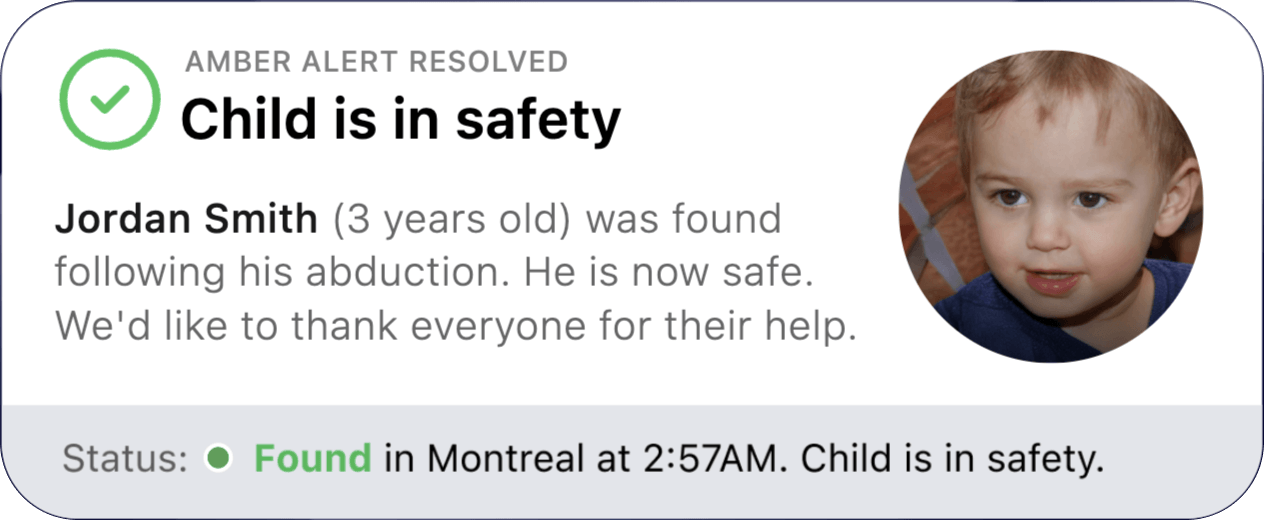
The tile updates when the child is found.
The status line changes as the case moves, from last seen at 9:00 PM to spotted in Montreal. When it is over, the tile reads 'Child is in safety', says Jordan Smith was found and thanks everyone for their help.
TakeawayClose the loop, so people learn that paying attention makes a difference.
ClosurePeople want a clear ending to uncertain situations. Growth.Design cites Protection1: 95 percent of Amber Alerts are resolved within the first 48 hours. Sharing the happy ending creates a positive memory, following the peak-end rule, and rewards the habit of helping.
Every takeaway, in one place
- The setupIn an emergency, the most important fact should be the first thing people read.
- Problem 1Every extra line in an urgent message delays the action you need.
- Problems 2 and 3People cannot watch for something they cannot picture.
- Problem 4If every alert looks equally urgent, none of them feels urgent.
- Problems 5 and 6An alert without a clear action trains people to ignore the next one.
- The consequenceTrust in a warning system is spent every time it asks for attention without a reason.
- The opportunityBorrow patterns people already understand instead of inventing new ones in a crisis.
- The redesignDesign for recognition, not reading, when every second counts.
- The endingClose the loop, so people learn that paying attention makes a difference.
Source: Growth.Design: Amber Alert Redesign: 5 UX Improvements That Could Save Lives
Design urgent messages people can act on in seconds.
Critical notifications fail when they are long, vague and all look the same. Zyxware can review your alerts, notices and service messages, restructure them around what people need to recognize and do, and test them with real users under real conditions.